

iPhone 12 Owners Got A Surprise Feature With Latest iOS 17.4 Update
We may receive a commission on purchases made from links.
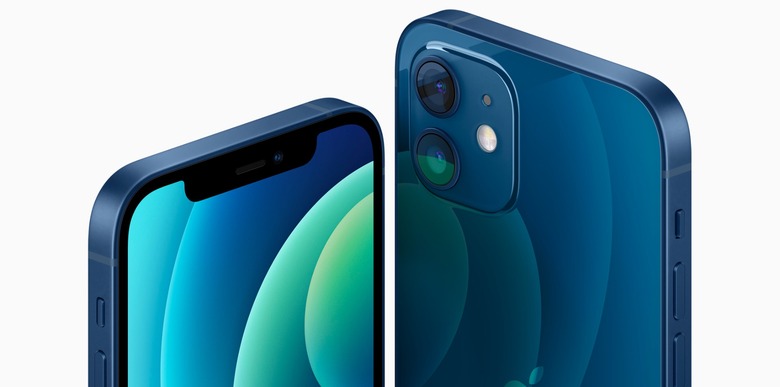
If you own an iPhone 12, the latest iOS 17.4 update added more than the features highlighted by BGR. As a matter of fact, this almost four-year-old iPhone has been upgraded with an important function that is now making charging this device twice as fast as before.
As spotted by Macworld, Apple has upgraded magnetic charging on the iPhone 12 to a Qi2 pattern. Previously exclusive to the iPhone 15 release, last December, Cupertino upgraded all iPhone 13 and iPhone 14 models with fast charging speeds thanks to iOS 17.2. Now, it's doing the same with the first iPhone with a MagSafe connector.
With the Qi2 pattern, you can wirelessly charge your device at speeds of up to 15W, even if it's not MagSafe compatible. Of course, to take advantage of faster charging speeds, you need the following:
- Update your iPhone 12 to iOS 17.4
- To have a Qi2 wireless charger
These are some of the best Qi2 accessories for your iPhone 12
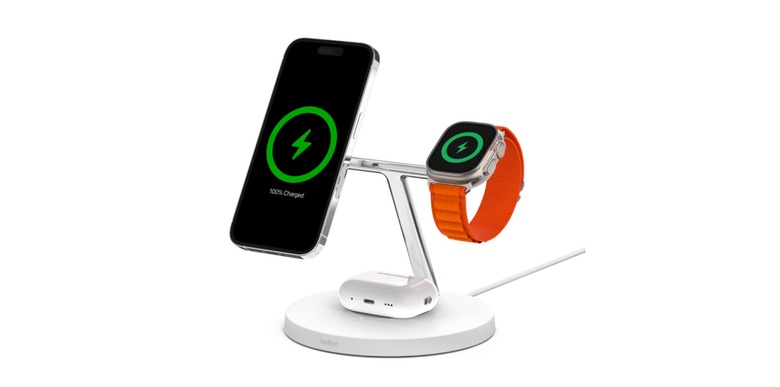
Belkin is one of the only accessory makers already offering a Qi2 accessory. The new Belkin BoostChargePro 3-in-1 charging station offers MagSafe support, which means it can charge wirelessly up to 15W.
The stand comes in black or white, and you can charge your iPhone, Apple Watch, and AirPods at once. It retails for $149.99, but it's currently discounted on Amazon.
Anker, for example, has several Qi2 wireless chargers. One of the most interesting is the Anker MagGo Power Bank, which has up to 10,000 mAh. It's portable; you can take it anywhere, costing $89.99.
Satechi says its upcoming 2-on-1 and 3-in-1 foldable stands are coming soon, and you can sign up to be notified about them here.
The Qi2 offering will only grow from now on, so charging your iPhone 12 or newer wirelessly will be faster than ever.