

5 Essential Meta Quest Apps You Should Always Install First
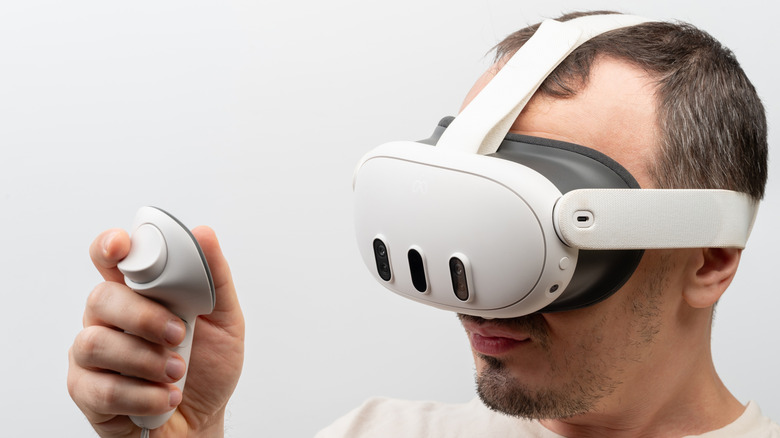
Virtual reality headsets became one of the most exciting new entertainment products in the last few years. Millions of people rushed to buy their Meta Quest 3 headsets with better VR, and for many, it became a go-to gaming device. Although gaming is definitely a major draw, the Meta Quest is capable of far more than that with the right apps. This platform can easily shift from entertainment to productivity, creativity, fitness, or even education. With the right apps, your VR headset can transform into a private movie theater, a fitness studio, or a meditation retreat. These experiences are not only fun but genuinely useful, and they perfectly show how versatile VR can be.
Let's take a look at five essential apps that every Meta Quest owner should consider installing. We chose them based on personal experiences, user reviews, and recommendations from various forums, so you can open the door to a different side of virtual reality. Some allow you to watch movies with your friends, while others let you explore your PC game library, learn a new language, or support your mental well-being.
Bigscreen Beta
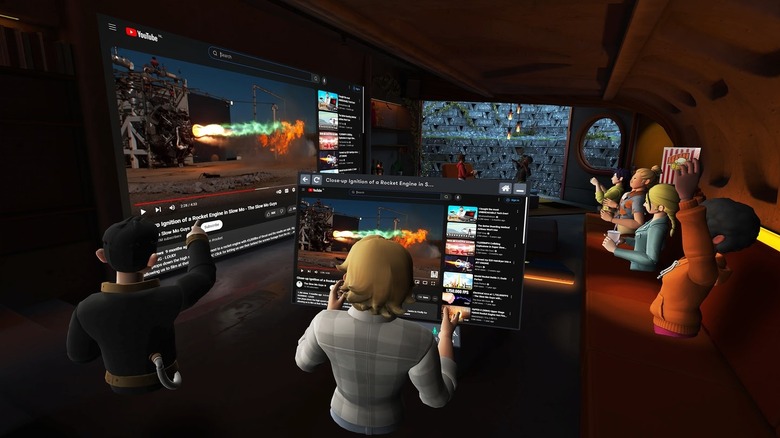
If you're looking for a shared, immersive entertainment experience, Bigscreen Beta is a must. It lets you turn your Meta Quest VR headset into a social movie theater, and more. Just like in real life, you can invite friends to join your room, pick a cozy setting, such as a campfire or a dark movie theater, and watch movies, series, and YouTube clips together. Because Bigscreen supports social VR chat rooms, you can use it to hang out with up to 12 of your friends to talk and watch content together. Co-watching allows you to use the Cloud Browser, so you don't need a PC to stream web content into the game.
But one of the coolest Bigscreen features is remote desktop streaming. You can connect your Windows PC and stream its screen to your headset. This allows you to play video games on a giant virtual TV. Use this feature to browse the internet in VR or watch 3D movies that your computer is handling, all through the app's built-in video player.
That said, some users report bugs, including audio issues, laggy videos, and even black screens while streaming. Although Bigscreen Beta itself is free, the Cloud Browser this app uses is not. After its two-hour trial period passes, you have to pay $9.99 a month to keep using it.
Steam Link
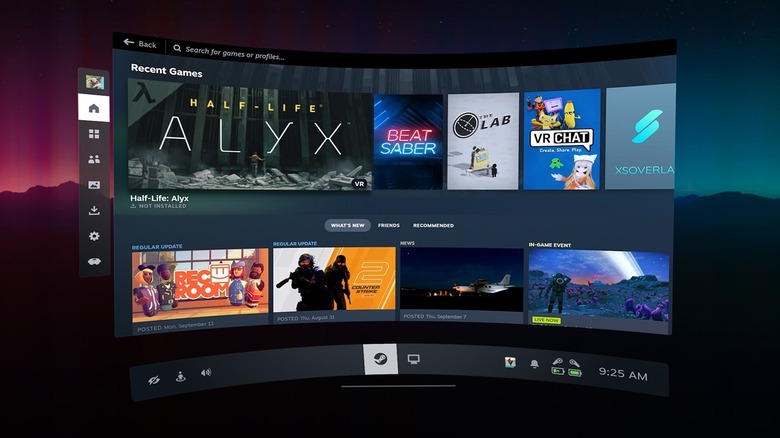
If you ever wondered what it would be like to stream your entire Steam library into your Meta Quest VR headset, the Steam Link app lets you do exactly that — and it's not limited to VR games. You can also stream regular PC games as you would on your phone. You don't need third-party tools to make a connection, as Valve officially released a version of this app for Quest headsets. Simply install Steam and SteamVR on your PC and run them together with the Steam Link app on your Quest.
One of the biggest advantages of Steam Link is how easy it is to play VR games such as "Half-Life: Alyx" on your Quest. You will no longer be limited by the headset's hardware. Instead, you can rely on the power of your PC to run the game and let your Quest simply stream it. Thanks to the newest update, you can run all games on a virtual Big Picture-style screen (think Bigscreen from the previous section) without having to jump into SteamVR mode. Also, thanks to Steam Link, you can use your gamepad or hand tracking as a game controller.
Keep in mind, you must have a really good internet connection for the Steam Link streaming to be seamless. A slow connection means you'll experience heavy lag, frame drops, or reduced image quality. Additionally, how smoothly games will run depends on your computer's specs.
Mondly: Practice Languages in VR
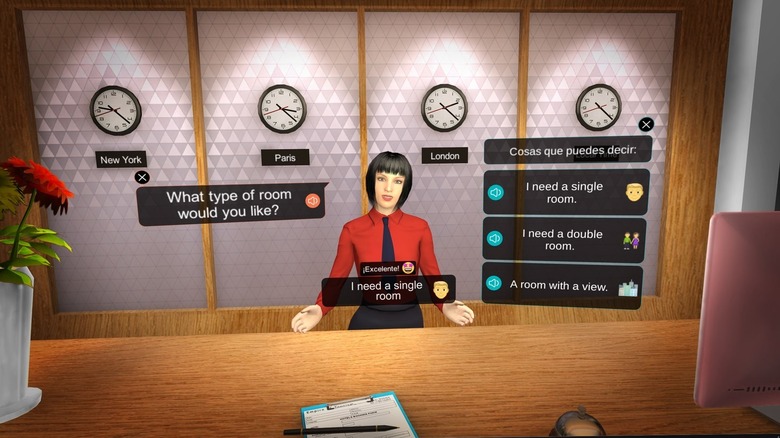
Mondly in VR is an engaging and practical app that lets you learn and practice a new language like with ChatGPT, but in a VR world. Instead of just creating practice cards for you like others, it lets you actually talk to virtual characters in realistic settings, such as a hotel reception desk, a restaurant, or a train station. The built-in speech recognition and chatbot technology set Mondly apart from other language-learning apps. This app is capable of evaluating your pronunciation in real-time to give you direct feedback. You get to actually practice your speaking, which should give you confidence to speak a new language in a real setting.
Mondly VR lets you choose between 30 languages, including the most popular ones such as German, Spanish, and French. You won't just memorize phrases to use, but practice real dialogue in a controlled environment. The Meta Quest headset will help you focus, concentrate, and immerse yourself in the scenario. You can even enter a multiplayer mode and practice your language skills with other players.
The only drawback of Mondly is that it recycles scenes. The same train or restaurant might be used for different scenarios and different languages, which might make the experience seem repetitive. It's harder to immerse in the language and culture of Japan, for example, if a scene from a Spanish restaurant is used. Also, while speech recognition is excellent, the feedback is not detailed. Still, Mondly should prepare you for practical situations.
Mindway

If you're looking to nurture your mind in a gentle, immersive way, consider Mindway, a standout wellness app for Meta Quest. This app blends mindfulness meditation, ASMR, sleep support, and community experiences in a single VR space. One of the biggest advantages of this app is that its content is divided into small chunks. Instead of having to endure long and rigid meditation sessions, you can choose exercises that are short and easy to manage. That way, you can take care of your mental well-being even when life gets busy.
Mindway lets you wander through VR landscapes, such as emerald green forests or soft, glowing skies. That way, each session seems like a little escape from reality. Mindway also offers structured meditation courses that help you build deep habits over time. It can teach you how to handle difficult emotions or how to speak mindfully. You also have Peer-support sessions, called the "Fireside," that let you connect with others in a virtual group experience. If you have the Quest 3, you can get access to a new feature: "Build Your Own Meditation" mode. Here, you can combine breathing exercises with real-world surroundings.
Unfortunately, to unlock access to the full Mindway experience, you'll need to pay a fee of $5 a month or $50 for permanent access. Longer meditation courses and sleep content are also locked behind a paywall. The subscription might be an obstacle if you just want to explore this app, but if you feel like you need VR help with mental health, Mindway is an excellent choice. Alternatively, you can also check out the Tripp VR Meditation app.
Supernatural: Unreal Fitness
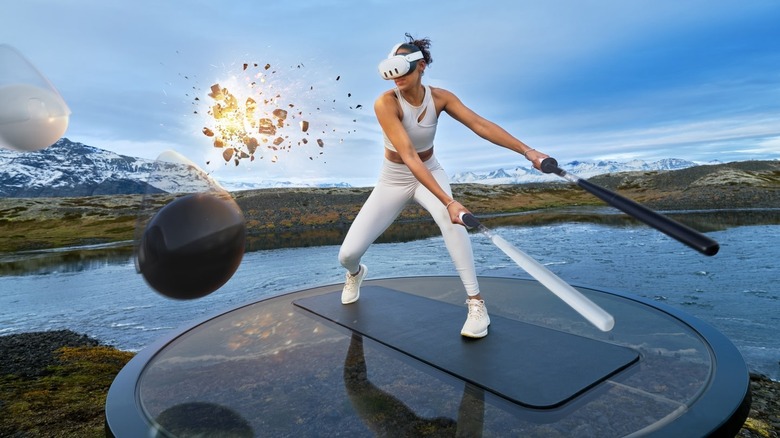
You might often feel as if working out is a chore, especially on that dreaded leg day when you end up crawling up the stairs. So why not turn exercise into a game? Supernatural: Unreal Fitness is an app for Meta Quest that lets you turn your workout session into a real flow of punches and squats, all while listening to big-name artists. You also get to visit impressive places like the Great Wall of China, the sandy Sahara Desert, and the Moon.
Supernatural Fitness is specifically designed to combine movement and motivation. There are different workout categories such as recovery and stretch, boxing, and flow. Each of these categories offers a different virtual experience. In boxing, you get to punch flying orbs, while flow makes you swing virtual batons. Coaches guide you through the exercises and motivate you to push yourself beyond your boundaries.
If you're skeptical about VR exercises, a 2022 study led by the University of Victoria — but commissioned and funded by Supernatural — explains how this app offers vigorous exercise and contributes to weekly cardio goals. Unfortunately, Supernatural Fitness comes with a $99 yearly subscription plan that might feel more expensive than the fitness apps for your Apple Watch and iPhone. You'll also need a lot of space where you'll do your exercises due to all the swinging and punching you'll have to do. After all, you don't want to end up punching the TV.
How we selected the essential Meta Quest apps
We set out to find the best, most essential apps for the Meta Quest to help you get the most out of your VR headset. We went for a highly diverse mix of apps that allow you to explore different aspects of virtual reality according to your interests. To curate this list, we paid special attention to user reviews and feedback from Redditors as well as other user forums. We selected only the apps with a minimum user score of 3 out of 5 stars on Meta's app store, and we paid attention to all constructive feedback coming from users. While we mostly focused on popular apps with more than 1,000 reviews, we didn't want to miss any hidden gems. So we've carefully considered the usefulness and fun factor of a couple of less popular apps that still had a great user score and solid feedback.