

The 4 Best Apps For Free Books

If you're looking to get into reading more books but aren't just yet ready to shell out the big bucks on getting physical or eBooks, you'll be happy to know that there are legitimate, legal ways to get free books on your phone or tablet. For many, the cost of buying books can be a major barrier when starting a reading habit. Fortunately, the digital age has democratized access to literature quite a bit.
While many of the popular options for free eBooks, such as Project Gutenberg and Standard Ebooks, allow you to download eBooks or read them in a web browser, they lack the convenience of an app with its own catalog that you don't have to load onto an e-reader, and can just start reading with a few taps on your mobile device. Fortunately, there are a number of solid apps that provide access to free books, and we have picked the best four. While selecting these apps, we focused on those that have a large catalog, along with apps for both Android and iOS.
Libby
If you have a membership to your local library or are willing to get one, Libby – one of the best free apps for Kindle owners – is an excellent option to read eBooks or listen to audiobooks for free. It's an app developed by Overdrive that works with public libraries and libraries in different institutions to allow their members seamless access to eBooks, audiobooks, and magazines. However, remember, the selection of eBooks and audiobooks that you can find on Libby will depend on your local library, as they decide what to offer on Libby. Basically, your local library buys a certain number of digital copies of books and then lends them out. So, at any given moment, only the number of eBook copies purchased is given out to the library members.
As a result, the library decides the lending policies, how many books you can borrow at a time, and for what duration. The Libby app is among the best free apps you can download, and you can find the official version on both Android and iOS. You can also read using Libby in a web browser, and the app supports sending eBooks to Kindle, provided you are based in the U.S. Another highlight of the Libby app is support for multiple library cards. If you are a member of multiple participating libraries, you can add cards for all and access each library's collection through Libby. Additionally, the app is now utilizing AI to deliver reading recommendations based on specific prompts or your borrowing history.
Hoopla
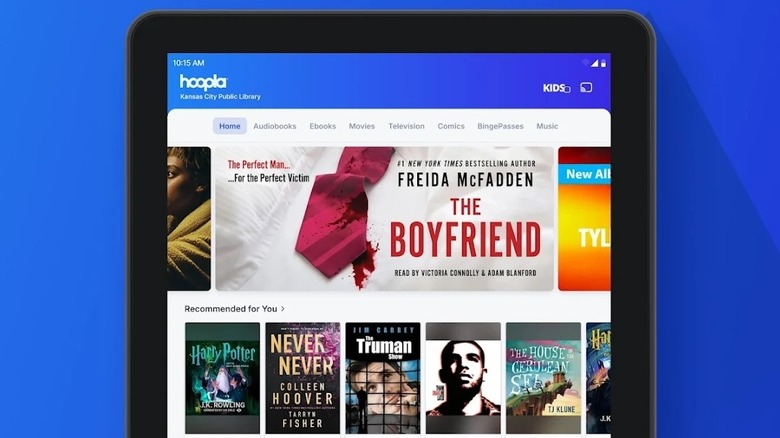
Hoopla is another excellent app that's powered by your library membership and gives you access to eBooks for free. However, unlike Libby, it doesn't give you access to your specific library's digital collection. Instead, the participating libraries contribute to maintaining a common selection, which is then rented out to the members. Plus, instead of a traditional library-like system of Libby, Hoopla follows a streaming service-like model. So, you can borrow any of the available eBooks at any time, but there is typically a limit on how many books you can borrow each month, which is decided by your library — as they have to pay Hoopla money each time you borrow a book.
Although it has a bigger catalog than Libby, you can find a few brand-new bestsellers. Additionally, besides eBooks, audiobooks, and manga, Hoopla features movies, TV shows, and music, making it an excellent free streaming service as well. It also includes features like BingePass that let you utilize one of your "borrows" to get unlimited access to a specific collection on the app for seven days. Hoopla has official apps for Android, iOS, and smart TVs, and can also work with Android Auto. Finally, it has partnerships with libraries in the U.S., Canada, Australia, and New Zealand.
Oodles
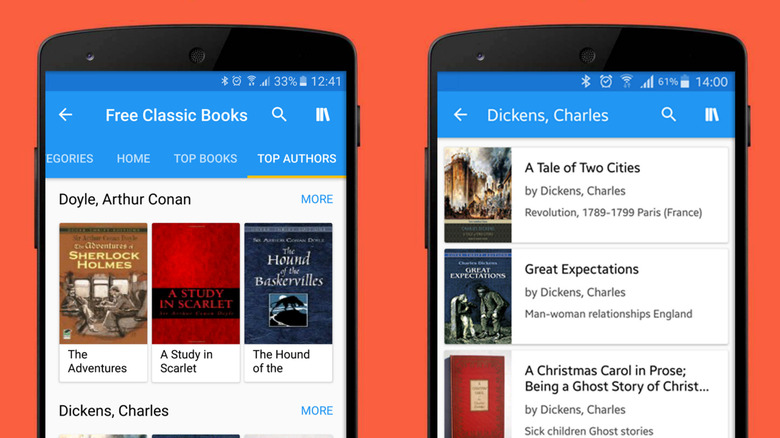
Oodles gives you access to thousands of eBooks and audiobooks that are now in the public domain, such as works of Mark Twain, Jane Austen, Arthur Conan Doyle, Charles Dickens, and Oscar Wilde. Unlike Libby and Hoopla, it doesn't need a library card, and you also don't need to pay anything. All content on Oodles is completely free, and you simply have to install the app to start reading. The app does show advertisements to support its development, which you can remove with an annual in-app subscription.
Moreover, the app works as a free eReader and allows you to import any eBooks that you may have downloaded in epub, mobi, or txt formats. You can tweak the font size, style, background, line spacing, and more to suit your needs for a better reading experience. Oodles is reasonably easy to use, and you can find eBooks sorted in different categories. There are also top books and top authors collections to give you quick access to popular content. You can download Oodles for Android and iOS.
Inkitt
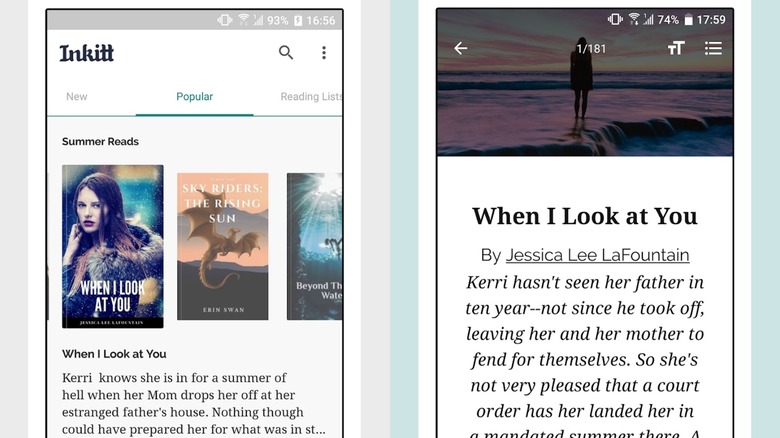
If you don't mind reading books from authors who are yet to make a name for themselves, Inkitt is a solid option. It offers free access to thousands of titles published by upcoming writers on the platform. You don't need to pay anything; however, you can support your favorite authors by getting a subscription, which gets you early access to their content. Even if you don't opt for a subscription, all early access content becomes free for everyone after a small delay.
There is support for offline access, and while there are ads in Inkitt to support the app, the experience is relatively good as you aren't constantly bombarded by pop-up or video ads. While certain genres, such as romance, fantasy, and thrillers, are most popular, you can find books across all common categories. The app also has a modern interface, with support for dark mode, auto-scrolling, and adjustable fonts. Finally, you get the Inkitt app on both Android and iOS, or you can read books via the official website.
How we selected these apps
While choosing the best apps for free books, we focused on apps that either have a catalog of free or public domain eBooks or give access to otherwise paid titles using their partnerships with local libraries. We also looked at their feature set and ease of use. Finally, all our recommendations are available as a free download, but in some cases, you may need a membership to a participating library to access content.