

Your Android Phone Is Hiding Its Maximum Volume Behind This Setting
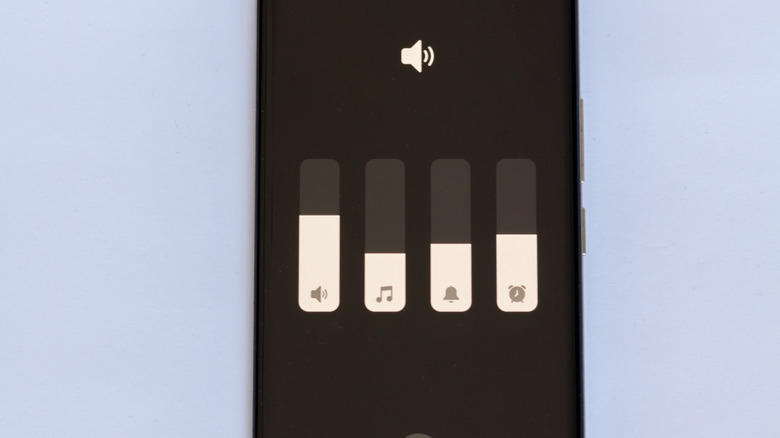
There's nothing worse about listening to music or videos on your phone than turning the volume up and still being unable to hear what's happening. While you could throw on a pair of headphones and get crisper, louder audio, sometimes you just want to chill and not have anything in or around your ears. And, considering how far smartphone speakers have come, we shouldn't always have to settle for putting headphones on just to watch a video or jam out to a song. Well, depending on the brand of Android phone you have, your device might actually be limiting its maximum volume thanks to a hidden setting: Media volume limit.
Now, it's important to note that not all Android phones utilize the Media volume limit setting — and some might call it something else entirely. However, if you have a Samsung phone, then we can definitively say that this setting might be causing some issues with how loud your phone speakers can go. The setting, which is actually really easy to toggle when you know where to find it, limits the maximum volume based on decibels. It does this to help avoid any damage to both your ears or your device's speakers, so make sure to be careful when disabling it and increasing the volume toward extreme levels.
Turn off the Media volume limit in your phone's Sounds and vibration menu
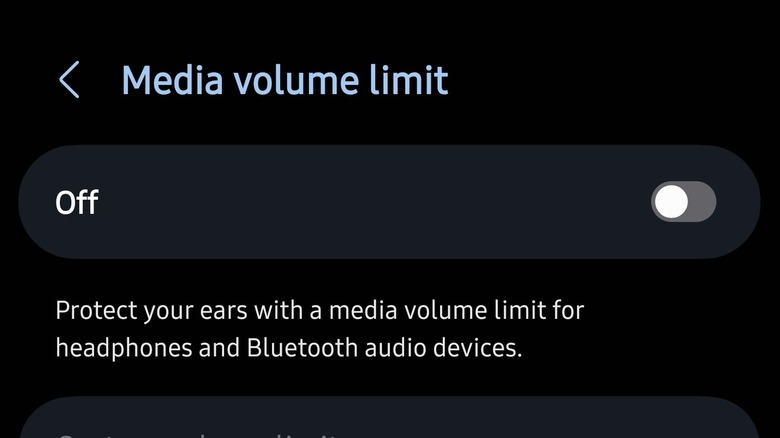
As we noted above, the exact naming convention for this setting may change depending on the brand of device you have. However, on Samsung phones like the Galaxy S25 Ultra, you can find it directly in the volume settings menu. Open Settings on your phone, navigate to Sounds and vibration, then tap on the three dots at the top right of the screen. Next, tap Media volume limit and then toggle the limit to off. Alternatively, you can also select a Custom volume limit using the slider at the bottom of this menu screen.
Once disabled, you'll be able to turn your phone's volume up higher, allowing your speaker to output sounds at a much louder volume. This is great if you spend a lot of time listening to music or even podcasts on your phone, and it's just one way you can improve how you use your Android phone. Of course, if you're looking for more settings to change, then we recommend looking over some secret settings that can make your Android phone feel twice as fast, though those are definitely more performance-based and less related to your device's sound settings.
It is worth noting, though, that changing this setting won't change how loud the volume of all the best Bluetooth speakers or headphones can go on all devices (though it will on Samsung). For that, you may need to look to your chosen speaker or headphone settings for any limitations those manufacturers might be imposing.