

How To Get Wired Internet At Home Without Installing Ethernet Cables
We may receive a commission on purchases made from links.
Wireless networks make remote connections convenient. Different areas of your home can access the network without any cables. But the experience largely depends on signal strength and bandwidth. Try to stream a movie, make a video call, or browse the internet with a shoddy signal, and things can get really frustrating. While you can try to find out what's blocking your home WiFi signal, it's not a foolproof solution. If you don't splurge on a Wi-Fi mesh network or range extender, wired connections are much more reliable. However, that would mean running a physical cable around the entire house, which is not desirable. The perfect solution to this problem is setting up a wired internet connection without Ethernet cables — thanks to technologies like MoCA or Multimedia over Coax Alliance and Powerline.
MoCA allows you to use coaxial cables in your home to create a high-speed wired network connection. Now, your first question might be: if I still have to use cables, then what's the point? That's valid, but most homes have coaxial wires in the walls with outlets spread throughout the property. In comparison, it's a lot harder to find Ethernet cables pre-installed in the same way. This matters because you can use those coaxial outlets to spread wired internet access throughout your home without the cables being visible.
How to set up a network connection without Ethernet
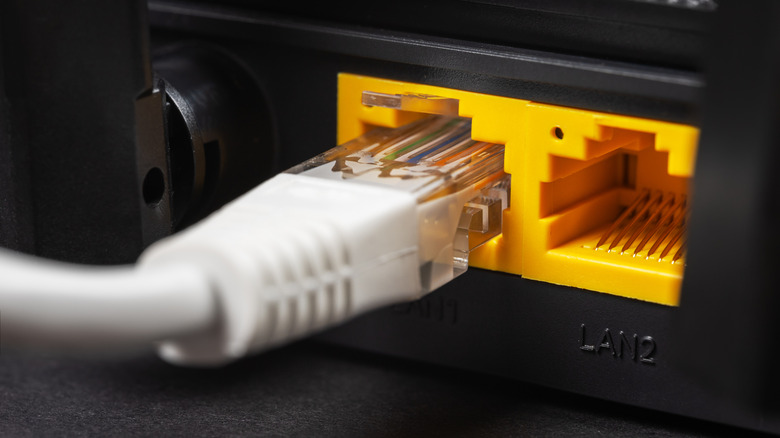
You cannot plug an Ethernet cable directly into a coaxial outlet. However, you can use a MoCA adapter to bridge the two ports. You'll need one at each end of the connection. For example, you can use one MoCA adapter between your router and a coaxial outlet and another at a different coaxial outlet — perhaps in your bedroom — connected to the device, such as a PC. The ScreenBeam Bonded MoCA 2.5 network adapter is a good starting point. Some routers or modems have built-in MoCA support, in which case you'd only need one adapter on the other end of the connection.
Similarly, you can also use Powerline adapters, which use your home's electrical wiring instead of coaxial connections. The TP-Link AV2000 Powerline kit is a solid contender. You need to place an adapter between your router and power outlets, and another where you want to connect your devices. Notably, in both cases — Powerline and MoCA — the age of the wiring in your home can determine connection speeds and reliability. Older homes with aging or poor wiring may exhibit reliability issues. If the wires are properly functional, you can expect speeds of up to 1,000 Mbps, depending on your ISP.
Which one is better?
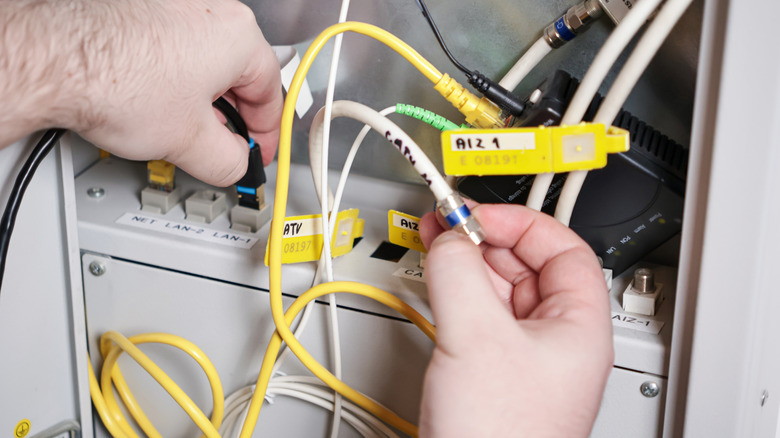
MoCA provides Ethernet over coaxial cables and coaxial ports, while Powerline adapters provide Ethernet over your home's AC wiring and power outlets. There are two reliable ways to extend Wi-Fi around your home or a big property, but what's the difference in performance, and which is the better option to go with?
MoCA adapters are known to be more reliable, offering better performance and speeds as a result, with up to 1Gbps or higher speeds. That's likely because coaxial wiring is standardized and consistent throughout a home, and while power cables are similar, powerline connections may encounter different electrical circuits, which can affect performance. Powerline signals also contend with electromagnetic interference from devices like speakers, power strips, GFCI outlets, and AFCI circuit breakers. MoCA devices don't have to contend with anything like that. Powerline can actually be slightly faster than MoCA under perfect conditions, but the issue is that the signals passing through electrical wiring have so much to compete with that's not generally the real-world experience.
Ultimately, it depends on your home's infrastructure. It won't matter which is better if you only have one option over the other. If that's the case, use what's available. But if you do have both, MoCA is more commonly the way to go for reliable speeds and a plug-and-play experience. Though you could always do some additional testing in your home to gauge performance. Factors like the age of the home and its wiring, the type of cables used, and any added interference can affect speeds.