

Circle To Search For Scams And Other New Android Features Google Just Announced
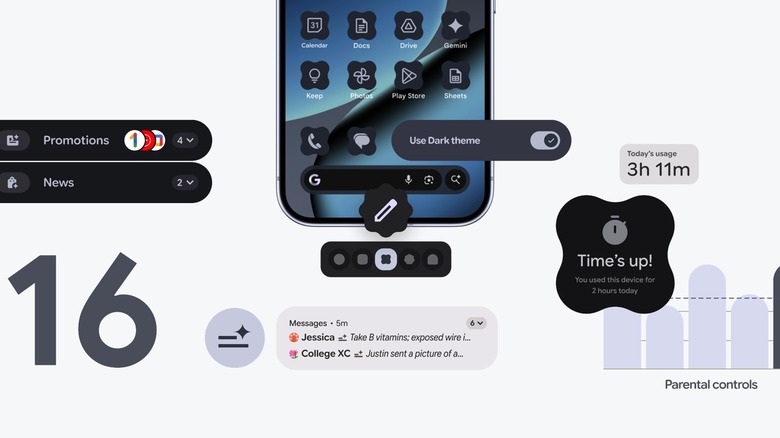
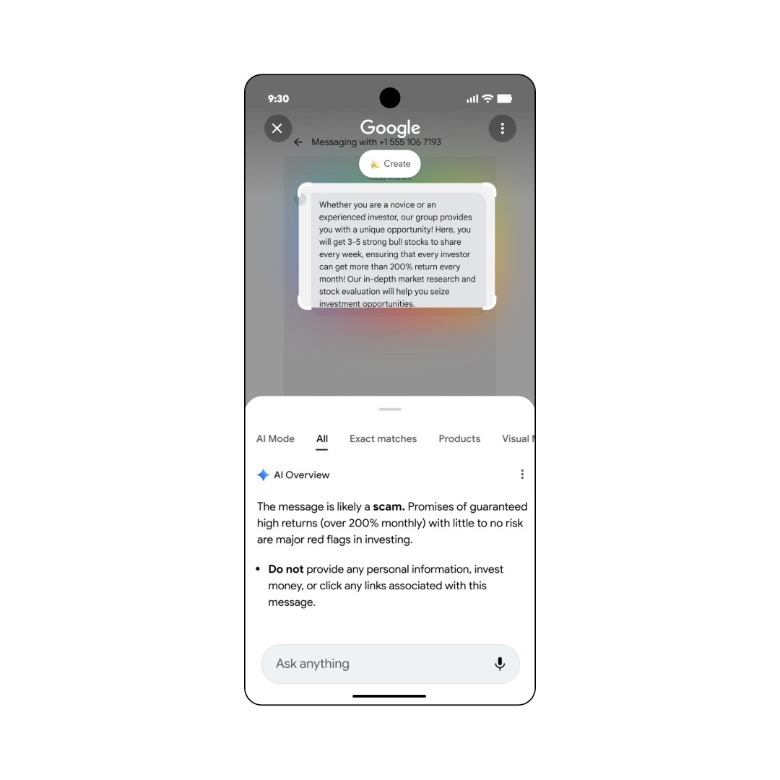
Google on Tuesday unveiled several new Android features, including new Android 16 features rolling out to eligible Pixel devices; new features available on Android regardless of OS version; and a few accessibility features. A new Circle to Search feature is one of the new features available to Android users that's not tied to the Android 16 update. Circle to Search now lets you verify whether content on the screen like an incoming message is a scam. An AI Overview will appear on the screen, showing information about the scam message and presenting helpful steps to protect yourself when you initiate Circle to Search. That way, you won't have to change apps to look for information about a potential scam.
 Google
The new Circle to Search feature isn't the only new safety feature coming to Android. Call Reason is a new feature inside the Phone app that lets users mark a call to a contact as "urgent." That contact will see the urgent mark on the call screen. If they don't pick up immediately, the urgent note stays in the call history. Google also added an anti-spam feature to Google Messages. You can now leave and report group chats in Google Messages if you think an unknown number has invited you to a group for malicious purposes. When the notification to join a group arrives, you'll see an alert displaying information about the group and tips to stay safe. You'll be able to leave the chat, report it, and block the number, all with one-tap actions.
Finally, Android users will get a few nice-to-have features, including pinned tabs in Google Chrome, new Emoji Kitchen stickers for the holidays, and emotion tags in Expressive Captions, like [joy] or [sadness].
New Android 16 features for Pixel users
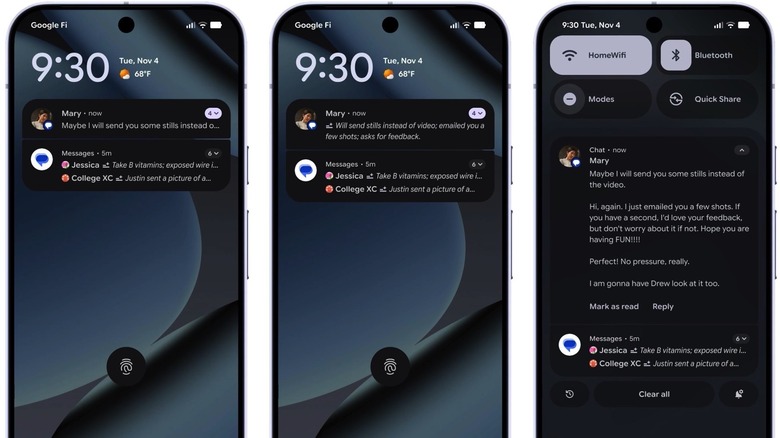
Android users who own Pixel phones will also get a few useful Android 16 features specific to their devices. The notifications experience has received two important updates. First, Pixel users can rely on AI to summarize notifications and provide context. The notification organizer can silence low-priority alerts and organize notifications into groups. The Parental Controls feature has also been updated to help users manage screen time, app usage, and downtime schedules for family members. The feature works directly on a child's device and supports PIN security.
The December Android 16 update also includes more customization options for the handset. Pixel owners can choose custom icon shapes for their phones, and themed icons are auto-applied across apps. The Dark theme is also upgraded. It works even with apps that don't have a native dark theme and supports reduced brightness to improve battery life.
New accessibility features
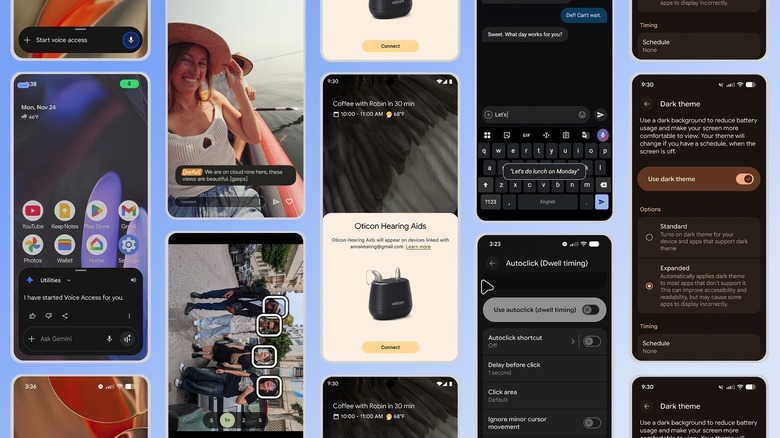
Google also announced several accessibility updates that some Android users will appreciate. For example, Bluetooth LE hearing aids now support Fast Pair, which will make it even easier to connect. The feature will be available on Demant hearing aids first, followed by Starkey devices. The Voice Access updates let you control the handset hands-free by simply instructing Gemini to start the Voice Access feature. TalkBack will let you use voice dictation in Gboard easier than before. A two-finger double-tap is enough to start dictation. Speaking of clicking, the new accessibility update also makes it easier to click on an Android device if used with a connected mouse.
Expressive Captions are coming to YouTube across all devices. YouTube videos in English that were uploaded after October will showcase a more immersive caption experience, according to Google. Finally, Guided Frame, powered by Gemini models, will tell you what's in the camera view on Pixel phones.