

5 Of The Best Free Mac Apps That You May Not Have Heard Of

Apple pre-installs its own apps on macOS, but regardless of the type of user you are, there are many third-party options that you need to have running on your Mac. Luckily, macOS has a vibrant app ecosystem, and you're not limited when it comes to apps. In fact, there are many free yet handy Mac apps that you may not know about, regardless of how long you've been using macOS.
This is because developers from time to time release new apps, so unless you really hang out in the right communities, like r/MacApps on Reddit, it's hard to know when there's something out there you should be using — or one that addresses your regular pain points with existing Mac apps or your workflow.
But instead of doing all the hard work of searching for these apps, we want to make it easy for you by pointing out the five best Mac apps we've come across that are not only handy in various scenarios but are also totally free, so you can download and start enjoying them today without opening your wallet.
Zettlr
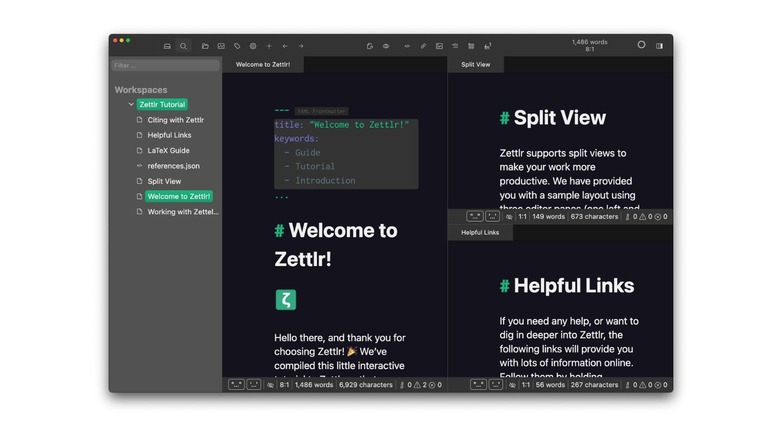
Zettlr is a free and open-source markdown editor available on macOS, Linux, and Windows. The app has an easy-to-use interface with a file navigator on the left and an editor on the right. The app is targeted at writers, although you can also use it to take notes for other kinds of work thanks to its Markdown support and a handful of other niceties that make it stand out, such as zero telemetry and support for reference managers like Zotero, JabRef, and Juris-M.
As for academic work, Zettlr is packed with a handful of convenience features. For example, it has a built-in way to submit your work to journals and conferences. The editor includes LaTeX support for typing math equations in proper format, code blocks for code snippets, and you can even use custom CSS to format text in your preferred way. Snippets are another handy feature in Zettlr that make your work easier by defining certain phrases that you use often, thus you don't need to type out everything all the time.
Using Snippets, you can even define a template for an entire file, which helps you focus on actual writing rather than organizing content from scratch to suit your standard layout. There are also other advanced features at your disposal, such as a pomodoro timer, custom templates, graph view, asset manager, tag manager, projects, and more, that you may not need at first but will come in handy down the line.
PDFgear
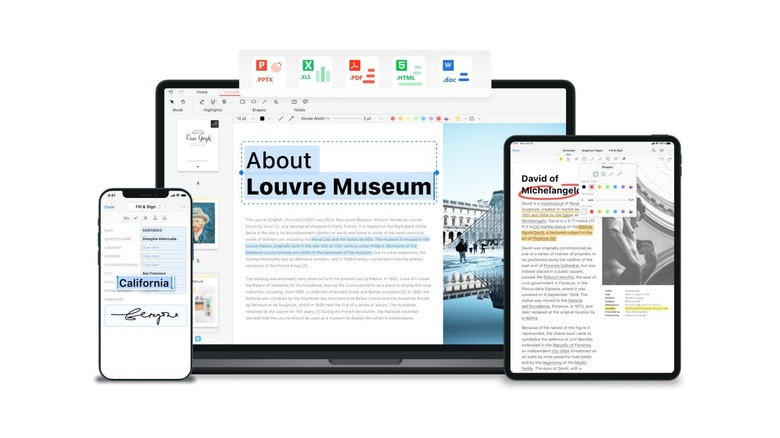
Working with PDFs can be a huge challenge, and some of the most powerful apps, such as Adobe's Acrobat, charge a premium. But if you need something as powerful as Adobe's PDF app without the premium price tag, check out PDFgear. It's a free PDF editor that's available for download on Mac and packs a ton of features. With this app, you can read, edit, compress, merge, and sign PDF files.
The app also has a built-in converter that lets you convert any PDF file to supported file types. You can, for example, convert a PDF file to a Word document or Excel worksheet. Other supported formats that you can convert to include PPT, PNG, JPEG, RTF, TXT, and HTML. You can also perform the reverse, converting file types such as Word, RTF, Excel, and PPT to PDF.
Sure, you can edit a PDF file for free in Adobe Acrobat, but it does come with some limitations, unlike in PDFgear, where you're free to use any feature, and you don't even need to create an account. Its suite of editing features is vast, allowing you to sign, stamp, annotate, merge, and split. You can also redact information, fill out a form, and perform OCR on PDF documents. The app can also come in handy when you need to create PDF documents that you can later share with other people.
Latest
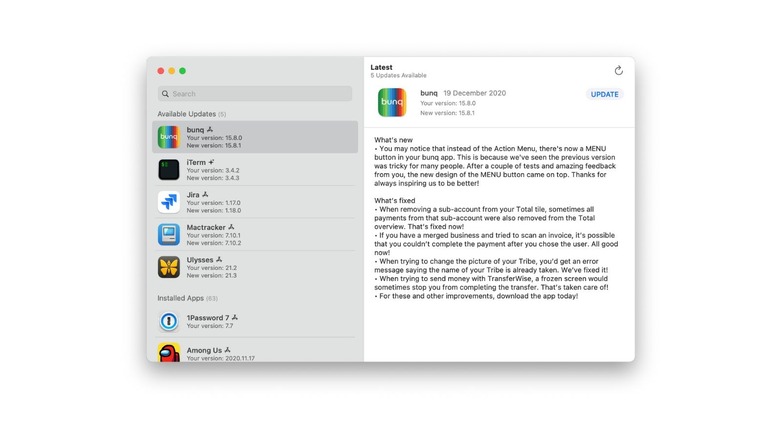
Latest is yet another free but handy Mac app that you've probably never heard of. The app does one job, and it does it really well: keeping you updated on the latest version of your installed apps. When you have Latest installed, it's easier to keep track of any new software releases for your installed apps.
You've probably downloaded apps both in the App Store and from third-party websites, including developer websites. But we bet you understand how this makes it challenging to keep your apps updated, especially the ones you got from the internet. Some developers take it upon themselves to notify you about new updates in their apps, but with Latest, you'll quickly know when one of your apps has a new update.
In the app, you can view all your installed apps, and the app does a good job of differentiating those that have a pending update from the rest. As a nice touch, it includes release notes, the date when the new update was published, and gives you a handy little Update button that you can click to download and install the new version.
Tyke
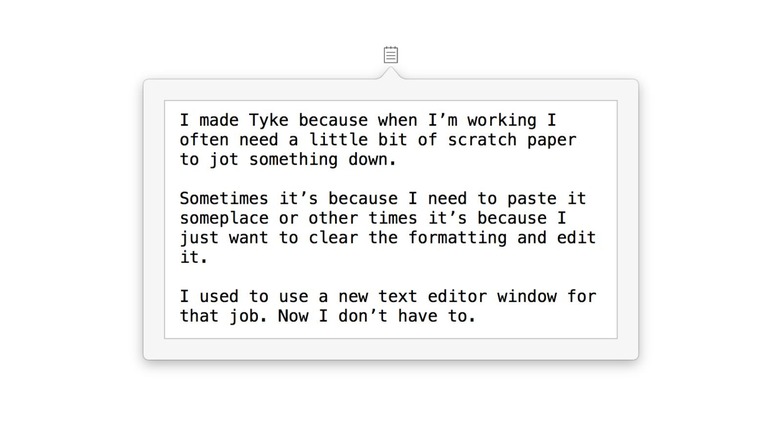
We've already discussed Zettlr as one of the best free note-taking apps, but it's not always that you want to take organized notes. Sometimes you just need a scratch pad to jot down random ideas as they come or that you may need later on, without any organized process. That's what Tyke is for.
The app's developer likens it to a scratch paper for jotting down ephemeral information. Tyke lives in your Mac's menu bar; thus it is easy to access anytime you want to note something. Instead of pulling up your notebook when working to note something for later, you simply click Tyke's icon in the menu bar, and you'll be presented with a space to pour out your thoughts.
The app's interface is as simple as it can get, with a white background and nothing else that can distract you. You get one single workspace to write into, and there's nothing for organization or formatting. The page expands as you add more information without deleting anything you've previously written.
Fullmoon
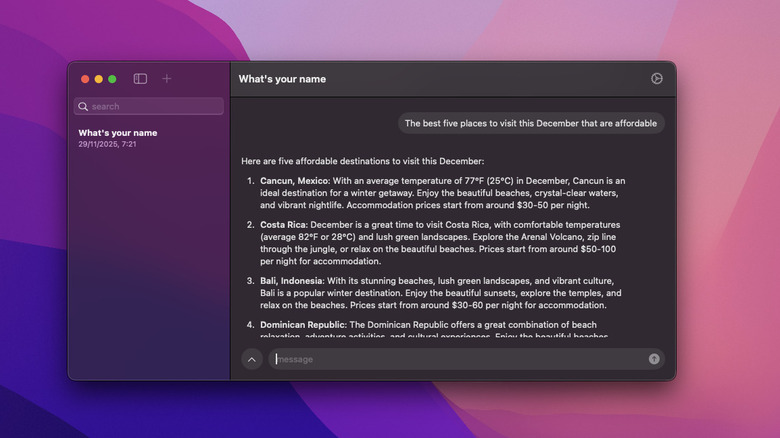
One of the reasons you should consider running an AI chatbot locally is for privacy. Therefore, if you're concerned about AI companies misusing your data, local AI is the answer, and Fullmoon enables you to achieve this without any technical know-how. Fullmoon is an AI chat application similar to ChatGPT. However, unlike OpenAI's popular AI chatbot, Fullmoon runs locally on your Mac. That means you don't need to be connected to the internet to use the app.
The app uses a variety of models, including Llama-3.2-1B-Instruct-4bit, Llama-3.2-3B-Instruct-4bit, DeepSeek-R1-Distill-Qwen-1.5B-4bit, and DeepSeek-R1-Distill-Qwen-1.5B-8bit. While setting up the app, all you need to do is select a model you prefer from the four and download it to your Mac. After that, you can chat with the model without worrying about anyone looking over your shoulder.
Each model is less than 2GB; hence, even if your Mac has 256GB of storage, you can download all of them without filling up your disk. Best of all, Fullmoon is also available on other Apple platforms. Thanks to this, you can use it to run a local AI chatbot on your iPhone, iPad, and Vision Pro without paying a dime.