

You Can Uninstall Google Play Services Updates On Android, But Should You?

When you get a new phone, it is a good idea to debloat it. This means removing pre-installed stock or sponsored apps you don't want or don't plan to use. Preloaded social media apps are a great example, or ads-laden games like "Candy Crush." In some instances, you can't just completely remove the app, as is the case with Google Play Services. Not quite an application on its own, Google Play Services is a core component of Android. It connects a wide variety of applications that use Google's online services, such as Google Maps and Google's suite of applications, including Drive, Gmail, and so on.
If you don't want to use Google's services or want more privacy, it is technically possible to disable or stop Google Play Services. You'll need to find alternatives for some things, like another app store besides the Google Play Store. You'll also need to accept that some things might break altogether. The consequences of its removal may not become apparent until the deed is done. Google Play Services is necessary for many Android experiences, including games, fitness, location sharing, contactless payments, system diagnostics, and much more.
You can't actually uninstall Google Play Services, at least not without rooting, which is something you should never do on your Android phone. However, you can remove updates and disable it. Navigate to Settings > Apps > All Apps > Google Play Services. You should see an option to uninstall updates. Select that first. Let it finish. Then, choose Disable. You will see a warning that disabling Google Play Services can cause unexpected behavior. Confirm, and you're done. As mentioned, you may run into issues with other apps and services afterward.
What will happen if you disable Google Play Services?
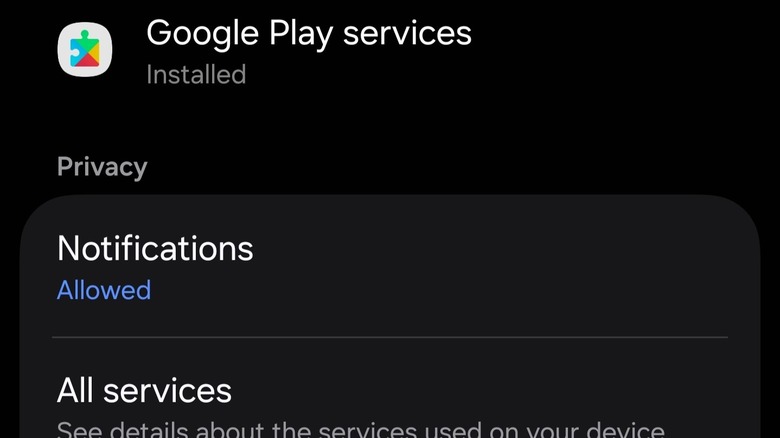
Disabling Google Play Services on an Android phone can be hit-or-miss, depending on how you use your phone and which apps and services you rely on. The beauty of Android is the level of personalization it offers, from custom launchers and UI changes to new app stores, core apps, and beyond. You can find alternatives for almost everything that could be considered a system-included app — including Gmail or the Google Play Store. You can find other email apps, and you can certainly find other app stores. Some devices, like the best Samsung phones, even come with alternatives pre-installed. You will also lose access to important services, like the added security of Google Play Protect, which helps scan for potentially malicious apps, even those sideloaded.
If you try to use an app that relies on Google Play Services, you could see one of two things. The app may continue working, with some features disabled, despite giving you frequent warnings and requesting you to enable Google Play Services. Or, the app could crash and stop working altogether. In either case, it's up to you to assess whether you want to continue using the app as-is or if you'd rather look for an alternative. If your favorite apps don't work, you could always re-enable Google Play Services and reinstall the updates.