

4 Cool Things That You Can Do With Apple CarPlay
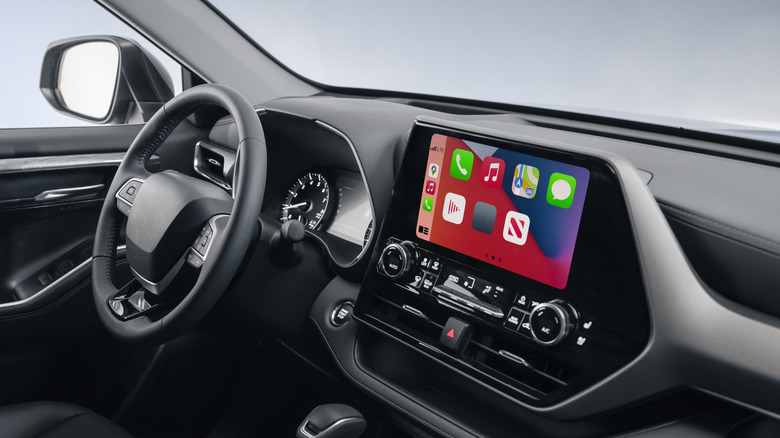
CarPlay is Apple's in-car interface that gives you the power to do with your vehicle's display many of the things you can do with your iPhone. The platform is compatible with hundreds of vehicle models from nearly every major car manufacturer. If you've recently purchased such a vehicle, or if you've recently purchased an iPhone, you might be surprised by what Apple CarPlay can do. The pairing can be incredibly beneficial for everyday driving, as it turns your vehicle's display into a larger, hands-free extension of your iPhone.
Apple has designed CarPlay to function as the ultimate driving co-pilot. When an iPhone is connected to your vehicle, you will see all of the familiar core apps on the vehicle display, from Messages to Music, and from Calendar to Podcasts. There are obvious uses for CarPlay and all of its accessible apps, such as getting directions to new places and tapping into your music library. But CarPlay allows you to do more than it may seem, so let's explore some cool ways you can put its features to use.
Access multiple music streaming services
Apple Music integrates seamlessly with CarPlay, giving you access to your entire music library, as well as the streaming service if you're a subscriber. On your vehicle's display, you'll be able to view your playlists and recently played tracks just as you'd see them on your iPhone. That familiarity can make listening to music in your vehicle as convenient as it is when you're at home or out on a walk. Apple Music integration even extends to your vehicle's steering wheel controls, allowing you to skip songs or crank up the volume without removing your hands from the wheel.
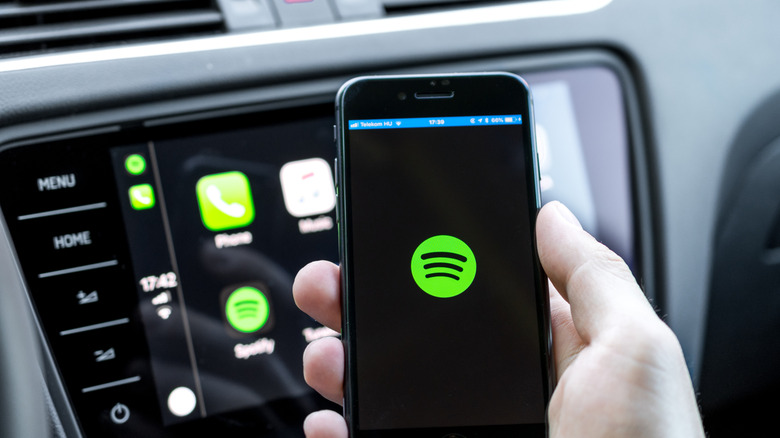
But CarPlay isn't limited to the Apple Music platform. Subscribers to large streaming platforms like Spotify, YouTube Music, and Amazon Music will also find plenty of familiarity within the CarPlay interface. These services integrate well with CarPlay, with the same music controls and playlist browsing options as you would find on your iPhone. You can put each of these services to use by ensuring you have them installed on your iPhone and navigating to their app icons on your vehicle's display. Some other audio streaming services compatible with CarPlay are Pandora, iHeartRadio, and Tidal.
Explore with Siri
Siri can be a helpful assistant around the home or office, and it will soon lean on a custom Gemini model to be of greater service. Apple's virtual assistant can provide daily reminders, chip in with data during workouts, and play DJ when you're in search of music to listen to. Capabilities like these open the door to various ways in which you can use Siri while your iPhone is connected to CarPlay. For example, you can have Siri provide you with music for a road trip, let friends know when you'll be arriving to meet them, and remind you when your next meeting takes place.
But Siri can be used in even more specific ways when you've got your hands on the wheel. Upon activating Siri, you can tell it to "Get directions to the nearest coffee shop" or ask it "What's the weather for today?". With the ability to understand commands like these, Siri can help you explore new areas you may be visiting as well as seek out new things to do in your everyday world. If a rainy afternoon is headed your way, you can ask Siri to suggest some indoor places to entertain yourself. If you're looking for something new to do after work, you can have Siri direct you toward new restaurants and bars in the area. The best part is you can do all of this without ever looking down at your phone.
Integrate your calendar

While having access to your Calendar can be incredibly beneficial on an iPhone, it can be even more handy to have access to it on your vehicle's display. CarPlay automatically syncs with your Calendar app, showing upcoming events on your vehicle's display. Events that include location information require just a tap on the screen to start receiving turn-by-turn directions through Apple Maps. Similarly to the way Siri allows you to explore the world around you, using Siri with your calendar allows you to explore your schedule by having the digital assistant read out upcoming events without forcing you to take your eyes off the road.
CarPlay's Calendar integration can prove especially valuable for those whose days often come together without much notice. Parents trying to keep up with the schedules of multiple kids and busy professionals hopping from meeting to meeting can adjust their schedule without ever having to touch a screen. New Calendar events can be added through CarPlay with Siri voice commands, and information for each new event can be added the same way. Should you ever forget what's next on your schedule while you're driving, you can always ask Siri what time your next meeting is at or where you need to be at a certain time.
Communicate hands-free

CarPlay's messaging features are designed to keep your attention on the road while still allowing you to stay connected as you drive. Siri can announce when text messages arrive through your vehicle's speakers, but it can also read the message out loud in its entirety. Siri can even take dictation, creating a response as you talk and sending it when you're ready. The hands-free approach works with Apple's standard Messages app, as well as third-party messaging apps that support CarPlay integration, like WhatsApp. Similar features are available for checking and replying to email.
Of course, a lot of communication is still done over the phone. CarPlay works with your Phone app and recognizes all of your contacts. This means that with voice commands, you can have Siri make a call to a specific person or return a missed call. You can check your voicemail using voice commands or by using the buttons on your vehicle's steering wheel if it has such functionality. All phone call audio comes through your vehicle's speakers, making it a safe and easy way to remain in communication with friends, family, and colleagues when your primary attention should be on the road.