

Can You Use An Apple TV Without Internet?

One of the best parts about owning an Apple TV device is using it to access streaming services like Netflix, Hulu, and even all the bingeable shows Apple TV+ has to offer. These all work by utilizing a Wi-Fi connection, so you can keep up with your favorite shows anywhere you have internet. But does that mean that you have to have internet to use your Apple TV device?
The short answer here is no, you don't need internet. However, without connecting to the internet, you're going to be extremely limited in what you can do. For the most part, you'll be able to make use of AirPlay functionality to play certain types of content from your iPhone or iPad, and depending on the type of Apple TV device you have, you might even be able to connect your phone or tablet directly to the streaming box. There are also some hidden features the Apple TV offers, though you'll need internet for a few of them.
You can use AirPlay to watch videos on your Apple TV
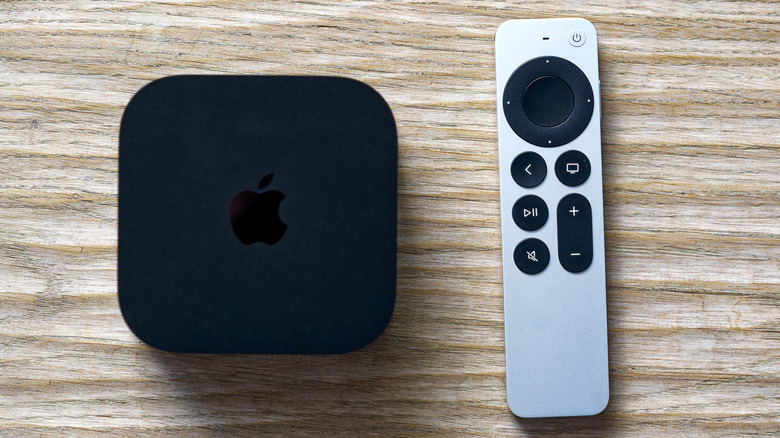
If you want to use Apple TV without internet, then you'll need to use a combination of physically connecting your iPhone or iPad to the device, or using AirPlay to share your iPhone's apps to the Apple TV. Using it without a standard internet connection will use a peer-to-peer connection, which essentially turns your iPhone or iPad into a temporary Wi-Fi hotspot so that your Apple TV can connect to it. Once that connection is made, though, you can share just about anything. However, some apps like Netflix won't work across AirPlay, and some users have reported having problems playing certain videos using AirPlay, too.
Even without access to Netflix and some other apps, you should still be able to enjoy Apple TV+ content on your Apple TV, too, using AirPlay. And, if you don't like using it wirelessly, you can always plug your iPhone into the Apple TV using an HDMI to USB-C or HDMI to Lightning connector — depending on which type of iPhone you have. You can also always find other uses for your old Apple TV device.