

You Should Always Use 'Filmmaker Mode' On Your TV - Here's Why
Modern TVs come with a lot of great features, including high-framerate support, excellent color and contrast, and a variety of modes that allow you to fine-tune the visual experience to your liking. With select sets and the right equipment, you can also take advantage of unique formats like IMAX — Disney+ now supports IMAX for select movies. But there's one mode — some may know about it, some may not — that can make or break your experience, as it aims to authentically recreate visual settings to match those of Hollywood filmmakers. Naturally, it's called Filmmaker Mode, and the idea is to present media content, movies, and shows exactly the way that the director intended. It applies standard definition, high-definition with HDR, or Dolby Vision settings as needed to recreate the director's visual flair.
Filmmaker Mode was launched in 2020 by a group called the UHD Alliance and spearheaded by a collaboration of Hollywood heavyweights, including studio executives and major directors like Martin Scorsese and Christopher Nolan. It's not available on every TV brand, nor is it available on every streaming platform, but support has been expanded gradually since its initial launch.
For the models that do support it — spanning a variety of brands like LG, Samsung, and TCL — you should really leave it on or enabled to get a true, visual experience. Then again, depending on how you feel about the settings it changes, you may want to adjust them yourself or use what you already have configured. But leaving it on will give you the authentic look and feel of the director who created the media, whether that's Scorsese, M. Night Shyamalan, Rian Johnson, Christoper Nolan, Ava Duvernay, Paul Thomas Anderson, or Dennis Villeneuve.
What does Filmmaker Mode actually do?
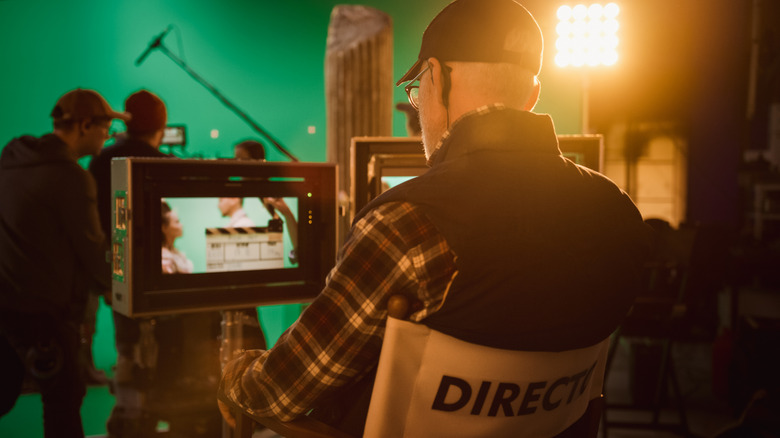
Here are some settings that Filmmaker Mode changes and what they do. Authentic Aspect Ratio selects a director-approved aspect ratio including classic formats, spanning options like 4:3, 1.90:1, 16:9, and beyond. Overscan relates to some disabled, extra sections around the edges of the screen. With Original Frame Rate you get the native frame rate of the video source as intended for theaters, be it 24, 25, 50, 60 FPS (frames per second), or higher.
Motion Smoothing is always disabled — this setting softens the picture and creates a "soap opera effect," but alongside it, other settings are disabled which alter the visual formatting, including noise reduction, brightness enhancements, and so on. Generally speaking, film buffs and movie directors say motion smoothing is the worst and should always be turned off. Accurate colors are applied per the UHD Alliance, which has set the standard, but there's no verification between sets and brands, so keep that in mind. The TV is set to its "most accurate" color and picture mode with a D65 white point, a single standard for lighting. Finally, the TV's brightness levels are set to a reference standard for SDR and HDR modes.
In addition, Filmmaker Mode comes in two common forms: one meant for manual access usually enabled in the TV settings or via a button on the remote, and another automatically applied based on metadata from the video bitstream. For the latter, select TVs will automatically apply the appropriate settings when supported content is played.
Filmmaker mode is also a great way to improve your TV's image quality for HDMI sources. Although, it's your TV, your media, and your eyes that are watching, so you should find what looks and works best for you. Some people think Filmmaker Mode looks better; others disagree.