

Opera One R3 Update Adds Smarter AI That Understands Your Browsing
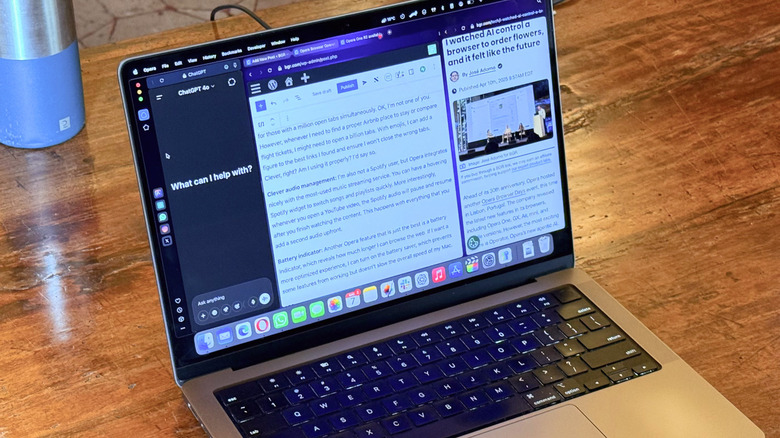
Opera has been serious about transforming the way people browse the web. In late 2024, the company said how we do this would dramatically change in two years. However, it already did: In 2025, an ocean of AI agentic browsers were released, including Opera Neon, OpenAI's Atlas, The Browser Company's Dia, and so on. While each of them have their own particularities, they all lack some of the most common features that make a browser good.
To focus on AI agentic functions, the first iterations of these browsers lacked features like bookmarks, favorites, importing extensions, or even everyday commands that we use in a browser that weren't available in these new ones. With that, Opera is going with a different approach by taking agentic AI features from its Neon experience to its mainstream option.
After more than a year since the last big update with the Opera One R2, the Norwegian company has revamped its main browser with Opera One R3, which adds a few AI features and several life quality improvements for anyone, like me, who has ditched Chrome and Safari for a smarter experience.
Opera One R3: AI integration, improved tab experience, and more
One of the main features of Opera One is Tab Islands, which helps you organize tabs by interests, like splitting your work tabs from your shop tabs, or from that trip you're planning to make. With the R3 update, users can rename and choose new colors to improve this inspiration. However, more than these aesthetic features, the AI inside the browser can now understand the context of these tabs (if you'd like) to help you do stuff. For example, the Opera AI functionality can get the timestamp of a YouTube video or answer a question based on the tab you have opened, so you can work alongside the browser.
Besides that, Opera One has always been about modular design, and the new sidebar lets you add webpages and webapps to it; an improvement over the previous version that was limited to a few apps. The company is also replacing its beta program with an early bird offer, so users can test new features without downloading a different browser.
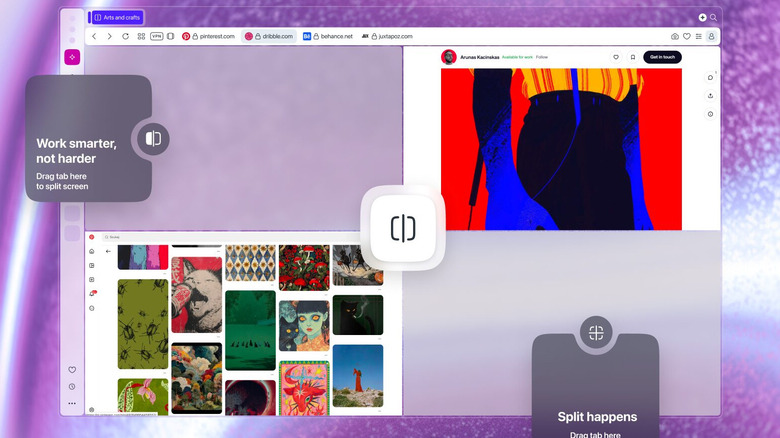
By toggling on the early bird functions, users can get some of the upcoming features, like a big Split Tab improvement. The Split Tab is one of my favorite features of Opera One, which lets me have two tabs opened in a single page, and now it's evolving with Opera One R3 to offer up to four tabs opened simultaneously. You can find the new R3 version here.