

4 Cheap DIY Raspberry Pi Projects That Can Completely Change Your Smart Home
Smart home frameworks, broadly speaking, are meant to give you a greater degree of control over the features and functions of your home via interconnected devices. No matter how prevalent smart home tech has become, though, you probably can't find a commercially available smart home device for absolutely every function you could think of. Luckily, where store listings fall short, you can make up the difference with a Raspberry Pi and a bit of ingenuity, crafting simple devices to help around the house.
Crafting your own smart home accessories with a Raspberry Pi can both save you a fair bit of cash that would otherwise be spent on prohibitively expensive devices and create more functionality where it may otherwise be unavailable. You may just find that you prefer to make your own devices from scratch, free of the bloatware or burdensome apps that commercial smart home devices can be bogged down with.
Homemade smart speaker

The cornerstone of most smart home setups is a smart speaker like an Amazon Echo placed in an innocuous spot to quickly receive verbal commands. While speakers compatible with smart assistants like Amazon's Alexa are obviously readily available, you don't really need to purchase an Amazon-branded smart speaker to make use of those functions. All you really need is a Raspberry Pi, a small inline speaker, and an ordinary USB microphone, and you've got the makings of a homemade smart speaker.
The only noteworthy quirk to this project is that you would need to create a dedicated Amazon developer account in order to access the necessary Alexa Voice Services files and configurations. It's not a difficult process, nor does it cost any money; you just have to make up a name and ID for your homemade smart speaker and tick a few boxes. After that, you just need to attach the speaker and microphone to the Raspberry Pi and clone the Alexa file repository onto it. As soon as you turn on the device, Alexa should be ready and waiting to take your commands, as well as interface with other compatible devices in your smart home setup.
Mailbox sensor
In a world where texting and email have become the dominant forms of written communication, it's not unusual to completely forget about your physical mailbox for days, or even weeks on end. Of course, that makes it all the more alarming when you finally do check your mailbox to find it stuffed with important bills and letters, some of which may be important or time-sensitive. If you're worried about missed mail, you can ensure you get word of its arrival with a simple Raspberry Pi mailbox sensor.
The concept is very straightforward: it's a sensor that's attached to your mailbox which detects whenever it's been jostled in a particular way, whether it's from letters going into a slot or a front latch being opened. When the sensor goes off, it automatically notifies you via a medium of your choice, whether it's an email, a text, or an app notification. You can create this nifty gadget with the help of a Raspberry Pi, a beacon sensor, and a USB adapter to connect them with one another. Ideally, you'll want a beacon sensor with an accelerometer built in so it can detect subtle and overt movements; without that, you'll need a separate accelerometer in the mix. You may also need to do some custom programming work in a language like Python in order to set up the alert system.
Laundry cycle alerts
Speaking of older technology and practices, laundry appliances like washers and dryers have gotten steadily more advanced with the passage of time. Many modern appliances have integrated support for manufacturer apps, which allow you to receive notifications when cycles are finished. Unfortunately, not everyone has a brand-new washer or dryer with this functionality, forcing you to sit within earshot waiting for the cycles to finish. If you've got an older or simpler laundry setup and want to leave it to its work, you can create a simple alert system for finished cycles using a Raspberry Pi and a vibration sensor module.
With nothing but a Raspberry Pi, a vibration module, and some miscellaneous parts like a simple power supply and microSD card, you can create a basic device that can both detect subtle vibrations and alert you when they've stopped. All you do is attach it to the side of a washer or dryer and run your laundry; when the cycle, and by extension the vibrations, finally stop, the sensor will detect the change and send a push notification to your phone. You can be anywhere else in your home or even outside and you'll still know exactly when the laundry's done. No more soggy clothes left languishing in the washer, and since the gadget is attached to the outside of the appliance, it won't endanger its manufacturer warranty. This same gadget can also be used on other vibrating appliances and elements of your home, like a dishwasher or a garage door.
Air quality monitor
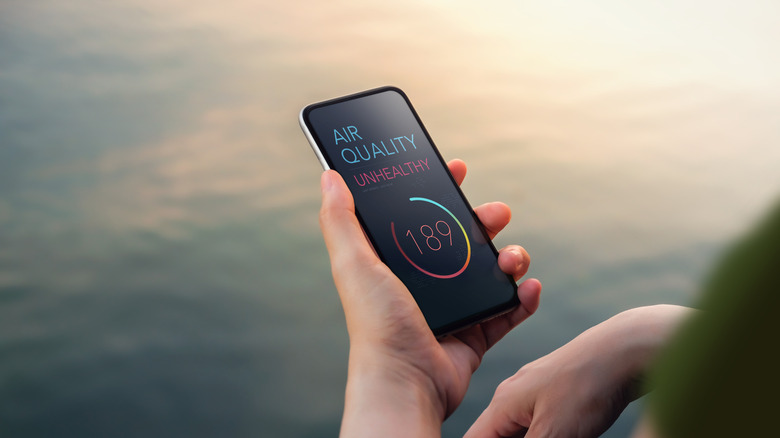
Low quality of air in and around your home is one of those little elements you don't really think about, at least until it's already becoming problematic. High levels of particulates in your air is not only generally bad for your health, but it could be indicative of immediate problems like smoke from a fire or long-term problems like hidden mold or rot. To stay on top of the quality of your home's air, you can create a basic air quality monitor with a Raspberry Pi at the center, sending you regular updates on the quality of your ambient air and alerting you if anything dangerous is detected.
This build only requires a handful of components, including a Raspberry Pi, an air sensor module, and some generic parts like a breadboard and jumper wires. The most complicated thing about it is that it requires some programming in a language of your choice to harness the data from the air sensor. You'll also need to create an account on Microsoft Azure or any other cloud service to make use of its cloud data management. Once all of the hardware and software are set up, you can receive immediate readings from the air sensor via connected smart home hubs and devices like a smart screen or your phone.