

Android 16's New Theft Protection Features: Harder To Break In, Easier To Lock Down
For most people, the smartphone is the most important and most personal computer. It's the first device you use in the morning and before bed, as it holds your entire digital life. All that information is at risk if the handset is lost or stolen, and that's why users should familiarize themselves with the anti-theft features built into the operating system and enable the available protections. Android users already have strong security features that let them reduce the risk of thieves breaking into their device, and Google just announced additional protections for Android 16 that will make it harder for criminals to access the stolen Android phones, and easier for victims to lock down their devices.
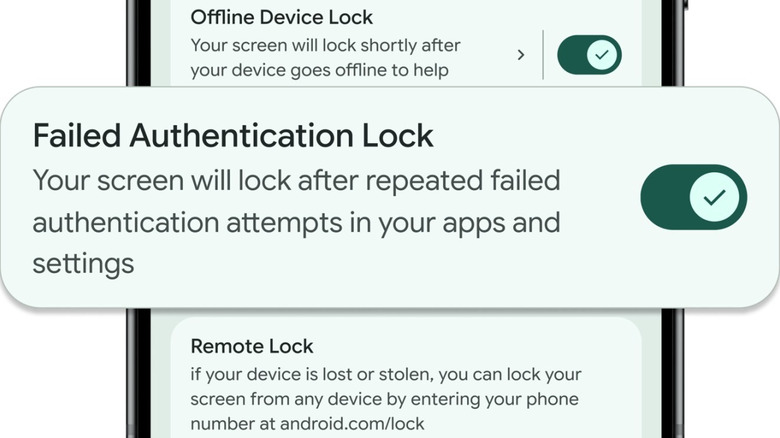
Failed Authentication Lock is a feature available in Android 15 and later that automatically locks the device after a number of failed unlocking attempts. The feature is now getting its own toggle in the settings app, to offer users more control. "Your screen will lock after repeated failed authentication attempts in your apps and settings," the explanation reads in the Theft Protection menu, as seen below. Users may want to have it enabled to prevent thieves from trying to guess the Lock Screen password. Also, Google is now increasing the lockout time after failed PIN/password guesses. However, if a child attempts unlocking the phone by repeating the same password, those identical guesses will no longer count towards your retry limit. That reduces the risk of being locked out of your device in such scenarios.
Anti-theft features enabled by default in Brazil
Google is also expanding the Identity Check feature to protect more aspects of your digital life. Identity Check was launched in early 2025 on Android 15 devices as an anti-theft feature meant to prevent thieves from accessing key smartphone features (changing the PIN, disabling theft protection, accessing Passkeys, and others). The handset user would have to use biometrics to complete actions outside of trusted locations (like the home or office). Google then upgraded the feature to also cover specific apps that can benefit from added protection, like banking apps, the Google Password Manager, and others. The biometric protection will be available in apps that use the Android Biometric Prompt. Thieves who may have access to your phone's password won't be able to log into apps that have biometric protection enabled.
Google is also beefing up security features for managing a stolen device. Remote Lock is a feature that lets users lock the device from any browser. Tuesday's update allows users to add a security feature to the process, to ensure that only the phone's owner can initiate a remote lock. The feature will be available on devices running Android 10 and newer OS versions.
While anti-theft features remain optional on Android devices, Google has decided to turn two of them on by default on all new Android devices activated in Brazil: Theft Detection Lock and previously discussed Remote Lock. Theft Detection Lock is a feature that uses on-device AI to detect a sudden acceleration in a specific context that may indicate a thief snatched the handset and ran away. If the phone thinks a theft is taking place, the phone will be locked automatically. Google did not explain why it's enabling these anti-theft features by default only in Brazil.