

Why There's Simply No Need For A Kindle Anymore
We may receive a commission on purchases made from links.
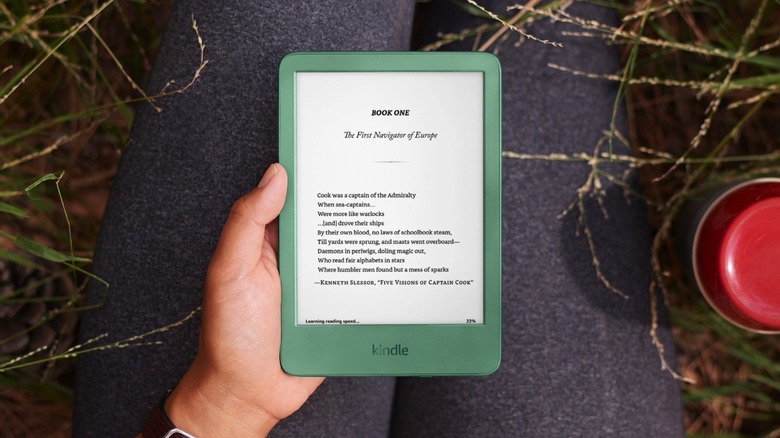
Reading books in the internet age doesn't mean picking up the next bestseller in a paperback format. You can grab the latest book from your favorite author in a digital edition as soon as it launches and read it on any of the smart devices you may own, including your phone, tablet, e-reader, and computer. Amazon Kindle devices may be the preferred option for e-reading at home. Or maybe you're considering buying a Kindle to avoid the distractions that other devices may offer. But while Amazon is putting out new Kindle models with regularity, including color-screen versions, we may have reached a point in the internet era where there's simply no need for a Kindle anymore, or any other competing e-reader device.
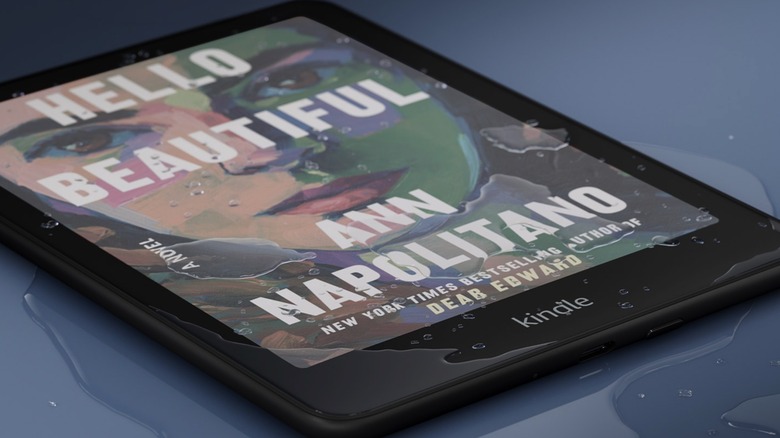
It's not just about the cost of a Kindle, though money is always a factor when considering which smart devices to buy or renew. The Kindle lineup has expanded considerably since the first model arrived in 2007, with Amazon offering e-reader experiences to all sorts of budgets nearly 20 years later. As of early 2026, Amazon's Kindle lineup includes ad-free devices priced between $129.99 and $679.99: The basic Amazon Kindle ($129.99), the Kindle Paperwhite ($179.99), the Kindle Colorsoft ($249.99), the Kindle Scribe ($399.99), and the Kindle Scribe Colorsoft ($629.99). Also, you can buy the standard and Paperwhite versions with lock screen ads and save $20. The premium Kindles can be even more expensive if you need more built-in storage.
Budget aside, there are other reasons why you might reconsider buying a Kindle in the current technology landscape, such as the mobile hardware and software experiences available to consumers.
Smartphones and tablets can deliver Kindle experiences
Unlike the Kindle, which is a companion gadget meant to serve a few simple tasks, the smartphone is a must-have device. It's the main computer for most people. The iPhone or Android handset in your pocket or purse is the first thing you look at in the morning and the last thing you check before bed. It holds your digital life, from communication apps to key payment and health services, and everything in between. But the phone is also an entertainment provider, offering access to games, video streaming, music, and books, including Kindle eBooks.
Many smartphones feature displays exceeding 6 inches. The cheapest Kindle has a 6-inch screen. The aspect ratio may be different, but the phone you own is already a good tool for reading eBooks. Yes, notifications may get in the way, and the screen isn't black and white. But you can fix these issues. iPhones and Android devices support grayscale modes via their Accessibility or Settings options. Enable these modes to turn the handset into a Kindle-like device. The resulting display experience isn't the same as e-paper, but it should work well for reading eBooks. If you want to reduce interruptions while you're immersed in a book, you can enable Focus Modes (or Do Not Disturb) and ensure your phone doesn't get notifications.
The e-reading experience can improve if you have an iPad or Android tablet. You can apply the same screen customization as on phones to enable a black-and-white reading experience and remove distractions. Since the tablet isn't as critical a device as the smartphone, you can enable Airplane mode when reading eBooks. A particular type of tablet worth mentioning is the TCL NXTPAPER line, which offers an e-reader-like display mode and full Android tablet experiences.
The richer software experience
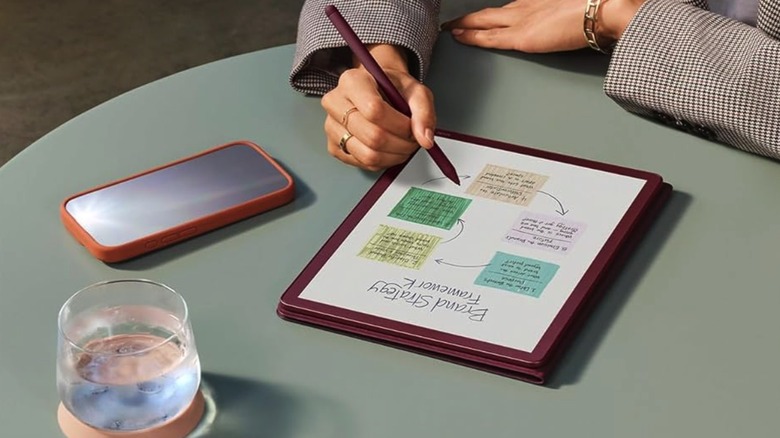
Many tablets offer stylus support, just like the more expensive Kindle Scribe models. That makes reading documents and taking notes as easy as on the Kindle. The difference is that an iPad or Android tablet runs a complete operating system, iPadOS or Android, offering access to millions of apps, including eBook readers, productivity apps for reading and annotating documents, note-taking apps, drawing apps, file-sharing apps, and AI features. Artificial intelligence support is available on some Kindle models, like the Kindle Scribe Colorsoft, but an iPad or Android tablet will give you access to standalone ChatGPT and Gemini apps and may feature more advanced built-in AI functionality.
Tablets can also ship with more storage than the Kindle Scribe Colorsoft, which is available in 32GB and 64GB options. Also, tablets connect easily to various cloud apps for extra storage (Kindles also offer some cloud storage support). The $679.99 you'd pay for the most expensive Kindle version is enough to buy you a base iPad, an iPad mini, or iPad Air. The 11.5-inch TCL NXTPAPER Plus with case and stylus costs $369.99 before any deals.
Like the tablet, a smartphone is also a full-fledged computer, though you're limited to a smaller screen. However, if you buy a foldable phone, like the Galaxy Z TriFold or the Galaxy Z Fold 7, you get access to a much larger canvas and tablet-like experiences. Phones also run the same apps as tablets, including access to multiple digital eBook stores, not just Amazon's. Also, phones can be used to enjoy books in audio format while driving, walking, or running. Speaking of carrying a Kindle device with you everywhere you go, the smallest Kindle weighs 5.56 oz, while the 11-inch Kindle Scribe Colorsoft adds 14.1 oz to your bag.