

Apple Studio Display XDR Review: The Best Monitor You Don't Need
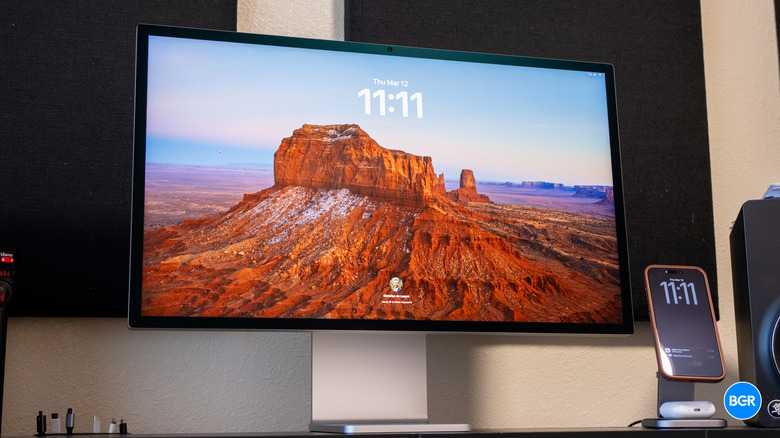
Apple's desktop displays may not be as cost-effective as some others out there, but the previous-generation Studio Display and Pro Display XDR were still highly regarded for their Apple-like design and great features. Now, Apple is back with follow-ups in the form of the new Studio Display and a high-end alternative, the Studio Display XDR
The Studio Display XDR essentially replaces the Pro Display XDR as Apple's take on a professional monitor, boasting mini-LED backlighting, a 5K resolution, and a peak brightness of 2000 nits. That's on top of all the features and design traits that might make the Studio Display XDR the go-to for Apple fans who want MacBook-like integration between their desktop computer and display.
It's also not cheap. At $3,299 for the base model, is the Studio Display XDR really worth buying? I've been using it for a while now to find out.
Design
The Studio Display XDR is built to fit in with Apple's desktop computers, and next to a Mac Studio, it looks right at home. It also has the same overall design as Apple's previous-generation desktop monitors — but that's far from a bad thing.
The Studio Display XDR ships with a tilt and height-adjustable stand, and it's both easy to position and looks great. You can quickly and easily adjust the angle and height of the screen, and it remained stable throughout use. Alternatively, there's an option for a VESA mount adapter, so you can mount the Studio Display XDR to a wall or another stand if you want.
Design-wise, you're getting exactly what you'd expect from Apple. The monitor boasts a stunning aluminum body with black bezels around the screen. They're not as slim as the bezels on some monitors, but I haven't found that to be distracting or an issue of any kind. And the upper bezel has a webcam — which means you don't have to worry about buying one separately and putting it on the top of your screen.
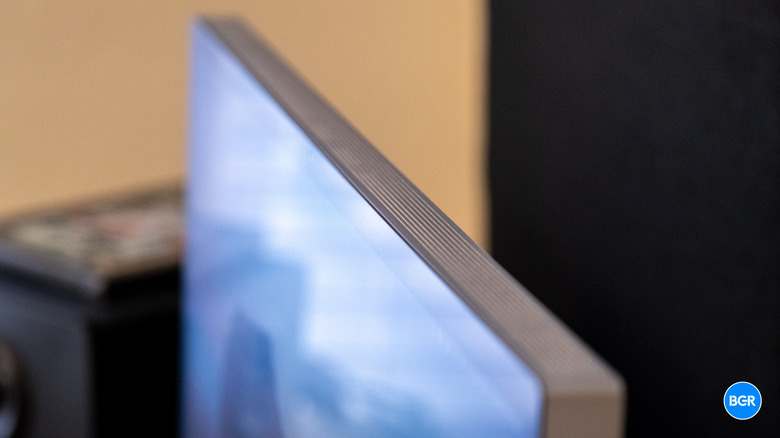
Around the edges of the screen is a grille of ventilation holes for keeping the screen cool (which you want for that high brightness), while the back features the ports and connectivity. The monitor comes with a nice braided power cable pre-installed, along with a similarly strong braided Thunderbolt 5 cable.
The front of the monitor is available in two options — a standard glossy glass and a nano-texture glass. Our review unit has the nano-texture glass, and I love it. I really like how well it cuts down on reflections from things like windows and lights, and while my desk doesn't have a window behind it, I still found that it cut down on more subtle reflections that would otherwise be visible. If you do have windows or lights behind where you want to place your monitor, I think the nano-texture option is definitely worth the $300 upgrade.
Features
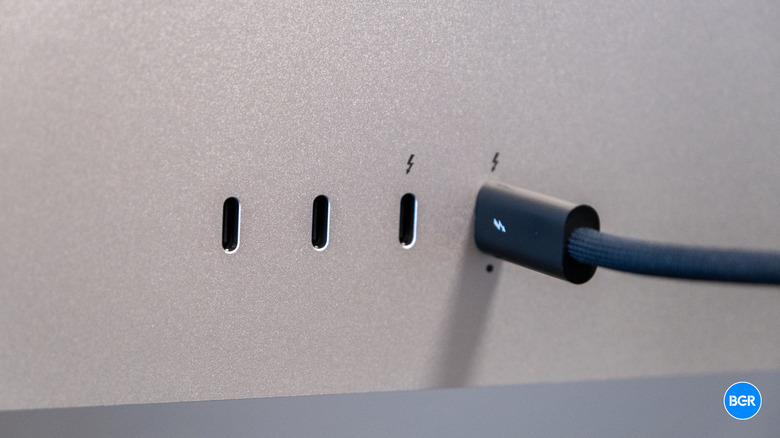
The Studio Display XDR isn't just a pretty display — it's a highly functional one. Notably, there are four USB-C ports on the back of the Studio Display XDR, two of which are Thunderbolt 5 ports — and one of those is what you'll use to connect the display to your computer. If you're using the monitor with a MacBook, the display can pass through up to 140W of power, so it'll charge up your laptop too.
The port selection basically turns the Studio Display XDR into a Thunderbolt hub, and while that's not uncommon, it's still nice to see. The ports can be used to daisy-chain a second Studio Display XDR as well — so you don't have to run multiple cables to your computer. That second Thunderbolt 5 port supports a 120 Gb/s bandwidth, while the other two USB-C ports sit in at 10 Gb/s — not as fast, but still plenty for connecting peripherals and day-to-day use.
Software integration has always been one of the strongest reasons to buy an Apple display over third-party options, and the Studio Display XDR continues that trend. The display integrates deeply with macOS, giving you control over display settings, color profiles, and so on. It's easy to change brightness, just like you would on a MacBook.
Display performance
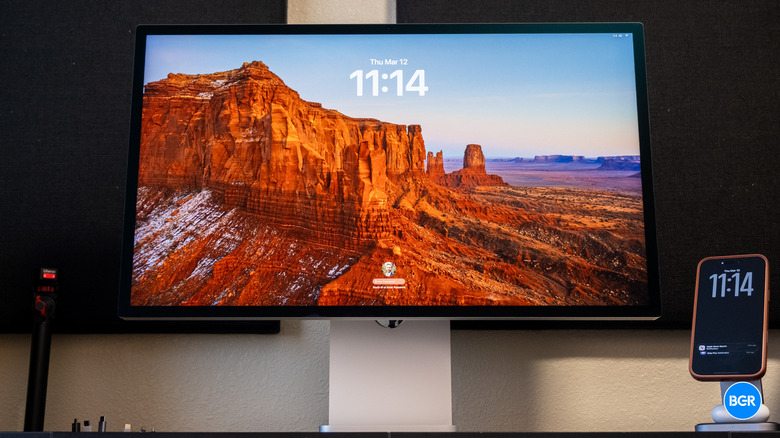
The Studio Display XDR offers a 27-inch 5K panel with a 5,120 x 2,880 resolution, equating to 218 pixels per inch. It supports up to a 120Hz refresh rate and has a peak brightness of up to 2,000 nits in HDR or 1,000 nits in SDR. That's incredibly bright.
Part of how it gets so bright is through the new mini-LED backlight system, which boasts 2,304 local dimming zones for high contrast and deep black levels. It's still not the level of control you'd get from an OLED screen, but an OLED display would struggle to get anywhere near as bright as the Studio Display XDR can.
While the control isn't technically as fine-tuned as an OLED screen, in practice, I never noticed any blooming whatsoever. The higher number of dimming zones means that the monitor is very precise, and the vast majority of users won't notice any issues related to dimming.
As a whole, the image quality looks stunning. Colors aren't just vibrant and bright, they are very accurate too. Apple includes 16 presets in the Studio Display XDR, including two general use presets and 14 calibrated presets. These range from the expected (like P3 and Adobe RGB presets), to the new and innovative, like medical imaging presets. In my testing, which involved using a Datacolor Spyder X colorimeter, the monitor delivered exceptionally accurate colors across all of its modes, proving itself as a monitor that's built for professional use.
Moving to a 120Hz refresh rate with Adaptive Sync is another major upgrade over the Pro Display XDR's fixed 60Hz panel. The variable refresh rate adjusts between 47Hz and 120Hz based on what's happening on screen, which translates to smoother scrolling, more responsive cursor movement, and noticeably better playback of high-frame-rate video.
True Tone is included too, automatically adjusting the white point based on ambient lighting. This is mostly a comfort feature for long sessions, and professionals doing color-critical work will almost certainly disable it when accuracy matters most. But for everyday tasks — writing, browsing, email — it makes the display noticeably easier on the eyes across different lighting conditions.
As a whole, the Apple Studio Display XDR is one of the most accurate and vibrant monitors out there. The color accuracy really is very, very good, and when combined with the features on offer by the monitor, you get an experience that's definitely built for professionals.
Audio and camera
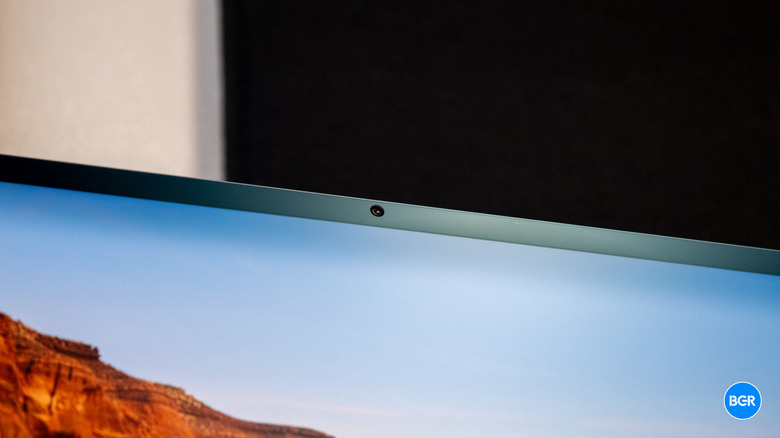
Another advantage to the Studio Display XDR is the fact that it has speakers and a webcam built right into it — so you don't necessarily have to use external ones if you don't want to. I find this particularly helpful for the webcam. Those top-mounted webcams work fine for video calls, but they don't exactly look all that great. With the Studio Display XDR, a webcam of similar quality is built right in. I found the quality of the webcam to be more than good enough — plus, it supports features like Center Stage, which can help you stay in frame even if you move around the room. It works well and can come in handy.
There are also three microphones and six speakers built into the display — all of which work very well. The microphones do a very good job at picking up voice, particularly for things like video calls. It's not quite studio quality, but rest assured that when you're in a video call, whoever you're talking to will be able to hear you easily.
Likewise, the speakers sound very good, at least compared to the built-in speakers in other monitors. There are six speakers built into the monitor, including force-cancelling woofers for low-end reproduction. To be clear, as a bit of an audio nerd, I still prefer full-size external speakers, but I was pleasantly surprised with how the ones built into the monitor sounded. They actually offered a decent amount of bass in the low end and clarity in the high end, meaning that they're not just good for podcasts and audiobooks but for casual music listening too. They're actually the best-sounding speakers I've heard built into a monitor — though if you want to listen to music more intentionally, then a decent pair of headphones or external speakers will still offer a better overall frequency response.
Conclusions
By almost any measure, the Apple Studio Display XDR is an exceptional professional display. The panel upgrades, like the additional dimming zones, higher brightness, and 120Hz refresh rate, all add up to a meaningful and impressive upgrade over the previous-generation model. If you're looking for a monitor that can be used in a professional setting, then Apple's Studio Display XDR is absolutely the way to go.
That said, for those who aren't looking for a professional-quality monitor, the Studio Display XDR is almost certainly overkill. That's not to say you should avoid Apple monitors — the standard Studio Display still has the same Apple-focused design and features, starting at a more palatable $1,599.
The competition
The Studio Display XDR doesn't exist in a vacuum. The competitive landscape for high-end professional displays has grown a lot, and there are real alternatives worth considering. The BenQ PV and SW series, along with the ASUS PA series, deliver excellent color accuracy at significantly lower prices, making them popular picks among designers, photographers, and video editors who need reliable color but don't need extreme HDR brightness. These monitors are well-regarded and widely adopted, but they simply can't match the Studio Display XDR's 2,000-nit HDR peak brightness or its dense local dimming zone count. For workflows where those capabilities actually matter, the alternatives often fall short.
The LG UltraFine series and Dell UltraSharp line come at it from a slightly different angle, offering strong professional capabilities with good color accuracy and build quality. Most models in those lineups top out at 600 to 800 nits of brightness though, which can limit their usefulness for HDR-centric work. The Studio Display XDR holds clear advantages in extreme peak brightness, 120Hz refresh rate, local dimming density, and Mac ecosystem integration.
Should I buy the Apple Studio Display XDR?
Yes, if you're looking for an ultra high-end, color-accurate monitor and are willing to pay for it.