

The M5 Max And M5 Pro Quietly Fixed One Of The MacBook's Biggest Problems
We may receive a commission on purchases made from links.
Apple ditched Intel's chips after a 15-year partnership and fully bet on its in-house Apple Silicon chips, starting with the M1 series launched in 2020. Since then, the company has launched several iterations of its in-house chips. More recently, Apple launched its new M5 MacBook Pro models, powered by the M5 Pro and M5 Max chips – the company's most powerful processors to date. All the excitement about the new MacBook Pros was primarily about the extra power that these chips bring to the lineup, especially in AI-related workloads.
The American tech giant says the new chips deliver up to 30 percent faster CPU performance and a 50 percent increase in graphics performance over the previous generation. Besides the performance upgrades, which are always appreciated, the new M5 Pro and M5 Max chips quietly fixed one of the biggest issues with Apple's laptop lineup. It didn't quite make it to the headlines, but the new MacBook Pros now support up to four external displays over a single Thunderbolt cable thanks to the new chips.
According to an Apple support page, the MacBook Pro with the M5 Pro chip can drive up to three external displays, while the one with the beefier M5 Max chip can do up to four. Of course, these figures are the maximums, and it all depends on the resolution and refresh rate of the connected monitors. Apple says the M5 Max can only drive up to four displays with a native resolution of up to 6K at 60Hz or 4K at 144Hz. However, it maxes out at two displays if you connect 8K 60Hz or 5K 120Hz screens.
The M5 Max and M5 Pro simplify multi-screen setups
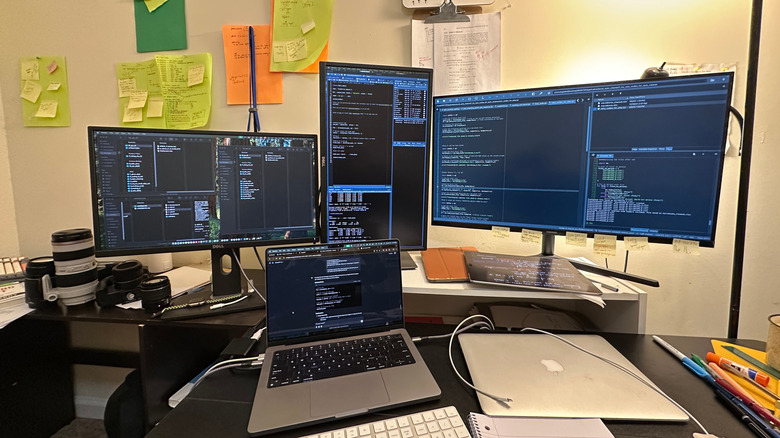
For the first time, you can now connect your MacBook Pro to up to four external displays without any workarounds like daisy chaining. On MacBooks powered by older M-series chips, you could only connect up to two external displays over a single Thunderbolt cable, and some even had a hard limit of one. For example, with the M4 series, you can connect up to two displays natively, while the non-Pro and non-Max M1 and M2 series support only a single external display. Even the recently launched MacBook Neo, powered by the A18 Pro chip, can only be connected to a single external display.
Of course, there are various workarounds if you want to connect more displays than your MacBook supports natively, such as using DisplayLink software with compatible docking stations or hubs. However, with native support for up to four displays, multi-screen setups are simplified with fewer cables and less need for workarounds.
The only catch when it comes to connecting up to four displays to your M5 Max MacBook Pro is the Thunderbolt dock, as it needs to offer enough ports. CalDigit's TS5 Thunderbolt Dock, for instance, has three downstream Thunderbolt ports, so you can only connect up to three monitors directly. If you want to add a fourth one, you'll have to daisy-chain from a monitor with USB-C daisy-chaining support.