

14 Free Mac Menu Bar Apps That Work Exactly Like iPhone Widgets
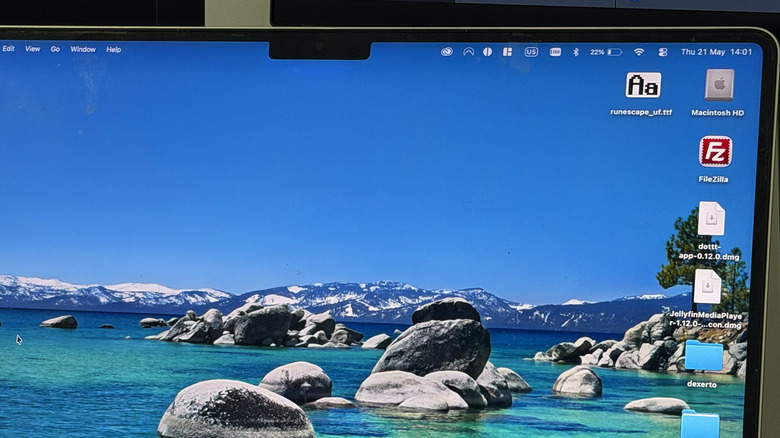
The Mac menu bar has been around since the first edition of Mac OS, and has become a staple of the company's computing fare. While its role hasn't really changed throughout the years, providing quick and easy access to a variety of system settings, it isn't always getting the most love from Cupertino. Apple's Menu Bar is fairly malleable, able to host various apps within it that function like iPhone's best widgets. Checking battery levels across devices or having a clean note-taking app can really be quite helpful in a pinch. There's more to it than just replicating the iPhone widget ecosystem, though.
Outside of the recommended apps below, if you want to check out some Apple Menu Bar apps that are extremely helpful, check out Amphetamine and Magnet. Amphetamine will keep your Mac awake, with schedules or indefinite settings. Magnet brings powerful snapping and window management tools for a low fee. We also recommend RunCat as one of the Mac menu bar extensions that you should install.
Battery apps: AirBattery and AirPods Battery Monitor
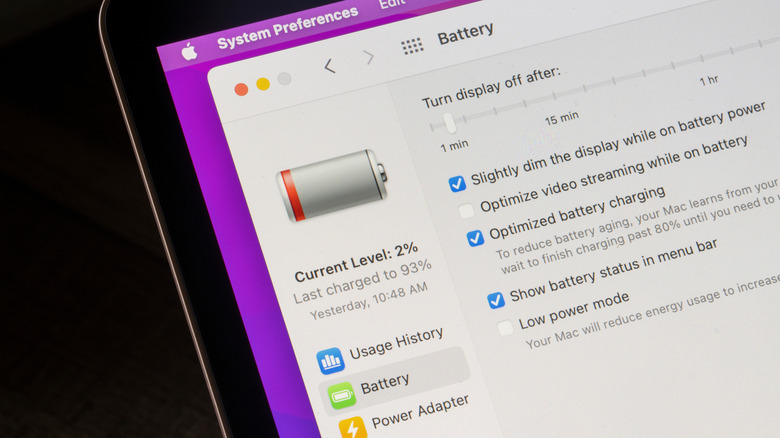
Checking your battery on an iPhone can be quite an in-depth process. AirPods, the phone itself, and other Bluetooth devices can be monitored with just the placement of the standard battery widget. On macOS, it's all still there, but it is either hiding in a widget off-screen or the default menu app is relatively low on information. AirBattery is an option for monitoring every device you have connected to your Mac from the menu bar. No having to hunt down the widget or slide across and disrupt your workflow.
It isn't the most detailed, with these being reserved for the paid apps like Juicy, but it is excellent for a quick glance at your Bluetooth and Mac devices' battery life. It even features an option for monitoring Macs on the network as well. For those looking to monitor their connected AirPods on the fly, again without a widget, AirPods Battery Monitor might be the menu app for you. It provides battery information about the case and both AirPods independently. The developer has made it open source, and it supports the latest edition of macOS.
Calendar apps: Calendr, Mini Calendar and Dottt
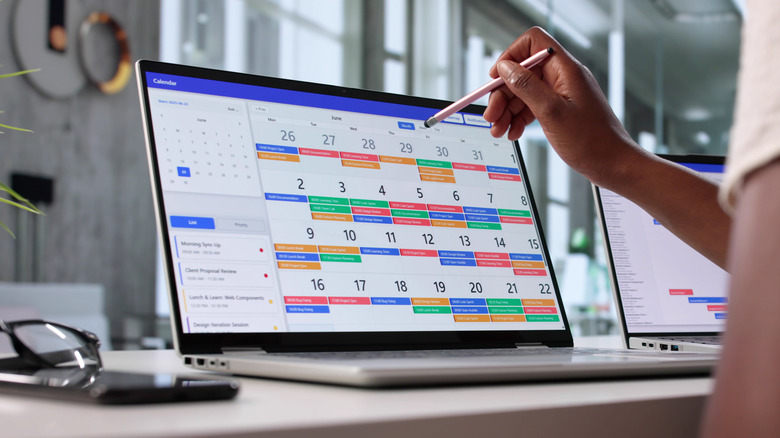
Everyone has their favorite calendar apps. However, on macOS, these are relegated to programs and widgets, with the date and time button only bringing up the sidebar. For a quick, cursory glance or to even edit your calendar, take a look at the open source apps Dottt, Mini Calendar, and Calendr. These are all built to be quickly accessed from the menu bar, offering various takes on the goal.
Calendr brings the standard look at the month, but also incorporates a task list for each day. This is then timed so that you can keep on top of what's coming up at just a glance. The other two options are built to be as simple as possible, with Mini Calendar's big feature being that it supports Simplified Chinese. Dottt is the more fleshed-out option of the three. With a menu bar calendar that displays all events, notifications, and will even automatically hop you into a meeting if there's a link attached to the information. It'll even display events and how long you have until them as well, all within the menu bar.
Weather apps: MenuBar Weather, Sparrow and DatWeatherDoe

There's nothing quite like staring into the abyss of the weather app on iPhone, trying to time a dog walk with the incoming rain. While the full app on macOS remains great as it is on iOS, and newer macOS versions since 2025 allow you to integrate it into the menu bar, it only appears if there's enough space. Have a bunch of menu apps? It might not appear. Rather than that, MenuBar Weather from the App Store will work and is a free app that replicates the weather widget, but embeds it within the menu bar.
A real-time icon and temperature gauge will situate themselves on the bar, and it supports both Celsius and Fahrenheit. Sparrow is another, and it simplifies this down further to some extent, showing just a list of the hourly weather with icons to indicate rain, cloud, or sun. For even more minimalism, DatWeatherDoe will position a small icon on the menu bar to indicate the type of weather and the temperature. That's it, it's incredibly minimal, but it does have some options for what it can and can't display. It'll even let you manually set the refresh interval.
Note taking apps: BarNotes, Paper Mess and Phyllon

Taking notes on macOS is relatively easy. With the built-in notes app, you can quickly slide the mouse to the bottom right-hand corner to make it pop up. However, it's not always enabled and can sometimes be a little bit of a hindrance if it crashes or doesn't load properly. Having a quick note-taking bubble appear from the top of the menu bar can be far tidier. BarNotes, which is available from the Apple App Store, offers a simple user interface with themes and font options too.
If you want to tinker or build it yourself, the option is also available, as it is open source. It boasts security with the iCloud Keychain encryption, so you can pop in sensitive information without too much concern. Alternatives to this include Papelzinho, or Paper Mess, another from the App Store. It provides a super simple text box to type in, which can be closed to toss the note away. It describes itself as "ephemeral," so nothing is permanent here. Phyllon is a more in-depth take, bringing Markdown export, encryption, and various appearance options.
Todo lists: Just10, TaskMenu and Cue

Depending on your needs, Just10 and TaskMenu might be your go-to to-do apps. Just10 is a generic, slimline app that quickly lets you create a new list of tasks, without having to rely on another app. Just10 separates itself from the rest of the many, many macOS-based to-do apps by offering pure simplicity, at zero cost. In fact, it's open source, so if you have the know-how, you could begin altering it to suit your needs. The alternative, TaskMenu, is incredibly close in concept.
Rather than just focusing on creating a to-do list within the macOS ecosystem, TaskMenu incorporates Google Tasks, allowing you to sync between devices to keep tabs on your day. It's designed with a SwiftUI interface, so it'll fit right in with the latest editions of macOS as well. Again, TaskMenu is open source, so it's up for tinkering if you so wish. Another alternative is Cue, which aims to reduce distractions. It functions like any other to-do app and is closer to Just10. However, this one isn't open source, but is available directly from the App Store. Cue offers a lightweight, simple to-do list with timed reminders embedded within the app.