

iPadOS 27 Improves The iPad With 5 New Features
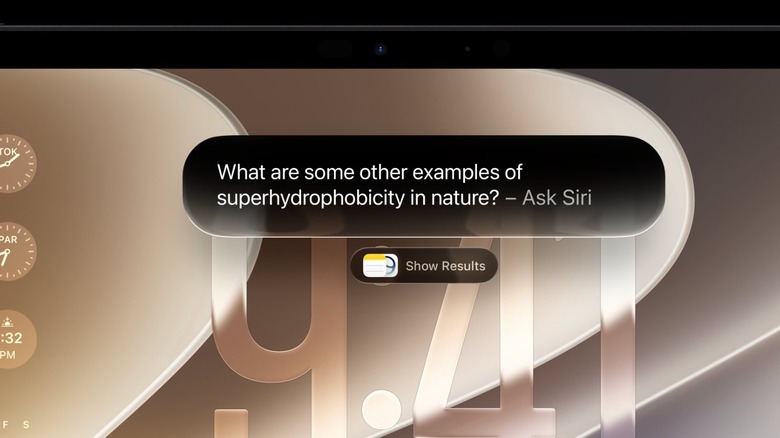
Apple previewed iPadOS 27 during the WWDC 2026 keynote. Unlike previous years, this new iPadOS software update is all about Apple Intelligence, the new Siri, and making the experience more reliable for users. While in past iterations Apple tweaked multitasking capabilities, making the iPad work similarly to a Mac, iPadOS 27 wants to transform the iPad into an AI agent. These devices are also getting general improvements, like apps opening faster, AirDrop working more reliably, and other small enhancements.
In general, iOS 27, iPadOS 27, and macOS 27 Golden Gate share the same core features, as Apple continues to reuse core functionality across these operating systems to provide a more seamless experience across these three platforms. That said, the company is also being more demanding with some features, as the ability to edit Siri's voice is only available to a handful of devices, like the iPhone Air, iPhone 17 Pro, iPads with M4 chip and 12GB of RAM, and M3 Macs or newer also with 12GB of RAM or more. If you can't wait to download iPadOS 27, or you're just waiting for the public beta to be available in July, here are some of the features Apple is working on now, with a release date expected later this fall.
iPadOS 27 is all about Siri
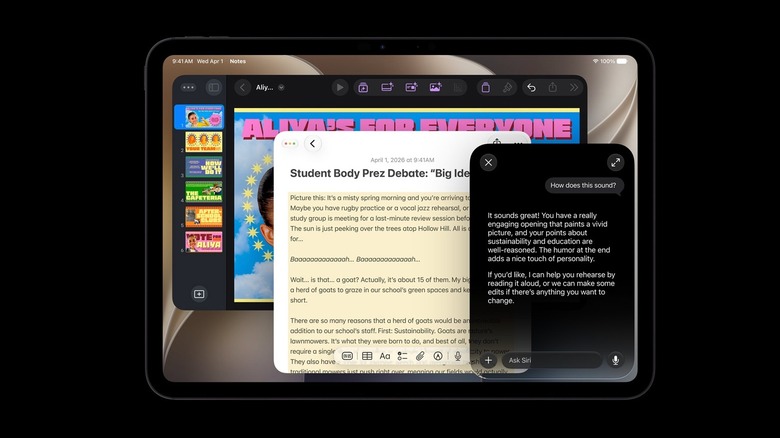
Siri has come a long way since its original debut with the iPhone 4S. While Apple has promised several times that the personal assistant would be smarter and work more proactively, this is actually the first time it's happening, thanks to the company integrating its Large Language Models with Google Gemini's models. With that, Siri now has a dedicated app, which works similarly to what you expect from ChatGPT, Claude, and Gemini. Users can, but are not limited to, start chats there, get help with a document, brainstorm, use Visual Intelligence, and more.
For the first time, Siri can move more freely in iPadOS 27. By understanding the context of what's on your display, it can find messages, links, and details shared in apps. For example, if someone requests photos from last Saturday on iMessage, you'll see Siri suggesting the best photos from that day so you don't have to keep scrolling to find them.
However, it's important to note that the new Siri, including the improved Apple Intelligence features, will not be available in the European Union and China. While Apple seems to be working to make these functions available in China as soon as possible, in Europe Apple remains displeased with the Digital Markets Act and will continue to delay new features until it can secure a different ruling on its proprietary technologies.
Photos app becomes powerful editing tool
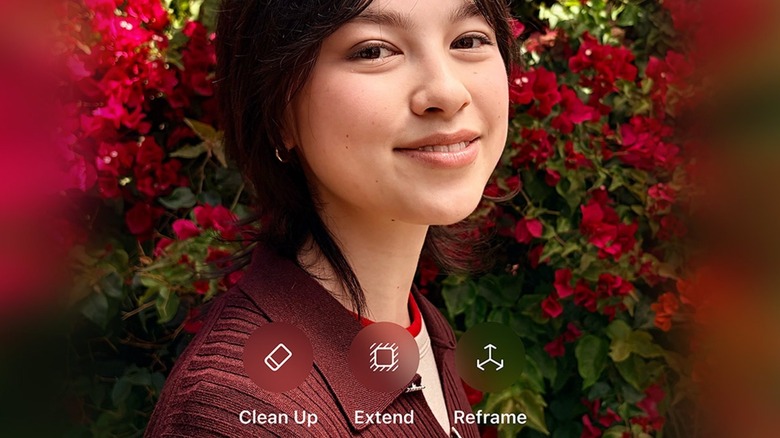
With iPadOS 27, Apple added a new Tools button for editing photos. The company calls this "next-level intelligent photo editing" because the Clean Up tool has been revamped and there are new Extend and Reframe options. While it's unclear whether the Clean Up tool got a bit of help from Apple's acquisition of Pixelmator or is part of the company's collaboration with Google, the fact is that iPadOS should handle complex cleanup tasks better. While users shouldn't expect Apple to redo half of a person's face like Samsung and other AIs do, iPadOS 27 should be better at removing objects and people from an image without interfering with the background.
With the new Spatial Reframing tool, users can take advantage of a technology introduced with Apple Vision Pro by reframing the picture by adjusting the angle at which the photo was taken. This way, you can improve the photo after it's been taken and, if necessary, the new Extend feature can expand the background, so the photo looks natural. Besides that, the new Extend capability can tweak a portrait photo into a landscape shot, slightly add more background to make the photo perfect for a wallpaper, and more. More importantly, these AI features are free to use and available even in older photos, which means you don't need to have taken a certain picture with a very specific Apple device.
Liquid Glass looks better to all users
When Apple introduced Liquid Glass with iOS 26, iPadOS 26, and macOS Tahoe, the new interface divided users, with some saying that it was too translucent, making the experience not accessible at all, while other users complained that Apple tinted its bold new design language too much, making it not as special as once hinted during the previous WWDC keynote. After a year of slight tweaks to this interface, Apple finally presented a solution for its Liquid Glass UI: a slider.
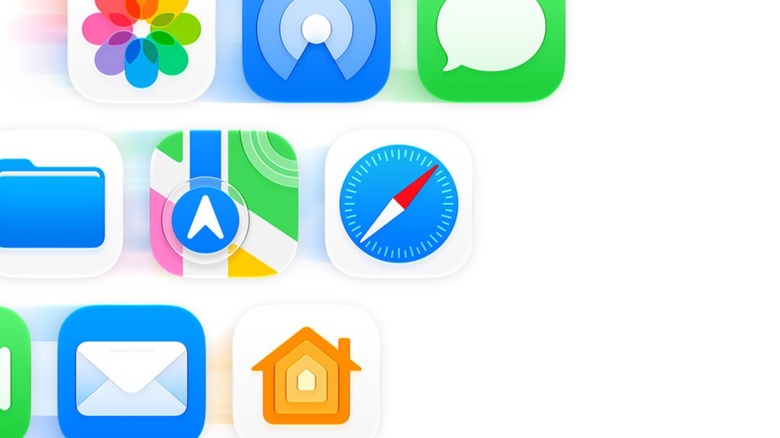
With it, users who prefer a more translucent experience can enjoy Liquid Glass at its maximum, while those who have a hard time reading through the Liquid Glass can choose a more tinted experience. Besides that, Apple made the app icons sharper and redesigned a few of them with more glass layers. With that, the company says it's improved readability while making the apps easier to spot, even with custom themes like the Clear option introduced in 2025.
Apple also addressed other UI issues, such as offering a different menu bar, so users can easily interact with sections of apps like Apple Music, Podcasts, Files, and more. Even though the company might continue to tweak the interface over the next few months, there's already consensus that it has taken the right path by offering more customization to users.
Apple Intelligent is now a bigger part of Apple apps
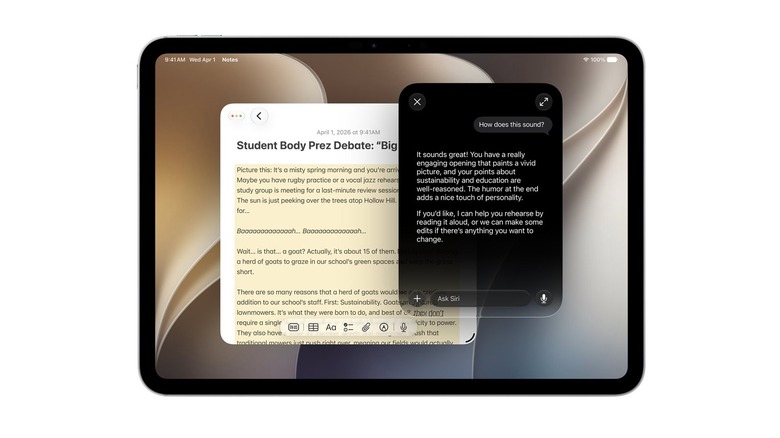
It's not just Siri that's getting a lot of Apple Intelligence. Apple is also rolling out its AI across several of its stock apps, including Notes, Passwords, Image Playgrounds, and Safari. Among these examples, the Notes app now helps you organize your notes for studying, transcribe your thoughts with translation, and even get a head start on a draft.
For Safari, Apple now intelligently organizes tabs by topics, so you can get your work done, get ready for your upcoming vacation, and still take a look at the latest outfits you want to buy. Speaking of that, there's a new "Notify Me" feature that lets Safari monitor a page and notify you when there's an update, such as a sold-out product going back in stock, a cheaper plane ticket, and so on. The Passwords app, on the other hand, can help you replace those compromised codes by actually logging into your account, changing the password, and then updating it in the app.
Last but not least, Image Playground finally offers the same level of precision as ChatGPT and Google Gemini, allowing you to create realistic images, along with other original pieces in different styles. Apple says this function has a daily limit that can be increased with an iCloud+ subscription. It's also important to note that the company added smart suggestions in Messages, the ability to describe shortcuts, and more.
Screen Time and Child Safety have been revamped

Apple revamped Screen Time for parents and guardians by adding several new features to help safeguard children. With iPadOS 27, parents will be able to better understand how their kids spend time online by offering three different data categories: Entertainment, Games, and Social Media. Not only will they be able to set limits that can change based on the day, but Apple itself will enforce that the content available on the iPhone is appropriate for the children's age. With that, the Screen Time feature will evolve, as parents and their kids will be able to set next steps for more grown-up apps and websites in the years to come.
Apple aims to help parents understand what a healthy way for kids to use technology could be, as Apple says it is an important and unavoidable tool, provided users access age-appropriate content. For example, with iPadOS 27, kids will be able to use "Ask to Browse" and "Ask to Download" messages through iMessage when they want to visit a page or app they technically shouldn't.
Besides that, Apple is adding new ways to help kids avoid coming into contact with sensitive content, such as nudity or violent images, through FaceTime, iMessage, and other apps. These functions are an addition to the company's previously announced safeguards, as it spent a few good minutes at WWDC highlighting those changes.