

This Brilliant Raspberry Pi & SDR Project Shows Live Airplane Mapping On Your Ceiling
We may receive a commission on purchases made from links.
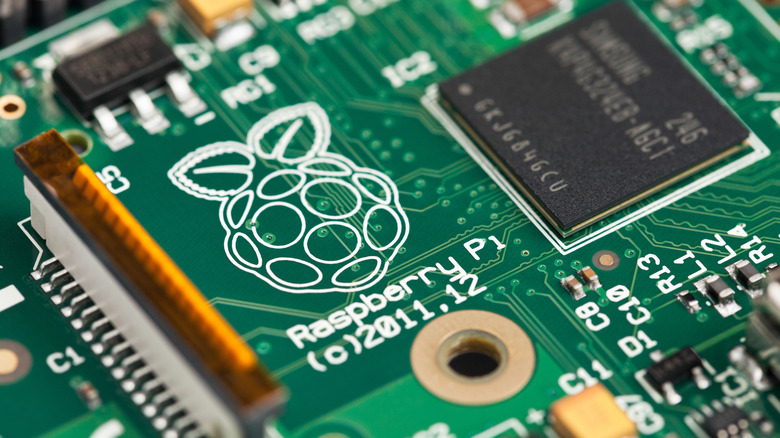
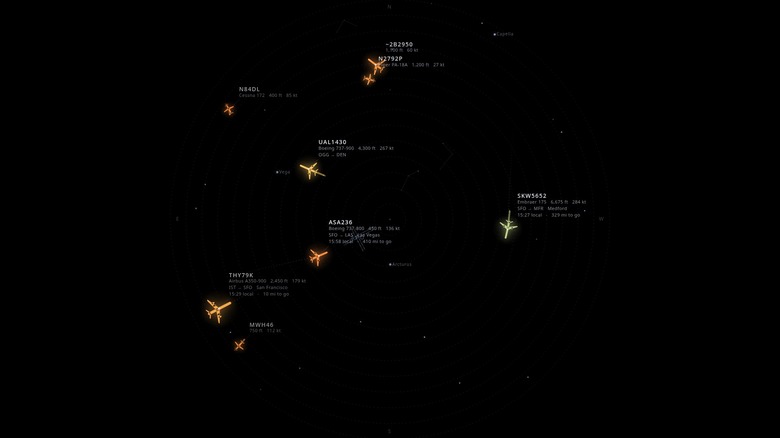
Depending on when you grew up, you might have owned (or wanted) a projector that lit up your bedroom ceiling with a starry night sky. Technology has evolved by leaps and bounds in recent years, and now you can use a Raspberry Pi to project more than just simulated stars. Skylight, as it's called, is a fascinating project by GitHub user cpaczek that projects the real-time positions (more or less) of airplanes as they fly over your house onto your ceiling. And you thought a project that made your smart home even smarter was impressive.
The system works by linking up a Raspberry Pi to an RTL-SDR radio, which decodes Automatic Dependent Surveillance-Broadcasts from airplanes — how planes determine their locations. Thanks to this data, Skylight can also project each airplane's airline, model, and destination. Why would you need this info? For starters, it shows you how airplanes function, but also, hypothetically, if you hear something flying overhead and the information doesn't pop up, you might have spotted a drone instead of an airplane.
This ingenious system was also programmed with the ability to see a live or time-lapsed view of the night sky. Thanks to all the data the project collects, it can display comet trails, bright stars and planets, and even the position of satellites and the international space station. And, you can use your phone to control various settings, such as speeding through a time lapse so you can see when certain satellites were overhead.
How to set up Skylight
As of writing, cpaczek promises to make a ready-built Skylight kit that will be sold through crowdfunding platforms. Until then — or if you want to save money — you can build your own. For this project, you only need five items: an RTL-SDR Blog V4 radio, a Raspberry Pi 5 (8 GB), a 1080p projector, a micro-HDMI-to-HDMI cable, and a rotating projector mount. Cpaczek recommends a Yaber Buffalo Pro U9, which you can purchase on Amazon for under $90, but any can work so long as it has a quiet fan, HDMI input, and native 1920 x 1080 resolution. If you want to film overhead planes, you will also need an optional sky camera — cpaczek recommends a VISCA-over-IP PTZ with RTSP. Unfortunately, not even the most supercharged Raspberry pi accessories will work in their stead; only third-party components will work.
Once you have all of the necessary equipment, download all of the necessary data from the Skylight page on GitHub, which includes a full walkthrough of how to flash your Raspberry Pi with the code. You can set up your personal Skylight in several ways. For instance, if you would rather run the projector from a server, you won't need a Raspberry Pi, but you will need alternative code and setup steps (which are provided). Once you're done, you will be able to look up and enjoy the beautiful night sky even when indoors.