

Motorola PIP1710 Connect Review: A Solid Baby Monitor Without A Subscription
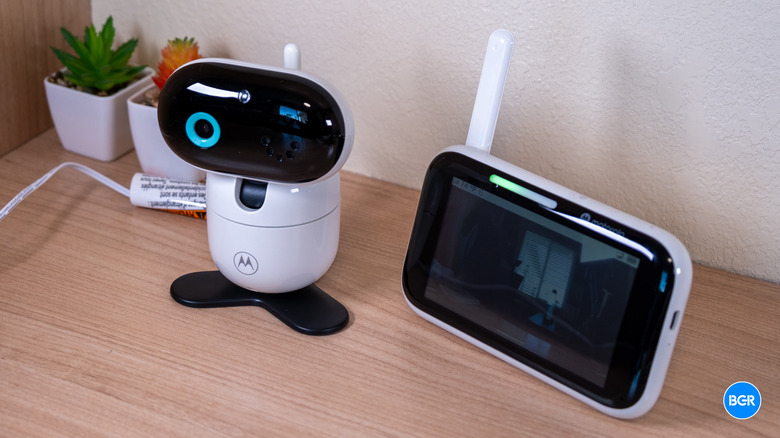
It can be hard to find a good baby monitor that doesn't sell you on promises that it can't keep. The Motorola PIP1710 Connect makes some of those big promises. It's what Motorola calls a premium hybrid video baby monitor, which basically means that it's a monitor that you can check on both from an included touch screen and from an app on your phone. It also, however, goes a step further with BeyondCry integration – a technology that was co-developed with Zoundream that uses AI to apparently translate your baby's cries to tell you whether they're uncomfortable, hungry, tired, and so on.
As a tech reviewer, I've noticed this more than ever over the past few years as I've looked for baby-related products for my two young kids. Time and time again, I've been disappointed with the quality of products like baby monitors compared to the likes of actual security cameras and other non-baby-related products. For the most part, it seems as though the makers of baby tech products largely aim to prey on parents' fears around their young kids.
When you first hear that something claims it can translate your baby's cries, you're probably skeptical — and so was I. The reality of the tech isn't quite as sci-fi as it might seem. It's not turning cries into full sentences. But does it work at all? And is the monitor worth buying separate from that technology? I've been using it for a while now to find out.
Design
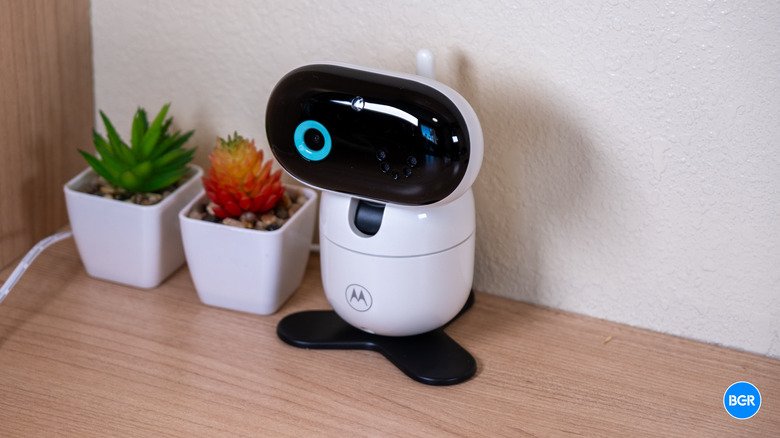
The overall design of the camera and head unit are similar to what you would see from other baby monitors, though they do indeed feel a little more refined and premium than cheaper offerings. They're still made largely of plastic, but I was never worried that I would break either of the components.
The camera unit measures roughly 3.7 x 4.7 x 3.5 inches, which puts it right in the normal range for a consumer baby monitor camera. It's substantial enough to house the motorized pan-tilt mechanism and the infrared LEDs, but it doesn't dominate a shelf or dresser. The build is predominantly white plastic with rounded corners, and it definitely looks more like something you would place in a nursery than a standard security camera. There's a lens, status lights, a microphone, a speaker, and the motorized assembly that lets you adjust the framing without physically moving the camera, within reason.
That motorized movement is handy for fine-tuning positioning, but it's not perfectly flexible. You can tilt it down, but not all the way down, and getting the best view requires that you consider where you're going to place it before you try and lock in the view with the motorized features — especially if you plan on mounting it to the wall. The mounting hardware looked pretty easy to install, but I opted not to mount it during testing.
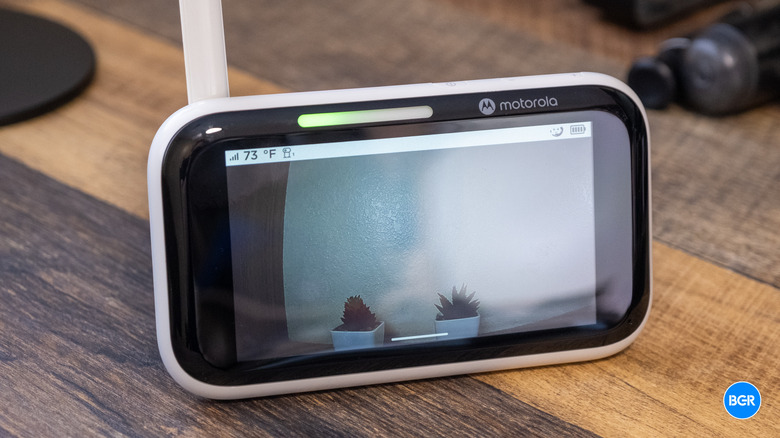
The parent unit is the part you'll actually use most of the time. It's a handheld monitor around 4.7 x 3.5 x 1.6 inches — roughly the footprint of a large smartphone, but thicker thanks to the battery and housing. It has a 5-inch touchscreen on the front alongside physical power and volume buttons.
The quality of the actual display is solid too. It's easy to see your baby's positioning both in daylight and at night. You can adjust brightness or turn off the screen entirely so you only get audio.
A couple of design decisions are harder to defend. There's no clock on the parent unit, which is a genuine miss given how many parents keep a baby monitor on the bedside table and would happily glance at it for the time. And a red LED stays continuously lit while the unit is charging — fine in daylight, but distracting in a dark bedroom where any stray light can interfere with sleep. Neither issue undermines the core functionality, but both are the sort of small ergonomic oversight that nags at you in daily use.
On the whole, the physical design is one of the PIP1710's stronger areas. It's well built and attractive enough for a modern nursery.
Features
There are a number of features built into this package, but of course the headline feature is BeyondCry, which was co-developed with Zoundream and uses AI to interpret baby cries and sort them into broad categories. It's not going to hear a cry and translate it into a phrase like "I want to play with my stuffed bear." Instead, it'll tell you whether the cries indicate hunger, discomfort, or sleepiness.
To actually use this feature, though, you will need to create a separate account with Zoundream and accept its dedicated privacy policy. I reviewed the features using the included free trial, but after the free trial, you'll need to pay for a subscription, which costs around five dollars per month.
So, does this feature work? I have no idea. Here's the thing about babies crying. Sometimes they're crying for multiple reasons. Sometimes crying because they're uncomfortable gets solved by feeding them. Sometimes they're uncomfortable because they're hungry, and sometimes they're hungry because they're uncomfortable.
Perhaps even more importantly, as a parent of a baby, you learn to figure out how to soothe your baby, whether or not you know exactly why they're crying. And in those early hours-long cry sessions with your first baby, where you have absolutely no idea what to do, being told that the baby is uncomfortable isn't going to help. You're just going to have to suffer through and try all the different tricks that you read about in the baby book.
That's not to say it isn't a neat gimmick, but it is just that — a gimmick. I found it interesting and sometimes funny, especially when a lone split second noise in my six-month-old's sleep was translated to her being "uncomfortable" — and by the time I had actually opened the app after seeing the notification, she was sleeping soundly again. But I certainly am not going to pay for it after the free trial is up — and I suspect that if I wasn't reviewing this tool for work, I might think a bit more about privacy before signing up for a service that sends audio of my baby's nursery to a random cloud service. The fact that it is entirely optional is a good thing, as it means that you can avoid the service completely if you prefer to, without having to look for a completely different baby monitor.
That said, there are plenty of other features that the Motorola PIP1710 Connect offers, though they're all much more conventional. You get motorized horizontal and vertical pan and tilt, plus 4x digital zoom, which gives you decent flexibility to sweep around the room or zoom in on your baby from further away. There's a built-in temperature sensor with customizable threshold alarms, so you'll get alerted if the nursery gets too warm or too cold. Power saving mode turns the screen off and keeps audio playing, and it also lets you tap the screen to wake it, after which it'll turn back off after a set time.
For soothing, the monitor can play lullabies and white noise — the stuff you would expect. Battery life on the parent unit is roughly six hours at maximum brightness. The six-hour figure is above what many competing monitors manage at full tilt, which is nice.
Video and audio quality
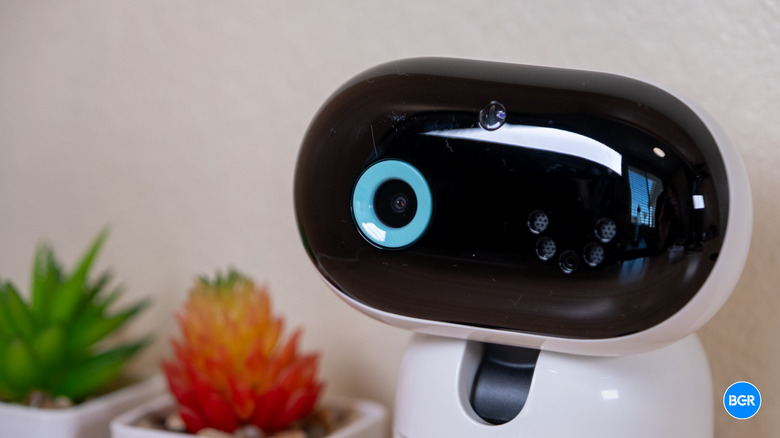
The actual video and audio quality on offer by the Motorola PIP1710 Connect is quite good. The camera streams video internally at 1080p over Wi-Fi to the app, along with the parent unit. When it's daytime, you'll get a color view of the crib, and it looks solid with a sharp image that's easy to see. At night, the camera uses infrared LEDs, which activate automatically when ambient light drops too low. Again, footage here was great, and I had no problem seeing my baby in her crib.
The camera's high-sensitivity microphone delivers clear sound with no significant distortion, picking up everything from soft coos to full cries as well as background noises like a door closing. The parent unit also shows a noise-level indicator, so you can gauge how loud the room is even with the volume down — though you'll obviously want to rely more on your ears than the indicator.
Two-way talk is fully supported and works as you'd expect, handling intelligible speech with manageable echo. You can soothe your baby remotely or call out to a caregiver in the room. As with any two-way system, there's a slight delay between speaking and playback, particularly over Wi-Fi through the app, so it pays to time your interactions accordingly.
The main area where there is some latency is when you go to control the positioning of the camera. It's not a huge deal, and most people will probably set it and forget it. But if you regularly move the camera around, expect it to take a little time in between software controls and actually moving, then reflecting that view back in the app or on the parent unit. Overall, video and audio are solid overall — and better than cheaper units that I've used in the past.
App and software
There are two instances in which you'll interact with software — on the parent unit and in the Motorola Bebé app. I found the software on the parent unit to be perfectly acceptable, but I preferred controlling settings in the app where I could.
The touch interface in the app handles the bulk of the navigation, including camera control, settings, and feature access. It takes a short period of familiarization, but you get used to it pretty quickly. As someone who's used to the lag and latency of a VTech parent unit, I was happy with how responsive the software was on this Motorola option. I definitely expected it to be better given the price. And to be clear, it's still not as quick as a smartphone, but you can navigate around the interface relatively easily.
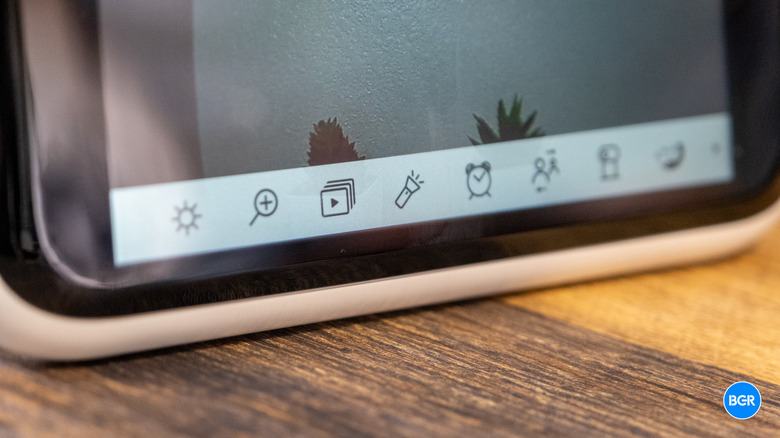
That said, the actual buttons and controls in the software of the parent unit are a little confusing, and it's worth taking some time to familiarize yourself with them using the instructions. They don't really have any text labels, so you have to go based on little icons that don't always make sense. And in some cases, there are multiple icons for what you might assume are the same features. It's not a huge deal, and you will get used to it, but you do have to read the manual.
The app was a little easier to navigate. It's reasonably well organized, presenting the live full-HD stream alongside remote pan-tilt-zoom control and access to alerts. It enables 24-hour event monitoring with push notifications for sound, motion, and temperature. You can also pair and cast feeds from up to four cameras at once, which makes the system usable for twins, siblings in separate rooms, or coverage across a nursery and playroom.
It also directly integrates BeyondCry, so you don't need to download a separate BeyondCry app. If you don't use the BeyondCry app, you'll still have the BeyondCry tab at the bottom of the interface. But apart from that, you don't really need to interact with BeyondCry much, and you won't get constant pop-ups. Just don't tap on that tab, and you should be perfectly fine.
Conclusions
The Motorola PIP1710 Connect is an excellent baby monitor in its own right, offering a durable build, good video quality, and some helpful additional features. BeyondCry integration isn't really one of them. If you're not worried about privacy, it might be worth setting it up for the free trial. But after that, I suspect most parents won't find it useful enough to keep around.
Again, though, even without BeyondCry, the PIP1710 Connect has a lot going for it. Sure, it's missing some features like a clock and has some latency when you control the camera, but those are far from deal breakers and, frankly, par for the course when it comes to baby tech anyway.
The competition
The PIP1710 Connect typically avoids the ultra-premium price bracket of comprehensive health-tracking systems while positioning itself comfortably above basic monitors. Against the likes of the Nanit Pro or Owlet Cam, it appeals to parents who want all the basics of monitoring and who might be interested in the BeyondCry integration.
The PIP1710 Connect is expensive, though, and you can get many of the features it offers, except for BeyondCry, in much cheaper alternatives. Those alternatives don't have the same video quality. But many of them still have features like a dedicated smartphone app, white noise, night vision with infrared LEDs, and beyond. For many parents, it will be better to save the cash on one of those alternatives, but if you do want the better video quality and are potentially interested in BeyondCry, then you'll like what's on offer by the PIP 1710 Connect.
Should I buy the Motorola PIP1710 Connect?
Maybe, if you want a premium baby monitor and are curious about BeyondCry.