

Google Fitbit Edge Review: No-Frills Health Tracking
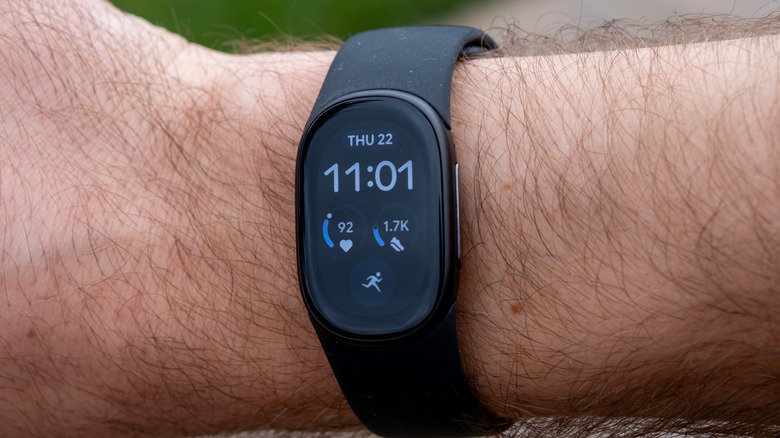
Slowly but surely, Fitbit is becoming part of the Google family. Google purchased Fitbit in 2021 for $2.1 billion, and since then, it has integrated new Fitbit devices deeper into Google Health, slowly phasing out the standalone Fitbit services. The new Fitbit Edge blurs the line more than ever: It still looks mostly like a Fitbit and not like a Pixel Watch, but it has very Google-ified software built into it, and yes, integrates directly with Google Health.
It's also, fairly transparently, Google's vehicle for pushing its $9.99-per-month Google Health Premium subscription. The Edge works without paying for Premium, but the features Google seems most eager to talk about — the Gemini-powered Health Coach, Health Guardian health trends, adaptive fitness plans, advanced sleep insights — all sit behind that paywall. Three months come free with the tracker, and after that, you're paying $9.99 per month or $99.99 per year, which you may or may not be interested in doing.
I've been using the new Google Fitbit Edge to find out just how solid of a fitness tracker it really is, and whether AI is here in a way that can actually help you manage your health.
Design
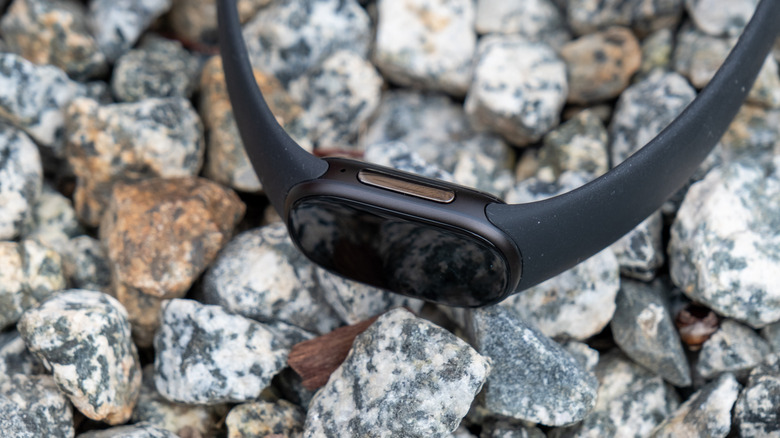
As you'd expect from a Fitbit, the Edge is relatively compact and lightweight. It measures in at 39.22 x 25.56 x 11.58mm, and 17.7 grams without the band. Google says the case is 45% lighter than an Apple Watch Series 12, though of course, the Apple Watch is a full-fledged smartwatch, and hardly one that people consider to be heavy or unwieldy.
The case is built from 100% recycled aluminum, and the included Active Band is silicone with a soft-touch coating. Google rates it at 5ATM water resistance with an IP68 dust and water rating, so it should handle swimming, sweat, and rain without issue. One of the more welcome changes from the $159.95 Charge 6 is the side button. The Charge 6 used a touch-sensitive pseudo-button that was frustratingly easy to trigger accidentally. The Edge replaces it with a real, mechanical, clicking button. It's reasonably tactile and easy to press, which is handy for when you might be wearing gloves, for example.
The Fitbit Edge comes in a few different colors, including Matte Black, Satin Silver, Satin Pyrite, and Champagne Gold. I'm reviewing the Matte Black model, which looks perfectly fine, though based on images online, some of the others might be a little bit more interesting. Google has also launched a Stephen Curry Special Edition at $219.99. Each model comes with its own Active Band, but there are other kinds of bands that Google sells directly. Separate bands start at $40 for the Active Sport band, but run up to $150 for a Metal Links band. Unfortunately, Charge 6 bands don't fit: Google has moved to a new attachment mechanism, similar in concept to the Pixel Watch's system, but a different size.
Perhaps the most interesting thing about the design of the Fitbit Edge is how Google is approaching repairability. Google calls the Edge its "first repairable fitness tracker," with a modular internal architecture and a replaceable battery. That's a genuinely good thing to see in a category where most devices are sealed units designed to be thrown away when the battery degrades. Google's own help page tempers expectations a bit, warning against self-repair "unless you are an adult with the technical expertise to safely repair electronic devices," and noting that repairability options vary by region. So "repairable" doesn't mean you'll be cracking this open at your kitchen table, but there will be service paths to swap the battery, which is more than most competitors offer.
Overall, the look and feel of the Fitbit Edge is perfectly fine. It's not overly unique, but many will like the subtle look, and it shouldn't look out of place on anyone's wrist.
Display
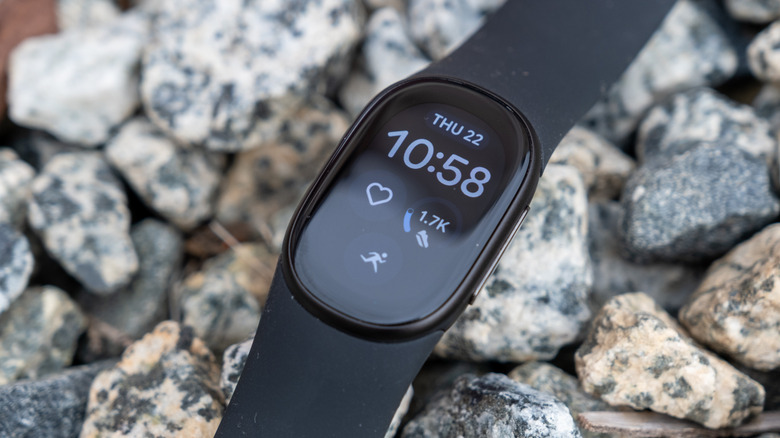
The 1.34-inch AMOLED screen on the Edge is a substantial upgrade over the Charge 6's 1.04-inch display. Google says it offers 46% more viewing area and is over 40% brighter; both meaningful gains for a fitness tracker, where screen real estate is always at a premium. Indeed, it looks quite good — it's bright enough to see even outdoors, and sharp enough for smaller text to be easy to read. There's an always-on display option with adjustable brightness, though turning it on takes a serious toll on battery life.
Google has carried over the redesigned interface from the Pixel Watch 5, which helps make navigating the Edge feel more polished than previous Charge models. The touchscreen works alongside that new physical side button, and the added screen size gives the device more room to display workout stats and health data without constant scrolling — though you will still scroll a fair amount.
Ultimately, the display on a device this small isn't as important as, say, the display on a phone. But it can still make a difference if you're trying to see in a bright environment or read small text. Thankfully, this device is pretty good at those things.
Battery and charging
Google rates the Edge at up to seven days of battery life — with that number dropping to about two days if you enable the always-on display. That's a pretty big difference, and essentially turns the Edge from offering the battery life of a fitness tracker, to offering the battery life of a smartwatch. Two days puts the Edge barely ahead of the $399 Pixel Watch 5, which is a full smartwatch running Wear OS.
In other words, if you're going to treat the device like a fitness-tracker, then it may be worth keeping the always-on display off. I found that Google's rated battery life of seven days was about right in my usage, though battery life will vary a little depending on how much you use the more advanced fitness tracking features.
Charging uses a magnetic puck, the same charger as the Fitbit Air, and it works perfectly well. It snaps onto the device pretty easily, and charges quick enough. Google says five minutes on the charger gives about a day of battery life, with a full charge taking roughly 90 minutes. If you're good at remembering to charge, you may indeed be able to get by just fine with the always-on display — throw the device on the charger when you shower every morning, and it may be enough to keep the device charged up. But again, that's the kind of behavior needed for a true smartwatch, not necessarily a fitness-tracker of this type.
Performance
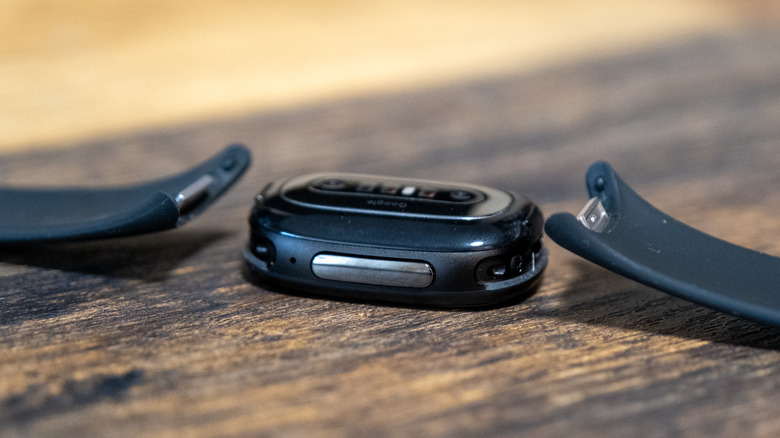
The performance of a wearable device like this obviously doesn't matter as much as the raw performance of something like a smartphone, but there are still areas of performance that make a difference in how you use the Fitbit Edge. Thankfully, over my testing, everything performed quite well. The device has an Ambiq AP5 chip, not that it really matters. It supports Bluetooth 5.4, though it doesn't have Wi-Fi, so it'll rely on a connection with your phone for any kind of syncing. Day to day, the device was smooth and quick. It never lagged or stuttered, and swiping between menus and starting workouts worked well. I never felt like I had to wait for input to do anything on the screen.
Perhaps more important for working out is GPS performance. Built-in GPS supports GPS and Galileo in the U.S. Google claims a 40% accuracy improvement over the Charge 6's GPS, which is a meaningful claim given that the Charge 6's GPS had well-documented issues — the band had to be loosened for reliable satellite lock, which then compromised heart rate readings. The Edge doesn't offer the dual-band GPS found in the Pixel Watch 5, and the improvements appear to come from a new GPS chipset and antenna design rather than software post-processing.
I found the GPS to work perfectly fine in my testing. Honestly, I don't rely too heavily on GPS during workouts, but it's still nice to have, and obviously, there are plenty of people who do rely on it heavily.
Google has also put a lot of emphasis on automatic workout detection, which uses the sensors built into the Edge to figure out when you're working out and what kind of a workout you're doing. Google says the Edge can recognize over 100 activities automatically, which is up from only around 10 on the Fitbit Charge 6. Not only that, but the company claims double the detection accuracy. While I wasn't necessarily able to test these specific claims, I did find that the automatic workout detection features seem to work pretty well.
Health tracking
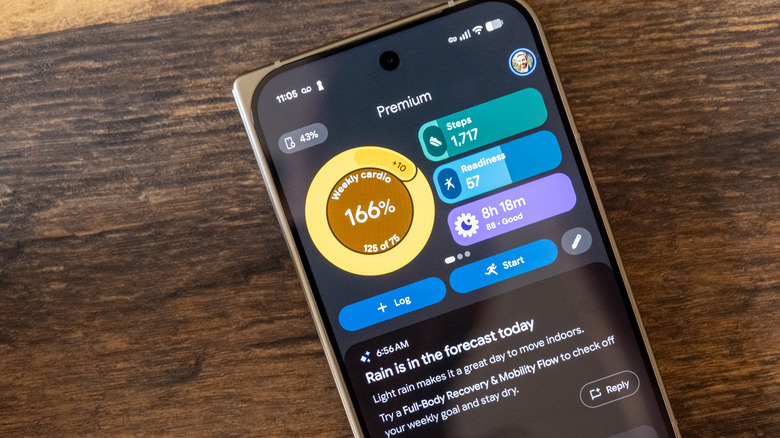
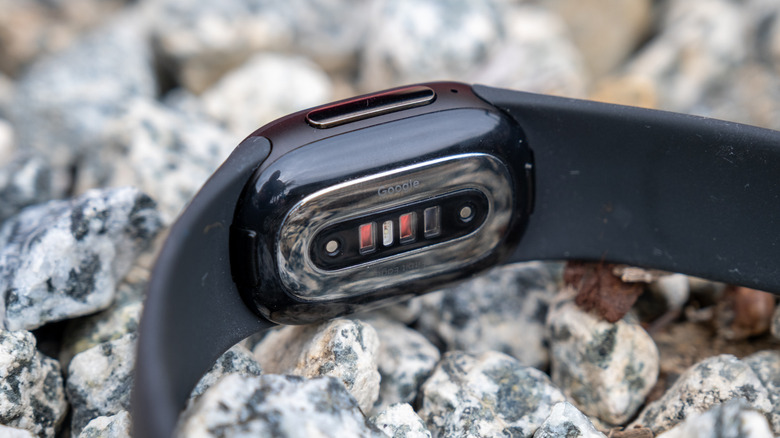
Of course, as a fitness tracker, perhaps the most important thing about the Fitbit Edge is ... how it tracks fitness. The Edge packs a solid array of sensors for what you might assume is a basic fitness band. You get optical heart rate, red and infrared SpO2, ECG, far-field skin temperature, an accelerometer, gyroscope, ambient light sensor, and (new for this generation) an altimeter for tracking floors climbed and elevation changes. That selection of sensors puts it on par with many smartwatches when it comes to health tracking.
Heart rate sampling is one area where the Edge actually takes a step back. It stores heart rate data at two-second intervals — same as the Fitbit Air. The Charge 6 recorded one-second data during exercise. For steady-state activities like long runs or cycling at a consistent pace, two-second intervals are fine. For some other activities, like interval training, where your heart rate is spiking and dropping quickly, the lower resolution could mean less accurate readings — though I still think the vast majority of casual users will be perfectly fine with it.
Google claims the Edge's sleep stage detection is 15% more accurate than previous generations. That's another claim that's hard to quantify, but the sleep data collected by the Fitbit Edge was very similar to that collected by my Apple Watch Series 12 — to within a few minutes of total sleep duration, and very similar sleep stage tracking.
Beyond the actual tracking, one of the headline features on the Fitbit Edge is Health Guardian. It's essentially a proactive monitoring suite, and was introduced with the Pixel Watch 5 back in August. On the Edge, it tracks insulin resistance trends and delivers monthly health reports. There are plenty of disclaimers around it though. Google notes that it's built to be a general wellness feature, not FDA-cleared diagnostics. It's not designed to screen for hypertension or diabetes, it doesn't provide real-time clinical readings, and it should not be used for medication or insulin decisions.
Health Guardian, as you might expect, requires a Google Health Premium subscription on Fitbit devices — Pixel Watch owners get the core features free. And some Health Guardian alerts aren't even available at launch. And of course, there's deep integration with Gemini. The Gemini-powered Health Coach offers adaptive weekly plans, photo-based meal logging, sleep coaching, and medical-record summaries, though it also sits behind Premium. You get three months free with the Edge, and after that it's a recurring cost.
You may or may not use Health Coach all that much, but I found it to be kind of cool while I was testing it. I'm not sure I used it enough to want to pay for it, because I use fitness trackers simply for tracking and less to make actual changes. Maybe that's not the best approach.
Software
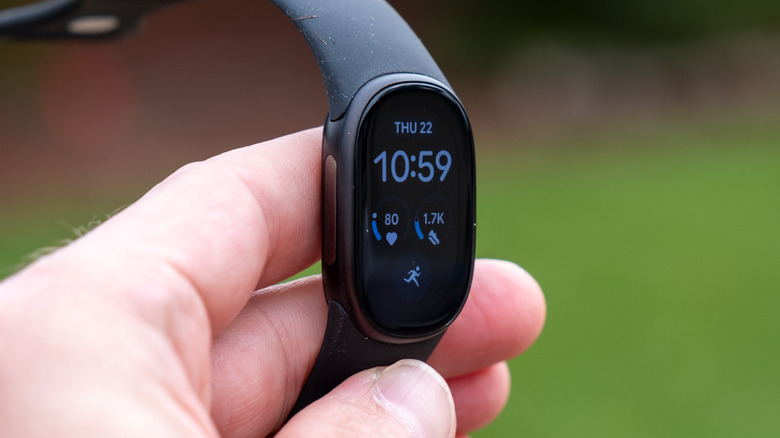
The Edge runs a redesigned Fitbit OS and pairs with the Google Health app, which replaced the Fitbit app earlier this year. As you would expect, the new operating system is much more like Google's Wear OS, with very similar design elements and UI navigation. On the wrist, the Edge handles the basics you'd expect. Notifications, media controls, timers, alarms, weather, Find My Phone, a flashlight, and bedtime mode are all present. You'll swipe down for quick settings, swipe up for notifications, and swipe left and right for screens for things like weather, a timer, workouts, and so on.
There are some missing features, though, which differentiate the Fitbit Edge from a traditional smartwatch. Notably, there's no NFC, so you can't use Google Wallet on the device, which is a bit disappointing given the fact that the Fitbit Charge 6 offered this feature. There's also no microphone or speaker, so "call mirroring" really just means you'll see an incoming call notification. You can't answer or talk. Quick replies are Android-only and limited to preset responses, with no dictation option.
Because the device syncs via Bluetooth, it doesn't always sync automatically in the background, often taking a few seconds to sync data with Google Health when you open the Google Health app. Thankfully, the device itself stores seven days of motion data and 30 days of daily totals, so it can still retain some of its data in between syncs.
Conclusions
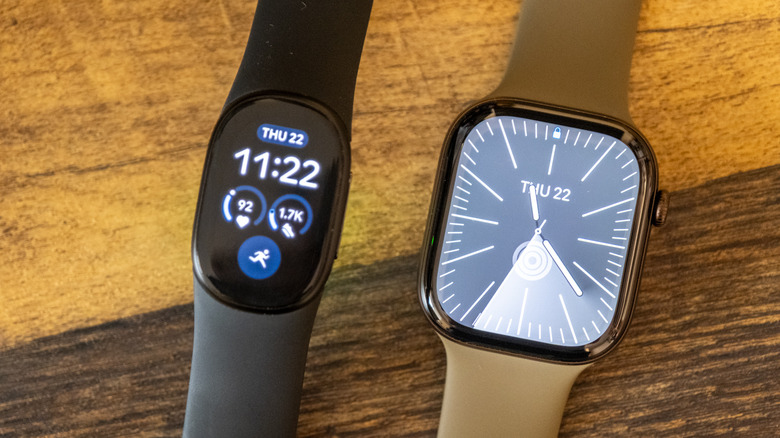
The Fitbit Edge is the most complete tracker Google has shipped since buying Fitbit, and almost all of that comes down to hardware. The 1.34-inch AMOLED panel is a solid upgrade over the Charge 6's 1.04-inch display, and the redesigned interface and a real physical side button make it feel considerably more polished.
None of that erases the trade-offs, though. The lower-resolution heart rate sampling may be an issue for some users, and the lack of NFC will be an issue for many more. No microphone or speaker, and no cellular connectivity, also helps make it clear that this is not designed to be an actual smartwatch.
But it's not priced like a smartwatch. The Fitbit Edge costs $180, which is well below what most premium smartwatches cost, and yet, apart from the lower resolution heart rate tracking, it has most or all of the fitness tracking features that people actually use. The low price is, of course, offset by the need for a subscription for some of the smarter features, but that's becoming more and more common.
If you don't care all that much about the screen, then it might be worth considering the Fitbit Air, though it lacks some features like dedicated GPS and ECG sensing. That said, if you don't need those smartwatch-like features, and a screen matters to you, the Fitbit Edge is the health-tracker to buy.