

You Should Replace Siri On Your Apple Watch - Here's Why
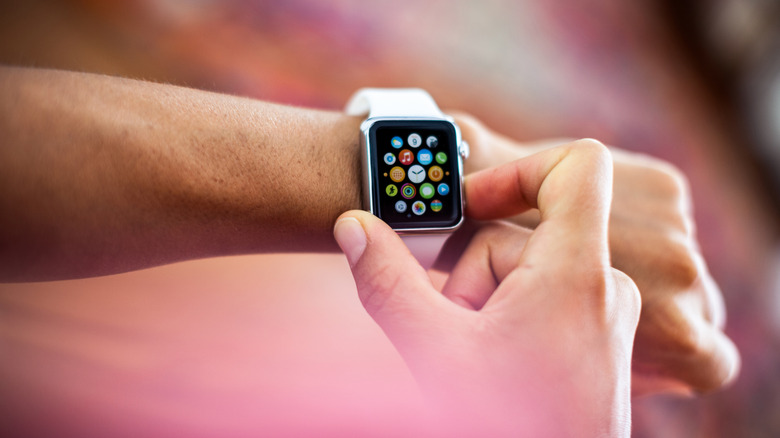
Like most modern Apple devices, the Apple Watch come automatically equipped with the smart assistant Siri. That doesn't always mean it's the best option for accessing information or completing tasks on devices like your Apple Watch, which uses the assistant for voice-activated purposes like speech-to-text messages. Alternate options like Home Assistant and its companion app offer smartwatch owners a way to get some of the same, if not better, benefits of having Siri on their devices.
Home Assistant is a third-party smart home automation platform that accomplishes many similar tasks to Apple's Siri, including health-related automations, notifications delivered in real-time, and the ability to control your smart home from your watch. Its Assist feature is a voice-activated function included for users to control Home Assistant hands-free. It should be noted that Home Assistant isn't a complete Siri replacement. Rather, it's more beneficial for handling aspects of your smart home. Unlike Apple's default, Home Assistant is capable of designating multiple names to specific devices in your home, thus allowing you to control them without worrying about one exact name per appliance.
Users may also perform more complex tasks via Assist by generating custom commands, and circle back to commands after changing the subject without confusion if you integrate a large language model, or LLM. For Home Assistant to function on your Apple Watch, you'll need to download its accompanying companion app and select the designated Apple Watch configuration. It also requires you to download the Home Assistant operating system and set up a fully local voice pipeline for Assist to function. You can then access it by setting up and tapping on the Assist icon on your watch face. This requires you to use the iPhone companion app to configure your settings and ensure it's switched on.
Modern Siri can be problematic
It may seem like a better idea just to stick with Siri as your primary Apple Watch assistant, given it's Apple's proprietary AI helper designed specifically for its products. However, Siri comes with its share of downsides, some of which may be too pressing for users to continue using it. It's no secret that Siri's access to your personal data became greater than ever after iOS 27 upgraded it with AI capabilities. Though if you don't want to stop using Siri, it is possible to limit its access to your personal data by reducing which apps it may learn from in your device settings.
Users who are either concerned by or have little use for Siri's new AI capabilities but aren't looking to download a new assistant, also have the option to go into their settings, turn off Siri, and toggle Siri Classic when you turn the assistant back on. Disabling Siri's app-learning abilities prevents it from tracking users' App Store habits and generating suggestions based on them. Some Reddit users who took this route were happy with this choice, saying it made their assistant more functional. "I was so happy when I turned off New Siri and went back to old Siri," one Redditor wrote. "It doesn't matter if new Siri is supposed to do wayyy more, if it can't function 98% of the time like it did two months ago." Redundant as it may sound, it's arguable another fitting replacement for Siri is, in fact, Siri, just in another form.