

What Is A USB-B Port (And Why Would You Use One)?
We may receive a commission on purchases made from links.
The Universal Serial Bus (USB) connection has been around since the mid-'90s, introduced as a means of wiring a wide range of accessories to a desktop PC, including peripherals like mice, keyboards, and external storage devices. While the modern world deals mainly in USB-A and USB-C ports, the USB-B standard is still around, too — it's just not as commonly used.
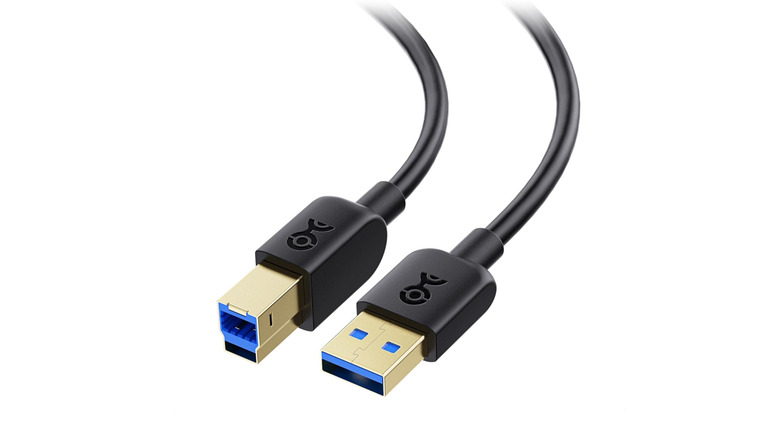
The USB-B connector is the largest of the three USB ports. The connection is a boxy shape with slanted top corners, and is primarily used to connect devices like printers and scanners. You'll also find it on musical gear like MIDI keyboards and synthesizers, as well as various medical technologies. In many cases, you'll only see a USB-B connector on one end of a USB cable, with the other end being a USB-A connector.
As the USB standard has evolved over the years, USB-B has been through a couple of generational changes, too. The USB 1.1 and 2.0 generations use the same USB-B connector type, but USB 3.0 introduced a new design that utilized nine pins (instead of the older version's four) for improved data transfer speeds. And depending on the hardware generation you're working with, USB-B ports and connectors may also be one of several colors.
Why critical gear still relies on USB-B
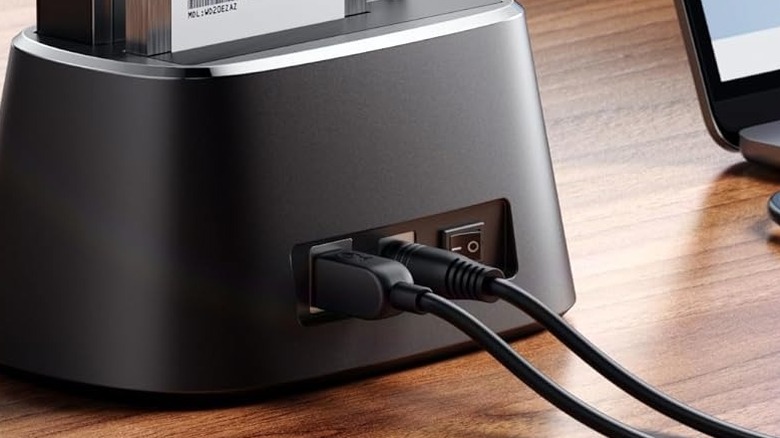
Unlike USB-A and USB-C, the USB-B port's boxier port style provides a more robust and physically secure connection. This isn't to say that A and C ports aren't reliable; USB-B was simply designed with extra stability in mind — to give you that extra-snug, wiggle-free hookup that won't unplug if accidentally jostled.
This is especially important for hardware that requires a steady stream of data to operate, like medical scanners or on-stage peripherals for a live music setup. Should the unplanned nudge or rockstar antics disturb a USB-B cable, the port's firm hold will likely keep the wire plugged in.
Thanks to the thicker port housing and stronger hold, USB-B connectors are often able to endure more plug-unplug cycles — usually up to 5,000 — than USB-A, which is 1,500 cycles or less. For devices that simply can't part with a data-power stream for any amount of time, USB-B is often your best bet, and maybe the only USB connector you'll be able to use.
Why USB-C is the port standard that actually makes life easier
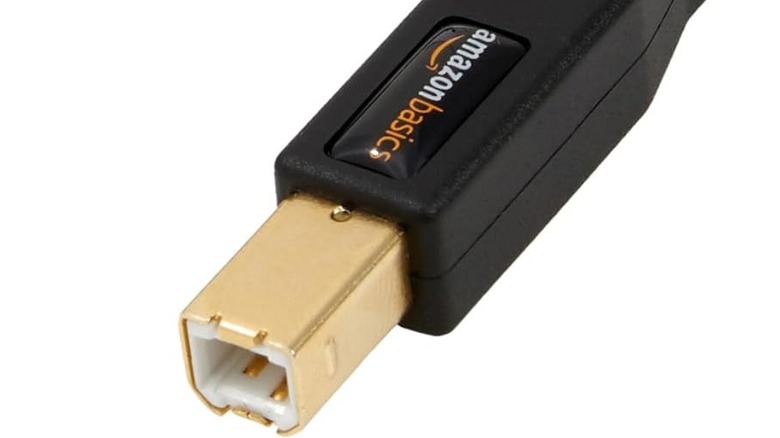
While some of the best uses for your PC's USB ports tend to involve USB-A and USB-C gadgetry (especially since most computers don't use USB-B), that doesn't mean you won't come across the occasional USB-B-powered tech. There are also several Micro and Mini variations of both USB-B and USB-A you may encounter in the wild.
Generally speaking, USB-C is the connection that matters most as we head into the future of consumer tech and even professional-grade equipment — and it's also far easier to work with than USB-B and USB-A. Why, you may be wondering? Neither of those port types is reversible, which means your USB cable or peripheral can only be connected one way.
This can prove particularly challenging when you're fumbling around in a dimly lit space or fighting gravity at an awkward angle — like when you're half-contorted behind a TV, blindly feeling for a port so you can plug in a flash drive. With USB-A or USB-B, you inevitably end up doing the classic "flip it, flip it back, try again" dance. USB-C eliminates the guesswork. If the connector fits in the space, it's going to plug in.