

4 Essential Apps For Photographers

As a photographer, you need to have the best tools to do your job well. That includes appropriate hardware like a camera or smartphone. But hardware alone won't meet all your needs. You also need to have certain apps to augment your work or fulfill other needs, such as photo storage. However, if you've tried to search for photography apps on the Google Play Store or App Store, you've certainly been bombarded with a plethora of options. The sheer volume of photography and photography-adjacent apps makes it tough to know what's really important and what can be skipped.
But you don't need most of them. In fact, you only need to get a few essential photography apps to meet your different needs as a photographer. You need an app for taking images with more freedom over the shooting process, another for editing to make your work look perfect, and another to store and share your work easily.
Photoshop Express
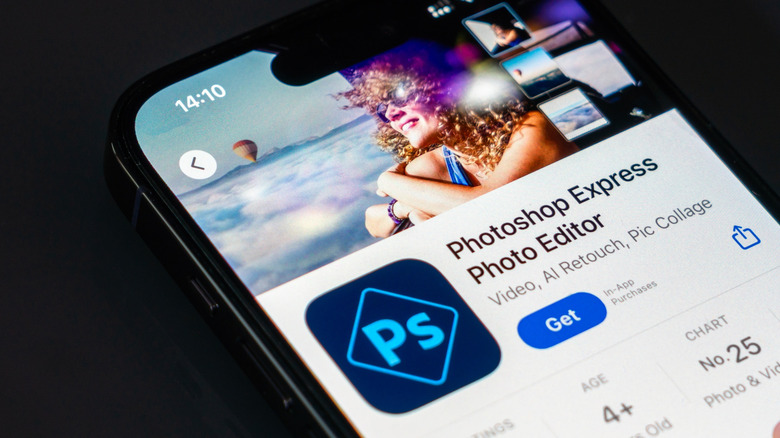
While modern smartphones have solid camera hardware, you won't always get a picture that is ready to share. You may need to adjust the tones, contrast, shadows, and whatnot. That's where Adobe's Photoshop Express app comes in handy. It's an image editing app that is meant for quick photo editing, and unlike other Adobe photo-editing apps, Photoshop Express is beginner-friendly with an easy-to-use interface.
It features templates that you can use to retouch your images for quickly sharing on social media. And if you prefer to manually adjust different aspects of your image, like saturation, contrast, and brightness, you can do it. The editor also has support for healing, cropping, background removal, overlays, and collages, among other features. You can even edit RAW images in Photoshop Express.
Like other Adobe apps, the app has built-in AI-powered tools, including an AI text-to-image generator and Adobe's Sensei for advanced editing, like selective editing without heavy lifting. The app automatically saves your work in Adobe's Creative Cloud, so you can freely switch devices and pick up from where you left off. Photoshop Express is free to download from the Google Play Store and App Store. It has a free plan, but you'll need to pay for Premium ($5.99/month or $59.99/year) for full capabilities.
VSCO
Another essential app for photography is VSCO, available on iOS, Android, and desktop (Windows and macOS). As an editing app, the app includes all the essentials for adjusting different aspects of an image or video for perfect results, such as exposure, size, contrast, tone, saturation, white balance, HSL, blur, and clarity. But if you're not yet comfortable manually adjusting these aspects, VSCO has over 200 presets that you can apply for one-click editing.
For example, the app has dedicated film filters that make your photos look like they're from old-school cameras from companies like Kodak and Fujifilm. It also includes an AI Lab feature (exclusive to iOS as of this writing) with AI-powered editing tools, such as object removal and image upscaling. VSCO stands out with its recipes feature, which allows you to create your own presets for batch editing.
VSCO offers a free plan with limited features, such as access to a handful of presets and one recipe. You'll need to pay for one of its plans to access all its features without restrictions, including access to all available presets, cloud sync, and advanced editing features like HSL and Split Tone. The Plus plan costs $7.99/month (or $29.99/year paid annually), while the Pro plan costs $12.99/month (or $59.99/year billed annually). You can download VSCO for free from the Google Play Store and App Store.
Halide Mark II
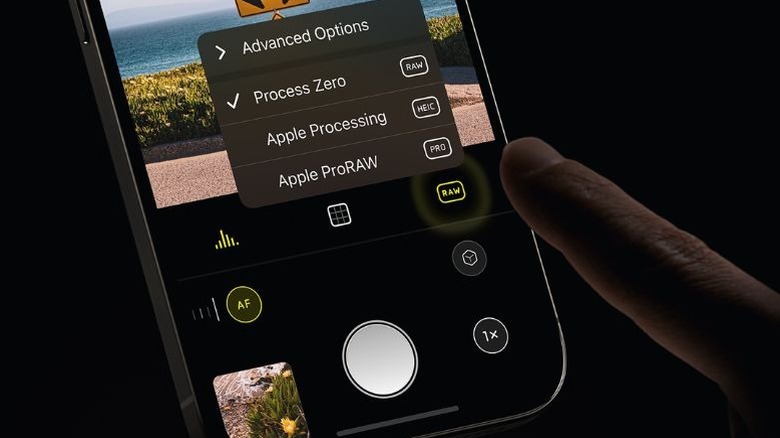
Halide is a camera app that packs advanced features, giving you more control when taking images. When you install the app, it lets you choose whether you want your images to be processed by AI or not. You can choose to disable all processing for a RAW image without artificial enhancements, or select between your iPhone's default or reduced processing. And when shooting images, you can pick between Halide's automatic or manual mode if you need more control over the process.
In manual mode, you can adjust the ISO, shutter speed, and white balance. You can also focus manually using built-in tools like Focus Loupe and Peaking. Aside from that, the app includes several convenience features for shooting stills, such as zebras, grid overlay, zoom, flash, white balance, and a timer. In Halide, you can take photos in different formats, including ProRAW, HEIC, and JPEG.
The app also has an Apple Watch companion app and Siri shortcuts for remote shooting, which can be handy in different scenarios, such as when taking pictures of the moon with your iPhone hooked to a phone holder. There's also a special feature dubbed Neutral Macro that enables you to take macro shots on any iPhone. Halide is free to download from the App Store. However, you'll need to pay to use the app. It costs $11.99/month (or $22.99/year) or $69.99 one-time if you prefer to buy the app instead.
500px
As a photographer, your job doesn't end after shooting and editing images. You also need a way to store the images for future reference or share with a client (if it was a paid job). And that's where 500px shines. 500px is an app built for photographers to store and share their images. The app has a vibrant community of photographers, so using it gives you a chance to showcase your work to potential clients and get inspiration from others.
You can upload your hi-res photos to 500px for storage and share them with everyone if you'd like. The app includes image organization features, such as galleries and tags, that come in handy when searching for photos later. You can also license your work to 500px for royalties, which is great if you want to earn an income from your photography skills.
500px has a free plan that limits you to 21 hi-res photo uploads per week, and you can upgrade to the Awesome or Pro plan for $6.49 (or $47.90/year) and $12.99 (or $95.90/year), respectively, for more features. Both plans include features like unlimited storage, advanced analytics, no ads, and offline viewing. The Pro plan also lets you create a portfolio website on 500px to showcase your work. Download 500px for free from the Google Play Store and App Store.