

5 Essential Apps For Your Amazon Fire Tablet
We may receive a commission on purchases made from links.
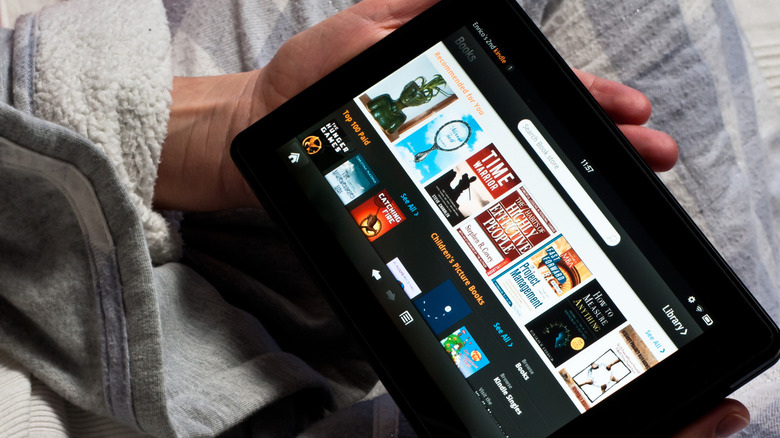
An Amazon Fire tablet is a versatile device that can be a cheaper alternative to an iPad. Of course, a key difference is that it runs on Fire OS, Amazon's own operating system that is built on Android but is not the same as what you get on other Android tablets. Think of it like a customized version of Android that has its own quirks and a dedicated app store.
In this article, we'll look at some essential apps for your Fire tablet that can be downloaded from Amazon's app store. We'll focus on a mix of entertainment and productivity apps that can help make your Fire a truly useful everyday companion. With the right apps loaded on your device, you can get a lot of use out of your tablet. Whether it's catching up on your favorite YouTube videos, working on the go, or getting in some reading, the essential apps we've picked have got you covered.
YouTube

An important thing to know about your Fire tablet is that several Google apps are not natively supported. This includes the classic YouTube app that's a must-have for enjoying video content from around the world. Fortunately, there are many alternatives, though most can be rather hit or miss.
The best YouTube app for Fire OS has a distinct blue logo with white text. It performs almost identically to the original YouTube app you would experience on Android devices such as Samsung tablets. That means, you get a user interface with similar playback options, smooth navigation, full-screen mode, a search bar, and recommendations. The app allows you to securely sign in to your Google account, manage subscriptions and playlists, view your history, and resume watching from where you left off.
Moreover, if you subscribe to YouTube Premium, you can enjoy most of the benefits in this app too, such as an ad-free experience and faster playback options. Over 279,000 users have rated the app on Amazon, with an overall score of 4.3 out of five. This proves its reliability and makes it an essential app for your Fire tablet.
Downloader
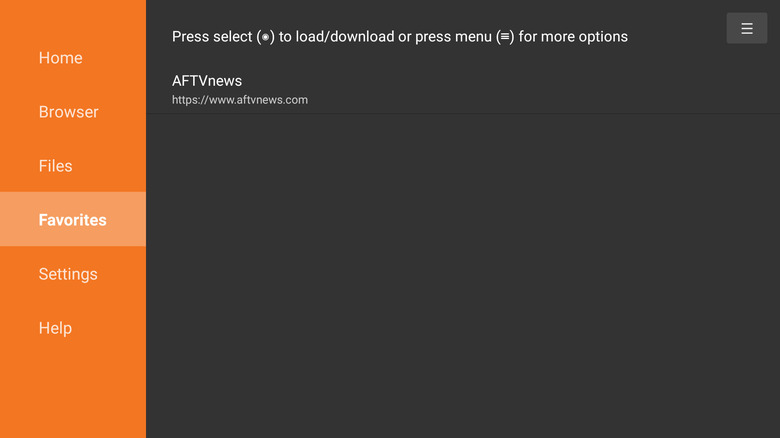
The Downloader app is a nifty little utility that can add powerful functionality to your Amazon Fire tablet. It provides a simple, built-in browser and a file-downloader that lets you enter URLs or short codes to download almost any kind of file directly onto your tablet. That includes APK files to install apps. It's a great tool to have because it helps you sidestep the limitations of Fire OS and offers more control to add or remove software on your own terms.
The interface is clean and intuitive, so even if you're not tech-savvy, you can manage downloads and installations with ease. In fact, it also functions as an efficient basic file manager to keep track of what's on your device. You can "favorite" items to find them quickly whenever you like. It's not surprising that this app has earned over 600,000 user ratings on Amazon, with an overall score of 4.2 out of five. Many reviews vouch for how it works as advertised, not just on a Fire tablet but across the Amazon ecosystem of Fire TV and Fire Stick devices.
VLC for Fire
If you want to turn your Fire tablet into a media powerhouse, the VLC app is a must-have. It's a free, open-source multimedia player that's compatible with almost every video and audio format out there. Some of the popular file types it supports include MKV, AVI, MOV, FLAC, and many more.
It also supports subtitles, multiple audio tracks, and even network streams and media shared from other devices or drives. This flexibility makes it a breeze to download movies, build a music collection, or just stream a local network video. VLC has been around for decades and is also an essential app for Fire TV and your other entertainment devices.
Best of all, it's completely free, with no ads or in-app purchases. That makes it a reliable, no-strings-attached way to turn your Fire tablet into a fully capable media device. With well over 191,000 user reviews on Amazon, VLC has got an overall score of 4.2 out of five. Many users praise it's feature-rich yet clean interface and compatibility with commonly unsupported file formats.
Microsoft Office 365
An Amazon Fire tablet is a great device for both entertainment and productivity. If you want to use it for school or work, get the Microsoft Office 365 app. This brings the functionality of popular apps like Microsoft Word, Excel, and PowerPoint to your device in a unified, easy-to-use interface. That means you don't need to download individual apps separately, saving precious storage space.
It's an essential app for your Fire tablet to create, edit, and manage documents, spreadsheets or presentations on the go. That means you can continue working on articles, reports, and more from your tablet without reaching for a laptop. Of course, the app supports cloud syncing (via OneDrive), letting you access your files across devices, so you can start working on your tablet and later pick up on a PC. It's earned a rating of 4.4 out of five from over 9,000 user reviews. Many people report that they love using the app, and It's convenient to have on their tablet.
PDF Viewer and Reader
Another essential app for your Amazon Fire tablet is called PDF Reader and Viewer. Developed by Div's Infotech, this app is priced at $2.50, and is a must-have if you work with PDFs in any way. While Amazon's free Kindle app can read PDFs, this app offers a smoother experience and a convenient drawer interface for browsing all your stored PDFs easily.
You won't need to rummage through folders every time you want to find a document because this app automatically shows a drawer or list of all your files. This makes it quick to locate essays, research papers, e-books or work files. You also have the ability to zoom in and out, read in full screen mode, jump to specific pages, add bookmarks, and more.
With over 2,000 global ratings, it's one of the highest rated PDF readers on the Amazon app store, scoring four of five. Even though it lacks advanced PDF editing capabilities, its strength lies in its simplicity. Get it if you need a straightforward way to read and store PDF files on your Fire tablet.