

5 Ways To Protect Your Smart Home From Hackers
Smart home gadgets can make your life easier, but convenience comes at a price. Smart devices often lack strong authentication. They can easily leak your data, as some of them don't use encryption or use outdated software. These devices are easy targets for hackers. It's enough for hackers to gain access to just one of your smart devices, and your whole network is compromised. Privacy loss, spying, or control over smart devices are all real risks. Your home could even become a base from which hackers can launch a larger attack, such as DDoS attacks. The good news is you don't have to accept this risk to enjoy the comfort of your smart home.
A few smart habits and practices can help you reduce the danger of hacker attacks. Staying safe can be as simple as using strong passwords or keeping your smart-home network local without connecting it to the internet. You can keep your device's firmware up to date and make sure all the traffic between them is encrypted. That said, let's look in more detail at five easy ways to strengthen the security of your smart home.
Use a local network
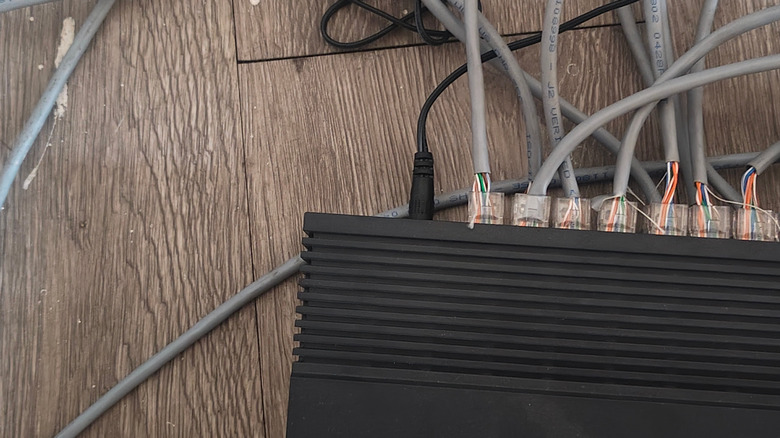
The safest way to protect your smart home from hackers is to cut it off from the internet completely. That doesn't mean you won't be able to communicate with your smart devices. Instead, set up a local network inside your home. This will enable the devices to communicate with each other and you, without the need for external servers, so outsiders won't be able to reach them.
You can use your router to set up a smart-home network. Some routers allow you to block the internet for selected devices or SSIDs (network names) through the Parental Controls feature. Check if your router allows this, and then set up a network, or a subnet for smart devices, and disable internet access for it. You can also use a local hub or a controller that doesn't have access to cloud services. Many home-automation platforms support local control. For example, most smart home security gadgets can work without the internet, so they don't need to be online.
Finally, check that some of the smart devices in your home do not leak metadata, even if they're encrypted. Someone can infer your activity just by watching your network traffic patterns. Keeping everything offline will greatly reduce this risk. However, there's a drawback: You'll lose remote access to your smart home. That means you'll no longer be able to set up the thermometer moments before you come home, or turn the lights on while you're away.
Change default login credentials
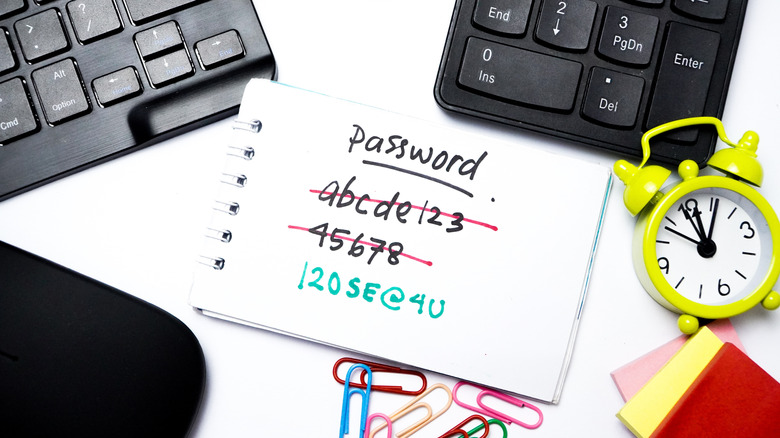
Many people get a new smart device or a home router, and simply leave it with the login name and password set up by the manufacturer. Those default credentials are often the same across a series of units of the same model. That means hackers probably already know them.
As soon as you install your new device, go to the settings or web interface, and replace the default username and password. Choose a strong password that you can memorize and use a combination of upper and lower case letters, numbers, and special symbols. Avoid using birthdays, pet names, or simple words. Someone could guess such passwords just from having a look at your social media profiles.
Set up a different password for each device in your smart home to reduce the chances of having everything compromised. If you have many of them, you can use a password manager to keep track of all the passwords.
Use multi-factor authentication (MFA)
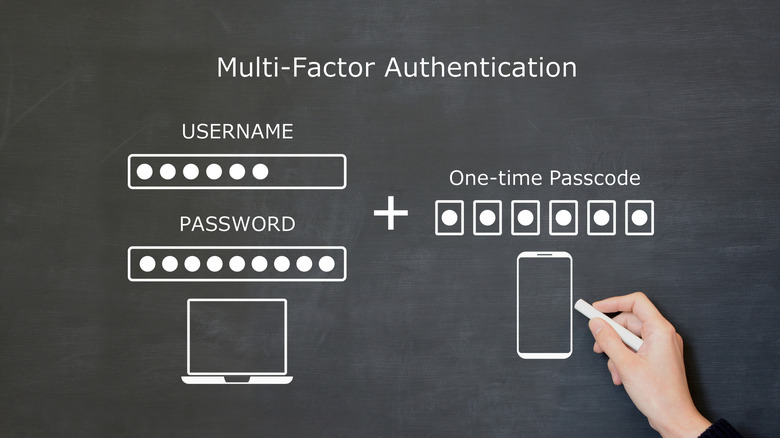
Using multifactor authentication (MFA) is one of the strongest ways to protect your smart home from hackers. MFA means that when you try to log in, you'll need to confirm your identity in more than one way. This typically means you'll use a password, and a second check, most often a code sent to your smartphone, or an app-generated code that changes every 30 seconds. Using MFA blocks most automated attacks on your devices.
With MFA in place, stolen passwords are not enough for a secure login. Even if a hacker somehow gets your login credentials, they'll still need your phone and access to the MFA app or the dynamic security key to successfully access your smart home devices. This way, a cyberattack will be stopped before it starts.
You'll have to set up an MFA for each smart device in your home, but this isn't as time-consuming as it sounds. Look in the Security menu for the Login protection feature for a certain device, and select "multi-factor authentication" or "two-step sign-in."
Use a VPN
Virtual Private Networks, also known as VPN, can add an extra layer of protection to your smart home. It'll encrypt all the data that travels from your home devices to the external servers. That makes it much harder for hackers, or even your internet service providers, to intercept or spy on your smart-home traffic.
VPNs help secure your home in different ways. IoT and smart-home gadgets have a bad habit of sending sensitive data over the internet. VPN scrambles this data, so that even if someone intercepts it, they can't read it. Also, if you're often using remote access to control your smart home devices while you're away, you can use a VPN to encrypt the communication between your phone or laptop and your home. Finally, you can use a VPN to hide your IP address and location. That way, attackers have a much harder time targeting your home devices.
To get the most out of the VPN, you should set it up at the router level. That way, every device connected to the same network will be equally protected. Since some smart-home gadgets don't have built-in VPN support, the router's VPN will keep them secure.
Keep firmware updated and replace unsupported devices
To stay ahead of hackers, you should make sure your smart-home devices always have up-to-date firmware. It's also important to replace the gadgets that no longer receive any security updates. Firmware is low-level software that controls how your device behaves. However, security flaws are discovered in firmware over time. The updates serve to patch these flaws so your device is more secure.
To keep it simple, you should enable the automatic update option for each device. That way, you won't have to check software versions manually. However, not all smart gadgets have these options. So once in a while it's good to do a manual check and make sure everything is up-to-date.
For older devices, manufacturers stop issuing updates. When that happens, it's risky to keep using them. Unpatched vulnerabilities and glitches are used by cybercriminals to gain access to your data or even other systems connected to your network. The best practice is to replace devices that can't be updated anymore.