

Can You Use A Soundbar Without An HDMI ARC Port?

We may receive a commission on purchases made from links.
As TVs got thinner, they started to feature small speakers that typically don't deliver good audio quality. So, for anyone who appreciates good sound while enjoying content on their TV, a soundbar is often a simple and effective solution that doesn't create too much hassle. It's effortless to install and instantly elevates your audio experience, even if it's a budget soundbar under $200. However, it's often recommended to connect a soundbar using the TV's ARC or eARC port, which is one of the ports of High-Definition Multimedia Interface, or HDMI, found on most modern televisions.
Using an ARC and eARC port has many benefits, including support for high-resolution audio and surround sound formats. But what if your TV doesn't have an ARC or eARC port, or if you are planning to use your soundbar with another device, such as your PC? You can still use it without the HDMI ARC port, and here's how you can do it.
Wired connection alternatives to HDMI ARC
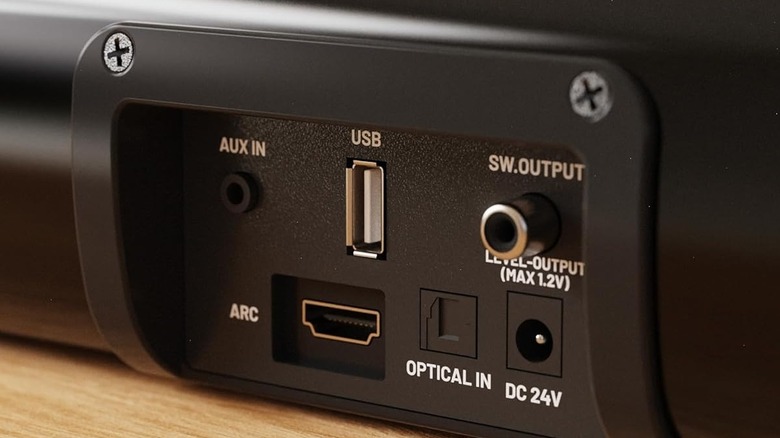
It's common for soundbars to feature multiple input options to accommodate different devices and needs. For example, most soundbars have an optical input port, also known as Toslink or S/PDIF, which is typically your second-best choice after HDMI ARC or eARC connections. It's almost as easy to use, and you just need an optical cable. However, the optical connection isn't as feature-rich as ARC or its more advanced counterpart, eARC. Like HDMI, it sends a digital signal and can handle both stereo and 5.1 surround sound formats like Dolby Digital, but it can't send uncompressed surround sound or spatial audio formats, such as Dolby Atmos and DTS:X.
Besides the optical audio port, you may come across a 3.5mm auxiliary port, red and white RCA plugs, or an RCA-style digital coaxial input on a soundbar. All three are pretty rare in modern soundbars, but if available, they can be considered if you don't have access to an optical port and want a wired connection between your TV and the soundbar. The digital coaxial input is the best option among the three, as it has the same capabilities as an optical connection and a 24-bit/192kHz audio signal support, which is higher than optical's 24-bit/96kHz. The 3.5mm AUX and RCA connections, on the other hand, use analog signals and are limited to stereo audio.
Wireless alternatives to HDMI ARC
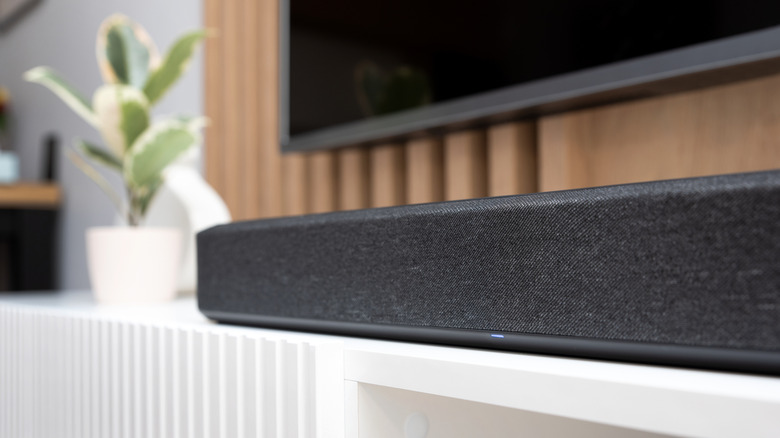
Apart from the wired connection options, many soundbars feature Bluetooth support, which makes them compatible with not just TVs, but a wide range of devices, including smartphones, tablets, and computers. You can use Bluetooth to connect your TV and soundbar if you don't want to use a wired connection or don't have access to one. However, this type of connection is limited to high-resolution stereo sound, leaving you without an uncompressed and surround sound audio experience. The potential for latency will also be present since you'll be on a wireless connection, and lip-sync issues can mar your viewing experience.
Some soundbar manufacturers, such as LG, Samsung, and Sony, also offer support for a Wi-Fi connection between compatible TVs and soundbars. It's typically a brand-specific feature. While a Wi-Fi connection has higher bandwidth than Bluetooth and can carry high-resolution audio and compressed surround sound formats, it falls short of HDMI eARC, which is able to handle lossless formats. Moreover, it has potential for latency, like a Bluetooth connection.
Finally, whichever mode of connection you choose between your soundbar and TV, it's important to ensure that you tweak your soundbar and TV settings to have the correct source and output options. As menus differ between TV and soundbar manufacturers, refer to each device's manual to properly adjust the settings. Also, you will likely have to use the soundbar remote to adjust the audio level separately from your TV volume when using connections other than HDMI ARC.