

How To Set Up Your Desk To Prevent Back And Neck Pain According To Experts

We may receive a commission on purchases made from links.
You most likely spend up to eight or even more hours per day sitting if your job entails working on a computer. It definitely takes a toll on your body, and you're not alone, because humans aren't evolutionarily built for prolonged sitting on a chair. Yes, our ancestors used to sit, but it was quite different. Sitting on a modern chair is static, while they used to engage their muscles whenever they sat in postures like squatting. Modern furniture often doesn't match how our bodies are designed. This can lead to neck, back, and leg pain. It may also cause eye strain and repetitive motion injuries, such as tendonitis and carpal tunnel syndrome.
All these injuries rarely happen in a day. They tend to develop gradually over extended periods — could be weeks, months, or even years. We reviewed academic papers and ergonomists' advice to develop these 13 tips for setting up your desk to avoid these injuries (especially neck and back pain). They all revolve around maintaining proper body posture and workstation setup.
Pick a chair with lumbar support

Each human body is unique, so there's no specific one-size-fits-all solution when it comes to the chair you choose. The secret is to find one that allows you to make as many adjustments as possible for the best results. Also, how you sit can either harm or protect your spine. With that in mind, ergonomic experts recommend going for a chair with built-in lumbar support, as this feature helps in maintaining your spine's natural curve. According to this PubMed Central research, proper lumbar support goes a long way in decreasing disc pressure and muscle fatigue if you sit for extended periods.
Other adjustments that should be available on your chair include backrest angle, armrest position, and, most importantly, seat height. These are not luxuries but must-have features. If one of them is absent, every other adjustment is pretty much useless because you'll end up with back pain one way or the other. You can give the Nouhaus Ergo3D Ergonomic Office Chair a shot if your current seat lacks any of the highlighted features. Your spine logs every minute of incorrect lumbar support and will remind you with excruciating back pain down the road.
Set your chair height so you're grounded
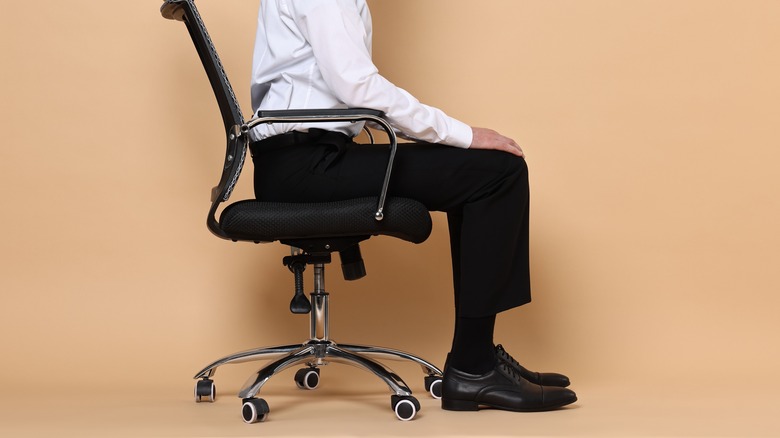
According to ergonomic experts, the perfect chair height should land your knees at roughly 90 degrees, thighs parallel to the floor, and feet flat so your weight spreads evenly instead of hammering one spot in your spine. When your feet dangle, the seat edge digs into your thighs, kills circulation, and forces your spine to compensate for a base that isn't stable. If you cross your legs, you're basically twisting your pelvis out of alignment, creating imbalances that may become permanent because muscle memory is a real thing.
The right height should allow your hips to sit slightly higher than your knees, keeping your natural lumbar curve intact. Your heels should rest firmly on the ground at all times — a footrest, which we'll discuss next, should come in handy. Height adjustment decides whether your entire sitting posture works with gravity or fights it for your entire desk shift, and trust me, gravity always wins that argument.
Grab a footrest if your feet don't quite reach
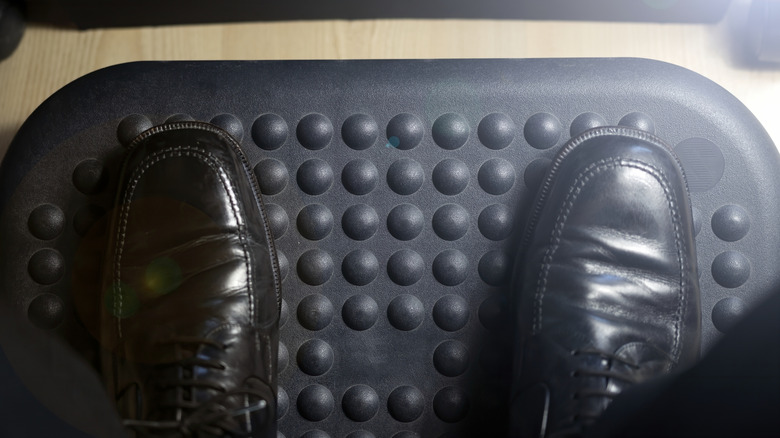
A footrest is a workaround for bad design. When your desk sits higher than your elbow height, an ergonomic footrest will help in keeping your feet planted, improve circulation, and reduce lower back pressure by keeping your pelvis where it should be. Shorter people are familiar with this struggle — when you raise your chair to reach the desk, your feet will dangle. Lowering the chair also means your arms will strain, and you wouldn't want this to happen for hours. The footrest solves this by basically raising the ground higher to meet your feet
For optimal performance, position your footrest so that both feet rest flat, maintaining that 90-degree knee bend that keeps your spine happy. A good foot rest should be wide enough for both feet, stable, and angled slightly for the sake of your ankles. You can grab this adjustable footrest from Amazon. It has seven tilt angles and an anti-slippage textured surface. It's not fancy, but it eliminates the compromise between your desk height and proper spinal positioning, and honestly, your back will thank you immediately.
Position your desk at elbow height

Getting desk height right is where most people fail. Your forearms should be parallel to the floor when at rest, and your elbows bent at 90 degrees. Following this rule will prevent you from hunching over and any strain on your wrists as you write. The only problem is that we all come in greatly varying heights, so no fixed desk is perfect for anyone.
To get around this problem, you'll need to make the chair adjustments as we saw earlier in this guide. If your desk is too high, raise your chair's height and use the footrest we recommended earlier if you don't own one yet. If it's too low, you can invest in a standing desk converter or laptop stand to increase the height of your working station. Besides that, posture therapist Olivier Girard mentions a simple test to help you know the perfect height relative to your keyboard. He recommends, "Relax your shoulders, bend around your elbow, stretch your fingers, and where your fingertips are, that's where you want the keyboard to be.
Set up your monitor at eye level

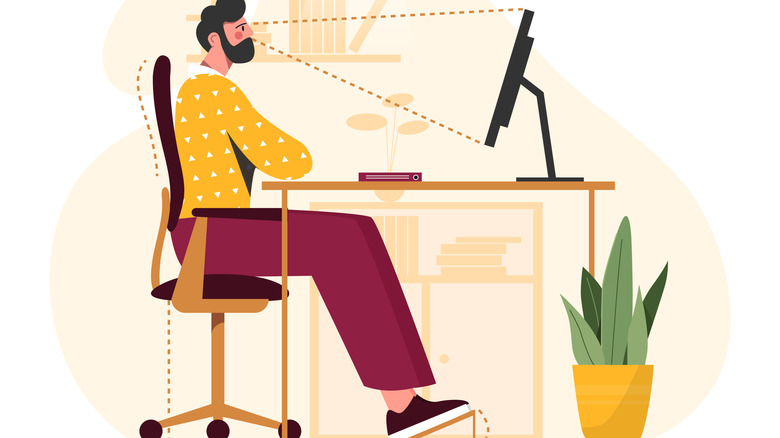
Your computer monitor position may strain your neck and upper back. The top of your screen should be at or slightly below eye level, about an arm's length from your body. This position prevents you from craning your neck forward and minimizes the physical stress you accumulate throughout the working day. The tilt of your monitor also matters just as much as the height. Olivier Girard, the Posture Guy, explains, "You bring the tilt so the screen is facing you — like you read your book, lower than your eyes, facing you." If you work with a laptop, consider purchasing a laptop stand along with an external mouse and keyboard — these are usually inexpensive. The idea here is to achieve the same posture you would with a desktop, which is more ergonomic.
If you ever find yourself straining to read text or notice details on your monitor, the problem could be that your monitor is too far away, too low, or your font size is too tiny. Also, it could be your prescription glasses. Make sure your annual check-up is in order. Prescription changes are usually subtle and need regular check-ups. The bottom line is a comfortable placement where you can see properly without sticking your neck out or straining is ideal.
Keep your keyboard and mouse within reach

How and where you place your computer's peripherals (keyboard and mouse) can determine whether or not you pick up repetitive strain injuries. The keyboard and mouse should be side by side in such a way that you don't have to reach across your desk or twist your torso. Alter Ergo ergonomist Crystal Nelson emphasizes keeping "your keyboard and mouse centered in front of you as one unit ... shift both slightly left to avoid constant right reach." With the peripherals in position, keep your wrists straight and relaxed. Avoid bending them at angles that stress the soft tissue under your wrists.
This straightforward positioning prevents asymmetrical strain and keeps your shoulders, neck, and wrists balanced throughout the workday. As we mentioned earlier, repeated strain on these areas for extended periods will ultimately lead to conditions like tendonitis, carpal tunnel syndrome, and chronic pain. You may be unable to even work when these conditions kick in.
Consider a keyboard tray for optimal positioning
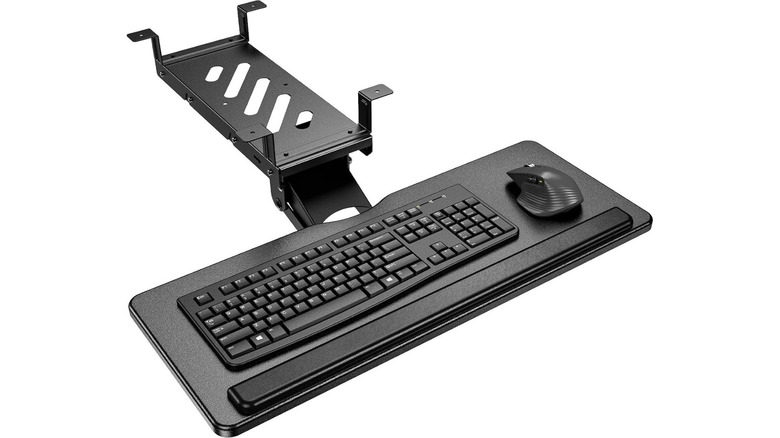
A good keyboard tray like this one on Amazon by HUANUO means your desk or chair being too high or too low is no longer something to worry about. You decide exactly where your hands rest, something regular desks can't really manage. The perfect tray should be able to move up and down and swivel to ensure you always find the right angle. This is critical for setting you up for comfortable typing sessions and keeping wrist pain at bay.
If you're working with a standard desk without height adjustment, a keyboard tray isn't just nice to have. It's the thing that will make you productive without leaving you with a sore wrist or even worse. Honestly, it's an easy way to protect yourself without having to break the bank for a complete desk setup overhaul. Additionally, given the cost of physical therapy and the time lost to injuries, ergonomists recommend a tray to improve wrist and hand comfort.
Use lumbar support accessories if needed
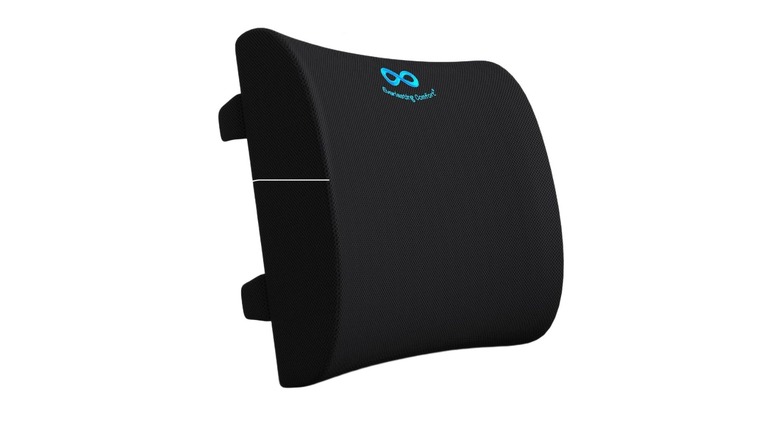
We already mentioned going for a chair with lumbar support. What if you don't have the budget for such a chair, or are just working with a standard chair at home? There are several workarounds you can give a shot at providing the needed support for your back. One of the best ways of achieving this is getting a lumbar support pillow like the $40 Everlasting Comfort, which allows you to maintain the natural curve in your back while sitting. It works by placing the pillow at the small of your back and adjusting it until your lunbar is supported and your head and neck are in comfortable, neutral positions.
If you don't want to spend the $40, the regular small pillow you have at home might just be enough — significantly better than no lumbar support at all. Think of a spring, as gravity acts on it, it can change pressure and evenly distribute it. That's how the curve of your spine works. You will feel some discomfort and ultimately pain if you straighten it out or overstretch it if you're sitting at your desk wrong. Besides the lumbar support pillow, you can also add a chair cushion to help distribute even more of your weight.
Keep the stuff you use most close by

Your working desk area can be divided into three zones: primary, secondary, and tertiary comfort zones. The primary zone includes the distance that your hand covers from the elbow. The secondary zone is anywhere within arm's reach, and the tertiary zone is somewhere near the outer workstation edges that may need a little bit of stretching to reach.
The items you use the most go in the primary zone — these could be your keyboard, mouse, and notebook. Stuff that you use frequently but is not needed all the time should be in the secondary zone. An example here could be your phone or a comfortable pair of headphones (heavy headphones could strain your neck). The tertiary, or reference, zone should house items you seldom use.
Always have these three zones in mind before settling down at your workstation. Considering these zones and keeping items you are least likely to use on your desk goes a long way toward alleviating spinal stress by minimizing overstretching and twisting of your body. Mayo Clinic also recommends standing up to get anything that is beyond reach to reduce the chances of hurting your back.
Fix your lighting to save your eyes and posture
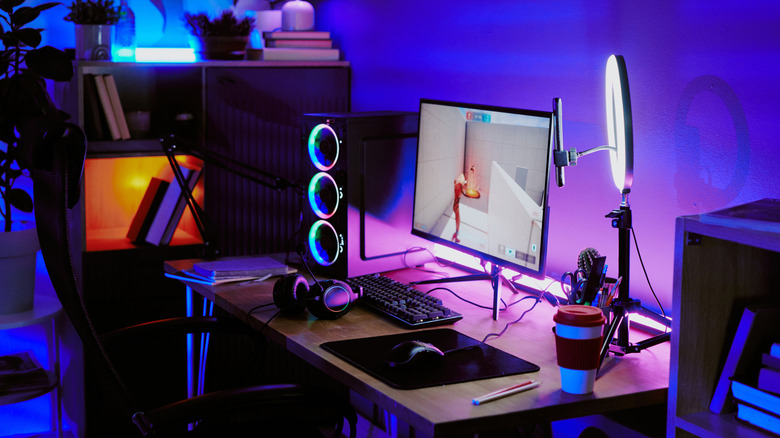
Improper lighting causes screen glare and may force you to lean over or squint to see better on your computer, leading to both eye and neck strain if done for long enough. Using good lighting cuts down on screen glare and stops you from leaning forward just to see. Angle your monitor away from windows and adjust your lights accordingly. If your angling options are limited, you can always put up blinds and use artificial lighting, which you'd also use for night working sessions. An adjustable LED desk lamp should do the trick.
Stanford University recommends "reducing ambient lighting around your monitor." The idea here is to create "greater contrast between the light from your monitor to the surrounding light." Doing so eliminates unwanted glare, especially if you use a desk lamp with adjustable brightness alongside your overhead lighting. The desk lamp will illuminate your workstation and create the desired contrast.
Adjust your armrests for proper shoulder support
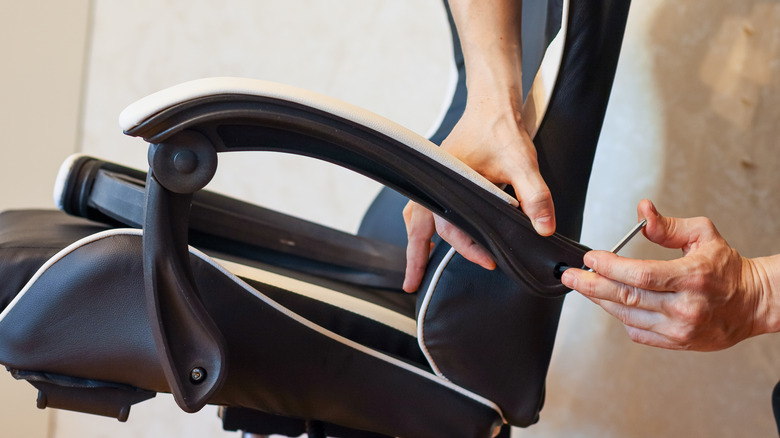
Interestingly, ergonomists discouraged armrests since they may hinder getting close enough to the desk in some cases. They now recommend them as long as they extend less than 10 inches from the back. There are two things to look out for when your chair has armrests: proper height and the correct angle. Adjust the height accordingly until your forearms are parallel to the floor. After identifying the optimal height, ensure both elbows form a 90-degree angle and that you don't experience any discomfort.
Not all adjustable-height chairs let you adjust the angle. However, if yours can, tilt both armrests to match your upper arms' natural angle. This adjustment ensures optimal wrist alignment and support. Once you lock in the right height and angle, your armrests will do a wonderful job of shedding some of the load carried by your shoulders and neck. For extra comfort, always go for armrests with some padding and cushioning.
Consider a standing desk for dynamic positioning
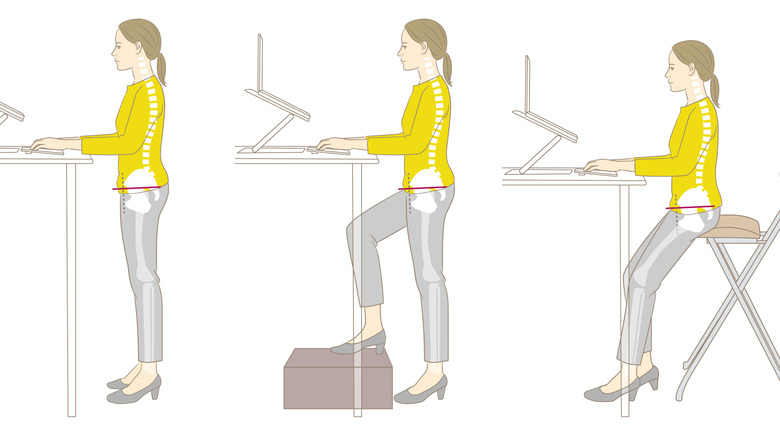
Leading a sedentary lifestyle, brought about by sitting down for most of the day, is bad for your health. For this reason, a standing desk is a no-brainer for a little bit of moving around while working. A standing desk allows you to stand for a few minutes during your shift and continue working in this position. Getting to stand a bit after sitting for a long time is always a relief.
Regarding pain, a 2024 study shows that using a standing desk for some time during a workday comes with some significant benefits. For most users, it positively affects posture, reduces muscle fatigue, less discomfort in people with forward head posture, and prevents musculoskeletal disorders. These facts suggest that neck pain and back pain are less likely to become an issue if you introduce a standing desk to your workflow. Another 2025 study also shows that, besides physical benefits, using standing desks improves productivity for office workers.
Standing desks are definitely a major way to increase your overall health and comfort. However, remember that all other desk-related ergonomic tips still apply to help prevent neck, back, and wrist strain. If you don't already own a standing desk, checking out one like the Comhar Electric Standing Desk may be the right place to start.
Move every half hour or so

A standing desk can only do so much besides helping with posture. Both sitting and standing at your workstation for too long strains your upper back, shoulder, and neck muscles. Chiropractors and ergonomic experts recommend regular breaks and a little stretching throughout your workday. Some of the ideal movements include neck, forearm, upper-body, seated, and standing stretches. This Mayo Clinic video collection will guide you on how to achieve the movements in detail.
"Move often ... changing our posture every 30 to 45 minutes ... keep active," advises Georgina, founder of Ergo Global. If you're working from home or a location that allows you to do so, take a quick walk around the house or office after this period. At least change locations during your break, which guarantees movement. Remember, neck and back pain rarely manifests in a day — it could take days, months, or even years before it kicks in. In this case, follow these tips to prevent these issues rather than waiting to take action when the pain has already begun.
How we came up with these ergonomic tips
We synthesized expert guidance from certified ergonomists and posture therapists, combined with evidence-based recommendations from medical publications such as Mayo Clinic and Cleveland Clinic, and consulted evidence-based studies. Also, as writers, we spend huge chunks of our day at a desk, which is invaluable experience in this case.