

Your PlayStation 5 Might Need Repairs Soon - Here's Why

PlayStation 5 (PS5) consoles use liquid metal to cool the console during extended use. The PS5's thermal interface material is a liquid metal composed of Galinstan, which is an alloy made from tin, indium, and gallium. The metal serves as a thermal interface material between its Accelerated Processing Unit (APU) and the heatsink, enabling efficient heat transfer and good thermal conductivity. However, if you use your PS5 vertically, it may cause liquid metal to leak, according to independent technicians, due to gravity pulling it toward the bottom of the heatsink.
While the vertical placement cause hasn't been fully proven, it remains a possibility. If your PS5 does experience overheating and unexpected console shutdowns, this can still be due to thermal degradation caused by a malfunctioning cooling system. In either case, the consequences of the PS5's liquid metal leak could include long-term damage, such as persistent performance drops, abrupt shutdowns — and in more extreme cases, an inoperable console (although, there are other reasons your PS5 may be displaying a black screen.
What are the telltale signs of a PlayStation 5's liquid metal leak
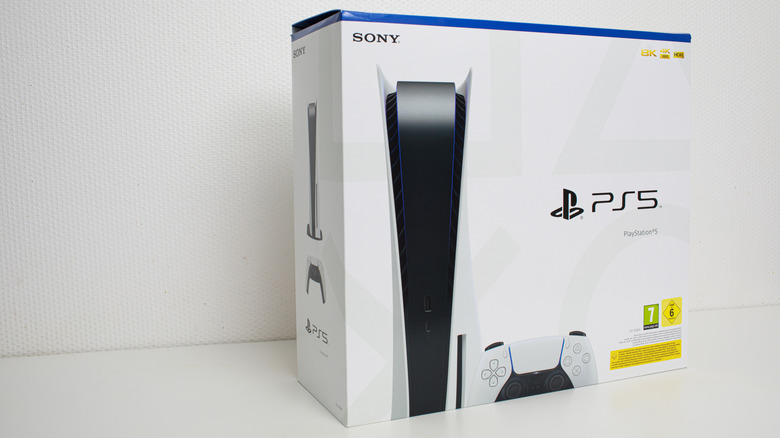
The first step is to determine which PS5 model you own, as not all models use this type of liquid metal cooling system. According to PCMag, an X user named "Modyfikator89" (a Polish YouTuber and modder) claims that Sony quietly fixed the issue with the deployment of newer PS5 models, both disc and digital editions, including CFI-2100, CFI-2200, and the 2025 Slim CFI-2116 B01Y models. The X user indicates that the newer models are 100% free of the liquid metal. At the same time, PCMag speculates — based on Modyfikator's posted content — that instead of completely replacing the liquid metal formula, Sony is likely "making it more viscous and less likely to leech out of the cooling setup" so it can be held by deeper ridges. Regardless, the liquid metal component and the old cooling design is still present in the older PS5 FAT/OG and Slim CFI2016 from 2023, which aren't particularly old. The original cooling system and liquid metal is almost certain to be found in consoles owned by launch-day users.
To be on the safe side, the easiest way to identify your PS5 is to check the original packaging for a white sticker near the barcode. But if you have disposed of the packaging, check the bottom of the console when it is positioned vertically. Otherwise, use the System menu and navigate to Settings, then System, followed by System Software. Then, select Console Information to view the serial number. Once you've confirmed your model number, keep a close eye on your console. If you see signs of overheating, hear the fan running constantly, or notice reduced performance while it is operating, your console might be experiencing the liquid metal issue mentioned.
What to do if your PlayStation 5 console is failing
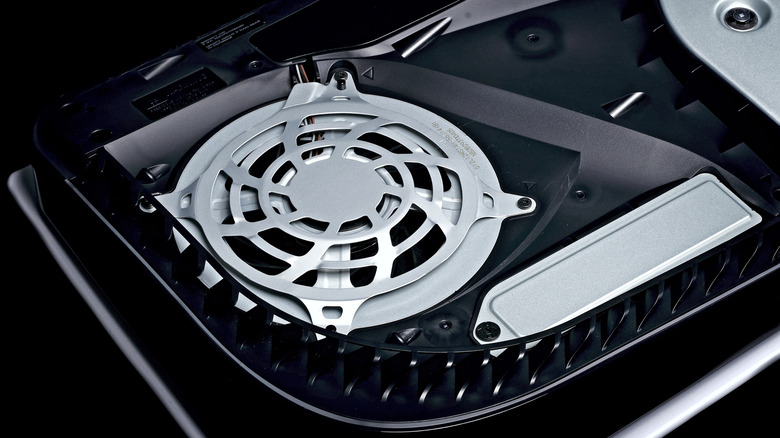
Neglecting an issue tied to the known liquid metal cooling problem could seriously affect long-term viability of your PlayStation 5. For one, there could be a leak, leading to inefficient operation of your console's cooling system. Secondly, if you let the issue persist for long enough without addressing it, heat could damage internal components beyond repair.
If you suspect this is happening, you will want to have your PS5 console repaired immediately. The best bet is to use your warranty to gain a free repair from Sony, though it usually only covers the first year you've owned your console. You may also have purchased an extended warranty from the retailer you bought the console from. Otherwise, you will need to pay out of pocket for a professional repair service (and if your controllers are also on the fritz, consider this DIY fix). Just remember that there's always a risk when opening carefully sealed internal parts. If you are feeling confident with your technical skills and are fine with the risks, you can always attempt a do-it-yourself repair if you're absolutely strapped for change.