

5 Essential iPhone Apps I Use Everyday (And You Should Too)
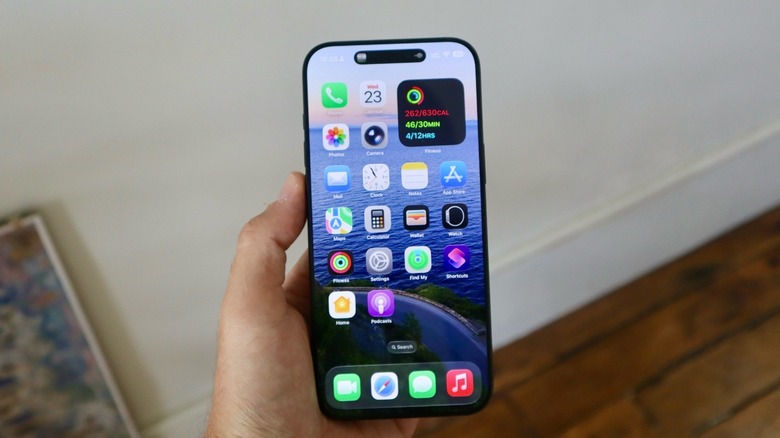
Long gone are the days when we used to download every new app that became available on the App Store. I still remember its early era when I would download every new game, silly app, or social media app that just launched. Yet so many years later, now that we finally have a lot of space in our iPhones, it feels like having a ton of apps is no longer our priority. More than that, as Apple, Google, and other smartphone makers expand their tools to help us (and especially kids) stay away from addictive apps, it feels we're more cautious about what we download and how we use our smartphones. At least, this is what I'm trying to tell myself to do.
Still, there are a few apps I use regularly that truly make a difference. While I could say that about Slack, Microsoft Teams, Uber, or even Amazon, I feel like you're not here to learn more about work apps or those you already use. That said, these are my five essential iPhone apps I use every day, and they might be worth it for you too.
Photomator, the best photo editor before AI was cool
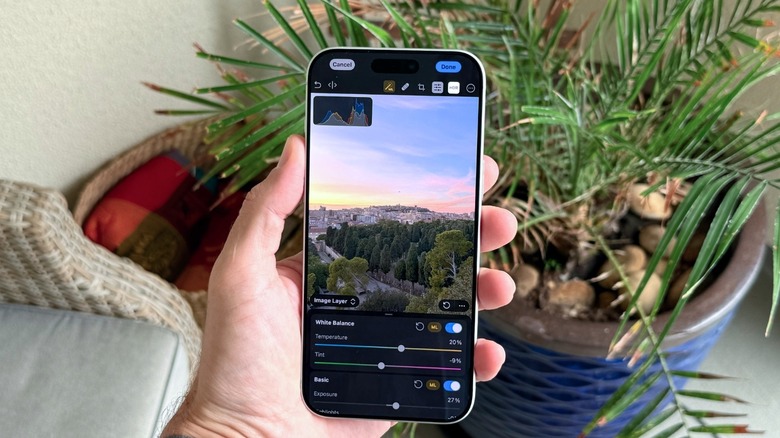
Last year, Apple bought the Pixelmator company, which includes several photo editing apps. Among them is Photomator. While Apple has updated these apps with some bug fixes and a few features over the past few months, it's still unclear what their future will be. Will the tech giant discontinue them and add their features into the Photos app and Apple Intelligence, or will the company continue to offer them as standalone services?
Regardless of what Apple does or doesn't decide to do with this app, I highly recommend you download and pay for it. With Photomator, you can use machine learning — the term Apple used to love before it changed everything to "AI" — to automatically adjust the image colors, improve its quality, edit specific parts of it, and even remove objects (it's way better than the Clean Up tool).
Photomator also offers different tones and the ability to open and edit over 750 RAW image formats, transform an SDR photo into HDR, remove camera noise, eliminate color banding, and even copy and paste edits between photos or batch edit hundreds of photographs at a time. Photomator is free to download, but you can choose between a monthly or yearly subscription or a one-time payment.
ChatGPT, probably the only AI chatbot you need on your phone
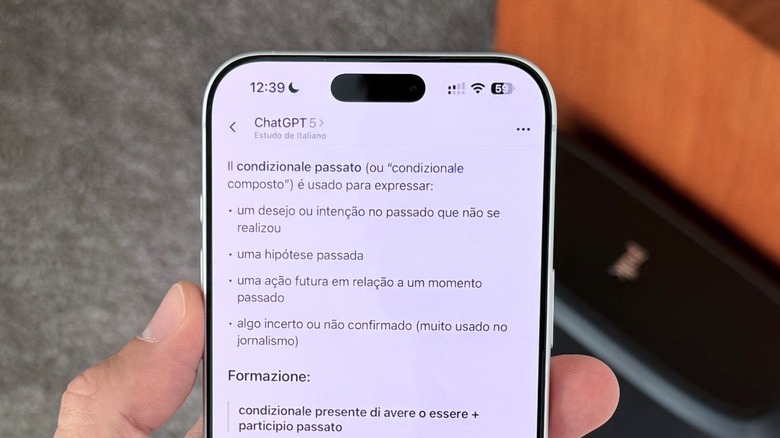
This ubiquitous app has transformed how we use our phones and even the internet. I've been relying more and more on ChatGPT to perform everyday searches, help me understand how to fix something I broke, or even ask for advice about a piece of clothing, an itinerary for a small trip, and learning new languages.
What makes ChatGPT so amazing is that it's available on several platforms, including inside Apple Intelligence, if you choose to use Apple's AI with it. You can ask the app to code for you, create images, review or explain a homework assignment, and do anything else you might need. The best part is that the tech is free to use, and OpenAI keeps improving how much free users can take advantage of its large language models (LLMs) without paying.
On the other hand, if you choose to pay for ChatGPT-5 Plus, you have a pretty much unlimited experience with the best models, the latest features, and a more natural conversational mode. Even though I've been writing about ChatGPT for a while, I think I'm still learning how to get the most out of this chatbot. That said, I'm also really excited about where the ChatGPT Atlas web browser might take us in the future.
Gentler Streak, for taking care of my wellness with kindness
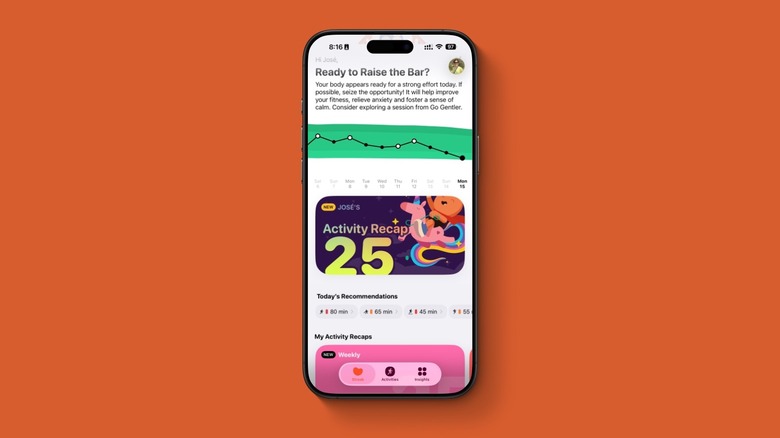
Leaving AI behind, let's talk about one of the apps that changed how I take on my workout routine: Gentler Streak. I've been using it daily since 2022, and even though I don't work out every day, I always open the software to understand how my body reacts to my sleep and determine my readiness for that morning and onward. Basically, Gentler Streak is a well-being and fitness tracker like Apple Fitness that helps you stay consistent, motivated, and aware of your body by understanding when it's time to push a little further or rest. Its Apple Watch app is great to track your workouts in real time, and Go Gentler suggestions provide ideas for what you should do that day based on what you enjoy doing.
That said, even if you don't use Go Gentler's Apple Watch function, it gets all the data from your Health software, so you just need to track your workouts with your preferred app. All the information is stored locally, so once you decide you no longer want to use the software, it doesn't have access to anything. Gentler Streak is available for free on the App Store, but I highly recommend paying a subscription to unlock all the perks.
HidrateSpark, the only water tracker you need
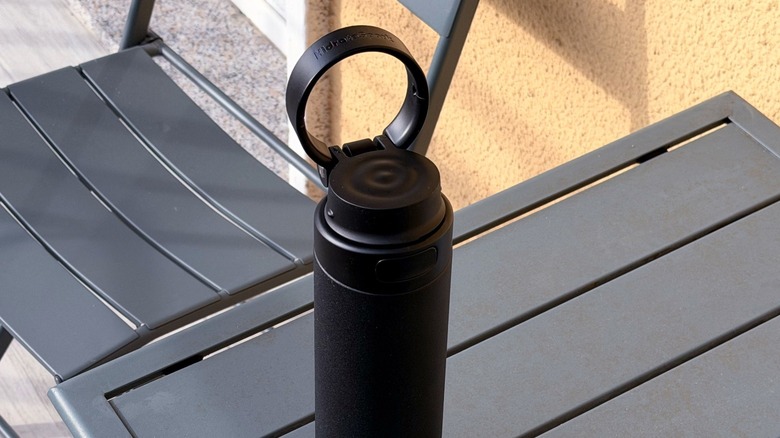
Over the years, I've tried several water tracking apps. However, they all lack a simple yet important feature: Telling me the amount of water I actually consumed. Maybe you have a very specific glass of water or tumbler that you drink from every day, and you can easily track how much water you drink. I can't say the same.
Understandably, I got really excited when I heard about HidrateSpark smart water bottle, which connects to its proprietary app and tracks the amount of aqua you drink per day. Most importantly, the software calculates how much water you need to take based on your height, weight, gender, and current weather. The app also has a social side with the ability to compete on monthly challenges, besides a few badges you can get by staying consistent. Even if you don't own a HidrateSpark bottle, you can download the app and track water and other drinks. But without a smart bottle, the tech loses its magic. You can find it here on the App Store.
Foodllama, a meal tracker that works
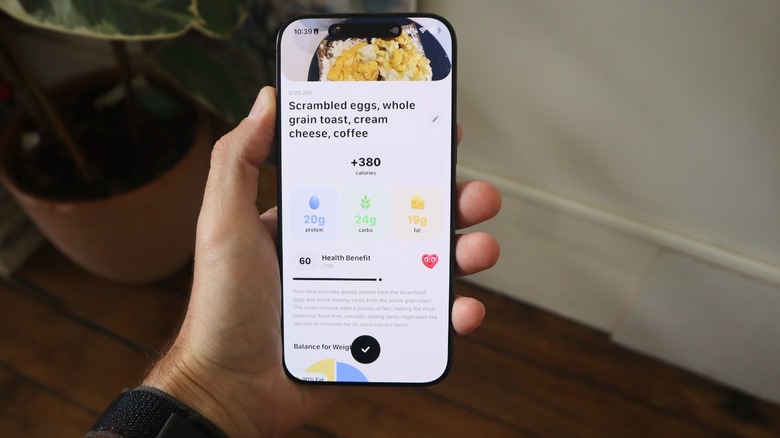
As you can see, I have a pattern of apps I use every day: trackers. While there are a ton of options that do what Foodllama does, I think the developers behind it have the best UI on the market. The app is gorgeous, and it's as simple as taking a photo or describing the item for the software to analyze the amount of calories you take in every meal and whether you're on the way to your goal or not.
The app lets you be very specific about your goals and how active you usually are, and it recently introduced the ability to sync your workouts from the Health app to understand how these practices impact the food you eat. Other changes include the ability to scan barcodes and food labels and use the Camera Control button to launch Foodllama. In the future, the app will add the ability to log weight, in addition to weight charts, so you can see your body's change throughout the weeks. The app is free to download but requires a subscription to let you enjoy its full perks.