

Here's What Every Different USB Port Type Actually Means
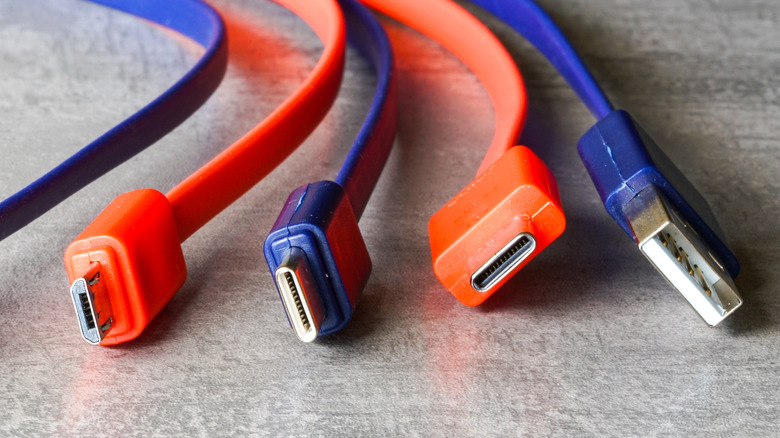
Universal Serial Bus (or USB) is a versatile interface that's used in all sorts of devices — from smartphones to lifestyle products — to deliver data, power, and video signals. Most commonly, we see USB ports in our computers, mobile devices, peripherals, and accessories. However, despite having "universal" in its name, USB isn't limited to a one-size-fits-all port — they come in a variety of shapes and capabilities.
USB-C has emerged as the go-to port for many modern devices, thanks to its impressive features. But the legacy ports, such as the USB Type-A and USB Type-B, are still very much present in our lives. Indeed, they continue to show up in different devices, with Type-A being a lot more common than the Type-B port. So, if you're unsure about what different USB port types mean and what they can achieve, here's a quick primer on different connectors you may encounter on various devices, including how they look and what each is capable of.
USB Type-A and USB Type-C ports
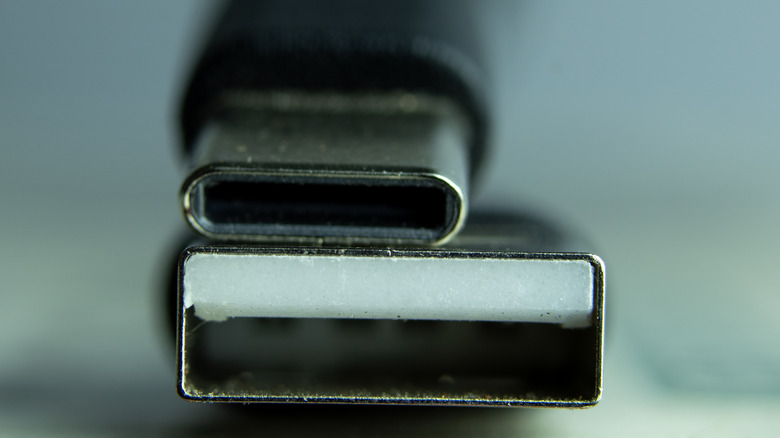
USB Type-A and USB Type-C are two of the most prevalent USB ports you'll find on devices. The Type-A connector has a rectangular shape with a plastic insert in the middle and is capable of handling data transfers and power delivery. However, its capabilities depend on the USB generation supported by the port. For example, a USB 2.0 port supports up to 480 Mbps data transfer speeds, whereas a USB 3.2 Gen 2 port can go up to 10 Gbps. The newer specifications, such as USB4 and USB 3.2 Gen 2x2, aren't available on the Type-A port.
As mentioned, USB Type-A ports can also power the connected devices, but the power delivery is rather low. A USB 2.0 port typically offers 2.5 watts of power, whereas a 3.0 port can provide up to 4.5 watts. However, if the Type-A port — regardless of whether it supports version 2.0 or 3.0 — is using the USB Battery Charging 1.2 (BC 1.2) standard, it's capable of delivering 7.5 watts of power, using 1.5 amperes of current at 5 volts.
USB Type-C, on the other hand, has an oval shape, and it's a reversible connector, unlike the Type-A port. It's also significantly more versatile and powerful. In addition to performing data transfers and delivering power, it can also carry video signals if it's using DisplayPort Alt Mode extension. More commonly referred to as the USB-C port, its capabilities also depend on the USB version and Power Delivery (PD) specification support. However, unlike a USB Type-A port, it's compatible with all USB versions, including USB4 2.0, and as such, it can reach data transfer rates of up to 80 Gbps. Moreover, PD 3.0 specification allows it to deliver up to 100 watts of power, whereas PD 3.1 ups the power delivery to 240 watts.
USB Type-B, Type-B Mini, and Type-B Micro
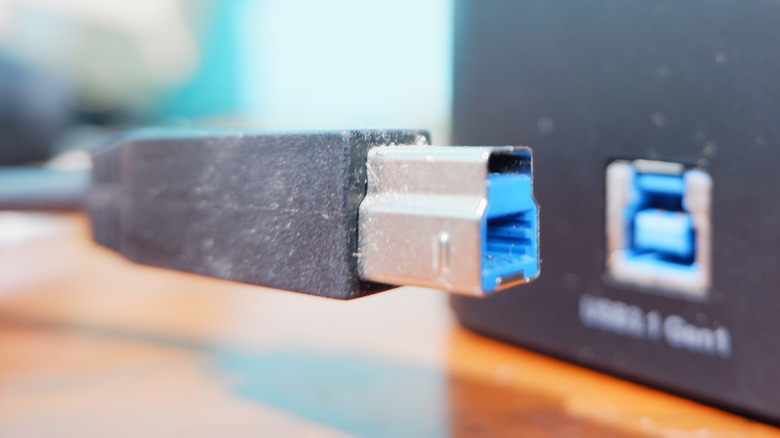
USB Type-B, Type-B Mini (also known as Mini-USB), and Type-B Micro (also known as Micro-USB) are relatively less common ports. With that said, they can still be spotted on select devices, such as printers, monitors, MIDI controllers, dash cams, and select budget gadgets. The standard USB Type-B port comes in two shapes. The one supporting USB 2.0 has a square-like shape with slightly beveled top corners, whereas when used with the USB 3.0 generation, a Type-B port has a slightly larger shape featuring a square protrusion on top. It's considered to be quite durable and also doesn't wiggle out or disconnect easily. Otherwise, it has all the same capabilities as the Type-A port and can support data transfers and basic power delivery.
 Yes/Getty
The Mini-USB and Micro-USB were pretty common before the rise of USB-C, but they're increasingly disappearing from devices. As their names suggest, Mini-USB and Micro-USB are smaller ports, with Mini-USB looking like a squished-down version of the standard Type-B port, whereas the Micro-USB has a slightly rounded top and a flat bottom. Their features are similar to a standard Type-B port, with support for data transfer and power delivery. However, while Mini-USB tops out at 2.5 watts in terms of power delivery, the Micro-USB ports can go up to 24 watts when accompanied by fast charging standards, like Qualcomm Quick Charge.
Besides Mini and Micro-USB, the USB 3.0 Micro-B connector (also called Micro-B SuperSpeed) is a cousin of the Micro-USB port and an odd member of the USB family. It looks like a Micro-USB port has been fused with a small USB connector, and it was primarily created to increase the data transfer speeds of the connection. The Micro-B connector supports up to 5 Gbps data transfer rates and was mainly used on older external hard disk drives.