

All Of The Roku Voice Commands You Should Be Using
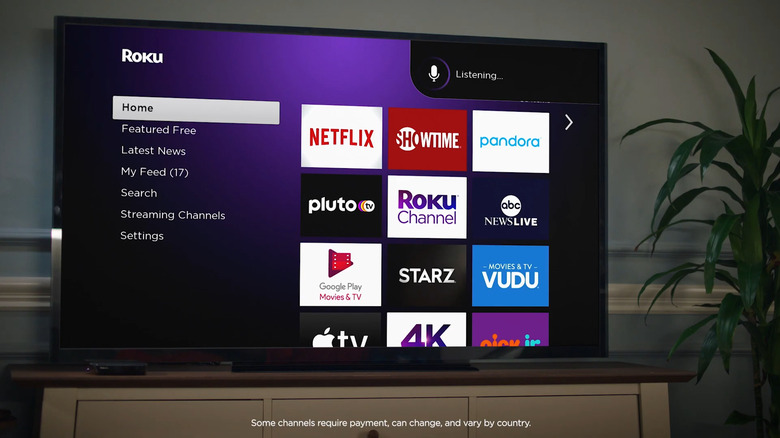
Roku voice commands are especially handy when using your streaming device. After all, sometimes it takes ages to type out the title of your favorite series or click through dozens of menus to activate captions. To initiate a voice command on your Roku, you can use either your remote or phone.
On your remote, long-press on the button with a mic or magnifying glass, say your request aloud, and then let go. If you have a Roku Voice Remote Pro (2nd edition), you can also enable hands-free voice with the slider on the left side of the remote. Turn it to green, start your command with "Hey Roku," and tell Roku what you want it to do. Meanwhile, to control your Roku TV with an Android phone, launch the Roku app, go to the Remote tab, and hit the mic icon.
But more than knowing how to issue a voice command, it helps to know exactly what kinds of commands you can use on your Roku. Out of the dozens of options out there, here are a couple of the more useful Roku voice commands you should try.
Standard Roku voice commands for content search and media control

Some of the standard Roku voice commands you'll likely end up using the most are for searching and playing video and audio content. To look for a TV show or movie on Roku, start with the keywords "find," "search for," or "show me." Then, you can follow up with either the title, actor, or genre. For instance, you can say, "Find me scary TV shows," or "Search for Morgan Freeman movies." You can also use a shortcut and say, "Play [show/movie title] in [specific app]." To stream audio content on your Roku, you'll want to remember the keywords "play," "listen to," and "launch. "Similar to video content, you can name the artist, genre, radio station, podcast, or music app after the keyword. Just say, "play The Beatles," or "listen to country music." Other than finding content quickly, Roku lets you access your essential Roku TV apps easily as well. Start the command with, "launch," "start," and "open." If the app is missing, say, "Install [app]."
You can also do playback and volume control. Both are pretty intuitive. You have commands like pause, play, stop, and fast forward for shows and movies, and shuffle, next, loop, and skip for songs and podcasts. For volume control, you have a few ways to say it. You can simply say "Volume up/down," "Turn it up/down," or "Mute/unmute." Specific volume levels like 15% or 40% work too. Say, "Set the volume to 80%," or "Turn volume up/down to 55." Saying the shortcut "Volume" plus the level, like "Volume 18," will do the same thing too. If you want to better understand the dialog, Roku has a quick and easy voice command to show/hide captions. Just tell your Roku remote, "Turn on captions," or "Hide captions."
Easter egg Roku voice commands for fun, hidden functions
Common Roku voice commands are handy, but Roku has more to offer than meets the eyes and ears. There's a bunch of lesser-known Roku features related to voice commands that you might not know about, but they're just as useful.
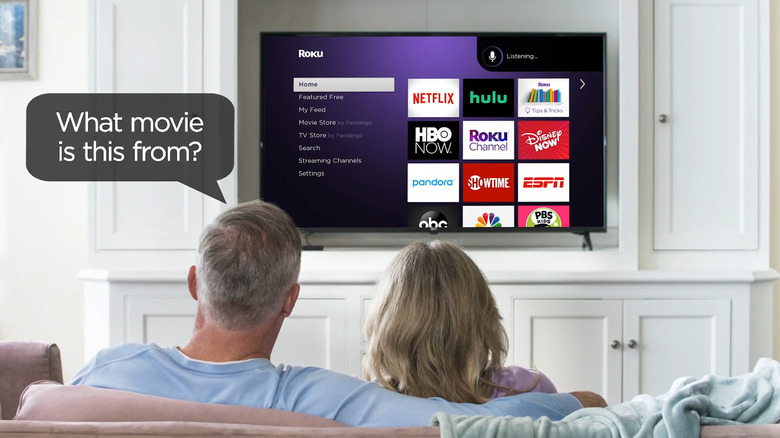
Did you know you can interact with some of the music apps using Roku voice commands? For instance, you can say, "Like/dislike" or "Thumbs up/down" to give feedback about the audio content. Every time an unknown song comes on, a simple "What's this song?" can also help you. Similarly, if you've ever wanted to watch a movie but can't recall any details about it other than a quote, you'd be happy to know that Roku allows you to search for a movie using just quotes. Start by asking, "What movie is this from?" and followed by the quote. Roku will pull up the movie for you. If you have a Roku TV with an antenna, Roku voice commands let you control the live TV channels as well. Say, "Channel up/down" to switch to a new channel, "Previous channel" to go back to the original one, and "Show me/open live TV guide" to display the TV listings available to you.
To make it more convenient to control your TV, Roku comes complete with voice commands for turning the TV on or off. There's "TV on/off," "Power on/off," or "Turn on/off." For delayed shutdowns, you can set a sleep timer instead. Say, "Set a sleep timer for X minutes/hours," or Turn off TV at [specific time]."
Bonus Roku voice command: Try saying, "Repeat after me" followed by a phrase or sentence, and wait for Roku to respond with the same phrase or sentence.