

How To Tell If Your USB Cable Can Fast Charge
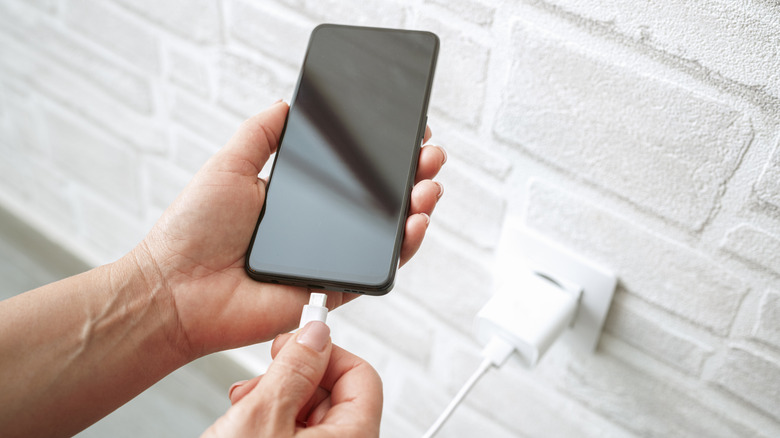
The speed at which a phone battery charges may be a deciding factor for some people when buying a specific device. The idea is that the less time you spend charging the handset, the better the experience. Also, a quick top-up session can restore more energy, which can be very convenient when you don't have time for a full charge. But just because a device can charge very fast doesn't mean you'll always get the maximum charging speeds. You'll need one of the best fast chargers or a power bank, along with a USB cable to support higher charging speeds. While you may own the right accessories, it's likely you keep them at home. Using someone else's USB charger may not give you the same charging speeds as yours, so it's important to know how to identify a fast-charging USB cable from one with a lower power rating.
That may sound strange in a world where most charging cables are USB-C to USB-C, but not all USB-C cables support the same maximum rate. If you factor in USB-C to USB-A cables, then you're in for another unpleasant surprise, as most of them may not meet your requirements. Before you start looking at the markings on the cable you have on hand, you first need to know how fast your phone or computer can charge. If your smartphone supports 60W charging, you'll need a charger that can deliver at least 60W of power. Then you'll need a USB cable that is rated for at least 60W to enjoy the fastest possible charging speeds. Anything lower than that will still charge your device, but you'll have to settle for the lower speed, which means charging the phone will take longer.
USB-A to USB-C cables
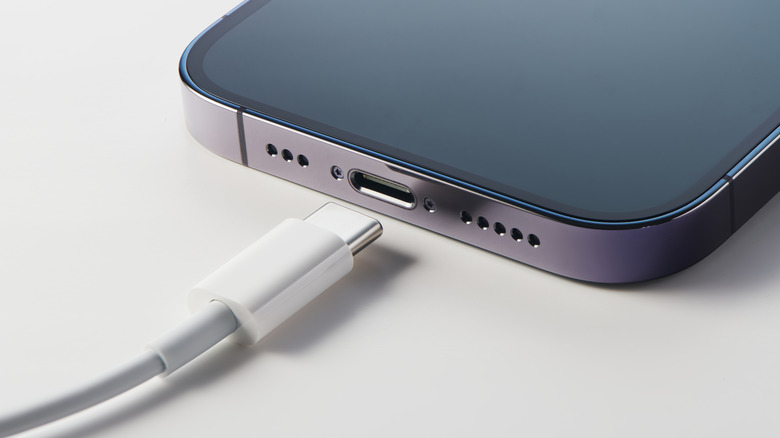
Most phones feature USB-C connectors, and they come with USB-C cables in the box. The default cables will charge the phone at the fastest speed when used with an appropriate power adapter. But you can charge the handset with any USB-C cable, including those with a USB-A connector (the larger, rectangular one) on the other end. Unfortunately, regular USB-A cables lack the pin required for Power Delivery, so they'll have limitations, even if they have a USB-C connector on the other end.
Generic USB-A to USB-C cables can charge at speeds ranging between 2.5W and 36W. To get speeds of up to 36W, you'll need cables that support Quick Charge 3.0 technology (3.6V-20V and 3.0A). This is the information you need to check on the cable, connector, or packaging. Also, the thicker the cable is, the faster the charging speeds it will support.
However, there are exceptions to the rule, which apply to proprietary charging standards you might see on select Chinese smartphone vendors. For example, Oppo and OnePlus support up to 65W charging (SuperVOOC/Warp), while Vivo and iQOO can deliver speeds of up to 120W (FlashCharge) via USB-A to USB-C cables. But these companies do not use generic USB cables to achieve these charging speeds. They make special cables, where the USB-A connector might have a specific pin enabled. They also need a specific charger. The charger and cable combination will deliver the maximum supported power to compatible phones, not devices made by competitors. You can use brand names for USB cables and chargers to buy additional units. Look for the same branding that's on your phone and accessories, whether it's SuperVOOC, FlashCharge, or something else.
USB-C to USB-C cables
You should avoid USB-A cables whenever possible to get the fastest possible speeds. But even then, not all USB-C to USB-C cables support the same top charging speeds. They might have the same connector at both ends, but you'll still have to ensure you buy the right cable to support higher charging speeds. By default, the cables will support 7.5W/15W of power.
Ideally, you'll want a USB-C cable certified by the USB Implementers Forum (USB-IF). The cable would display specific markings, including a cable logo that would contain the transfer speed and power rating. A USB-C to USB-C cable that supports the 60W charging speed needed to charge the phone in the example above would need to be marked with the Combined Performance and Power 20Gbps/60W logo, which should be printed or embossed on the connector.
The USB Implementers Forum is a non-profit that manages the USB standards. The USB-IF logos will be identical on all USB-C cables, regardless of vendor. USB-C cables can support higher power, going up to 240W. The cables will recharge anything else that requires a lower power draw, including the 60W phone or a laptop that needs 100W.
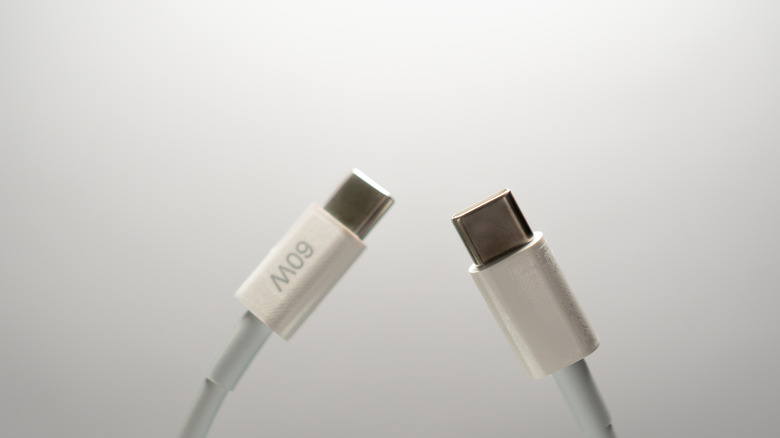
If a vendor didn't go through the USB-IF certification, they may still label the charging speeds on the cable, as seen in the image above. Also, you can inspect retail boxes, if available. They may carry logos or specify charging details. A 20V/5A cable will support 100W charging speeds. Cables that can deliver 240W will also support 28V, 36V, and 48V voltages and the same 5A amperage. If you carry multiple USB-C devices, it may be a good idea to buy USB-C cables and chargers that support 100W or 240W charging speeds. That way, each product should recharge at its top speed.