

4 Cool New Gadgets That Use Your Laptop's USB Port
We may receive a commission on purchases made from links.
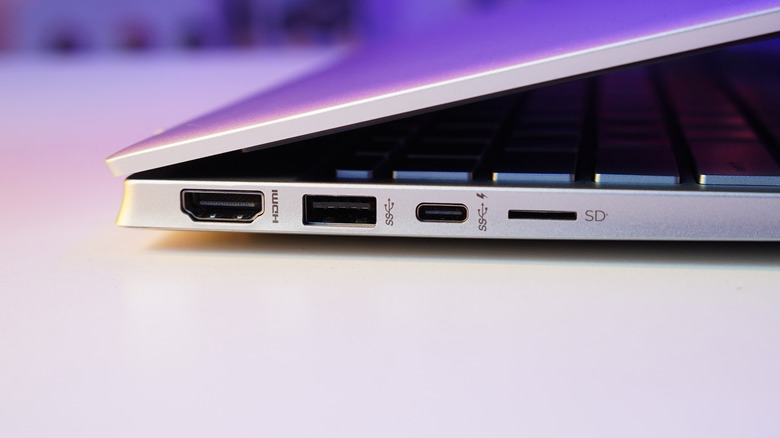
A USB port can be used for way more than just your mouse and flash drives. It's a gateway to an entire ecosystem of clever, creative, and surprisingly useful gadgets. USB accessories have evolved far beyond simple adapters, so they can completely transform the way you work, game, or create on your laptop.
Your computer's USB ports can bring increased productivity, comfort, security, and even a little fun. For example, you can now use foot pedals for hands-free work or hardware security keys that protect your digital life. There are numerous possibilities. Modern USB gadgets are all about doing more with less effort.
These gadgets aren't just gimmicks; they're small upgrades that solve real problems and streamline everyday tasks. But they're also quirky enough to add some personality to your work or gaming space. Here are four of our favorite gadgets to plug into a laptop's USB port.
USB foot pedal
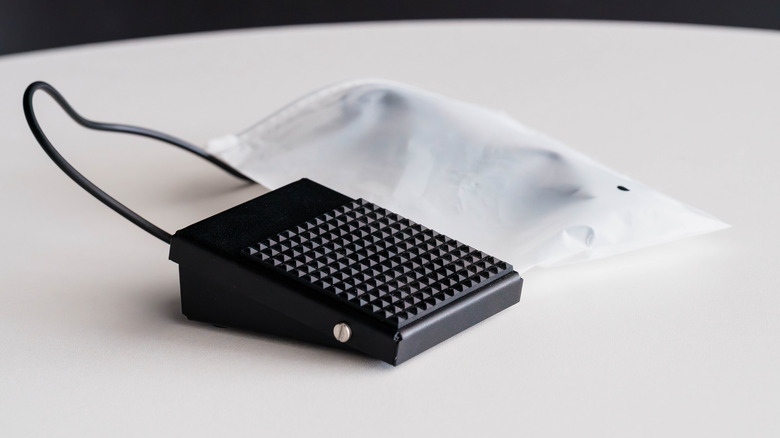
If you ever wished you had more than two hands to finish your work quicker or to be faster while gaming, there's a simple solution: a USB foot pedal. With their programmable switches, these give you the option to execute commands with a simple press. You can map them to do almost anything, as long as you have the right software. You can create keyboard shortcuts, control multimedia, bind hotkeys, or even log command strings. Use them to quickly copy and paste, play and pause a movie, or jump or kick in a game. With foot pedals, you won't have to lift your fingers from the mouse and keyboard you're already using.
Foot pedals have been used by transcriptionists for years to pause, play, rewind, or fast-forward audio files while they were typing. But this work translates into other jobs too. Content creators can use the pedal to mute and unmute microphones or snap screenshots, all while staying focused on creating content. Programmers can write code and use the pedals to trigger complex macros when needed.
But it's not all about work. Gamers who need an extra button to execute certain actions much faster love the Elgato Stream Deck Pedal. Alternatively, they can use their foot pedal as a push-to-talk button and communicate with their teammates while keeping their hands free to play their game.
Thermal printer
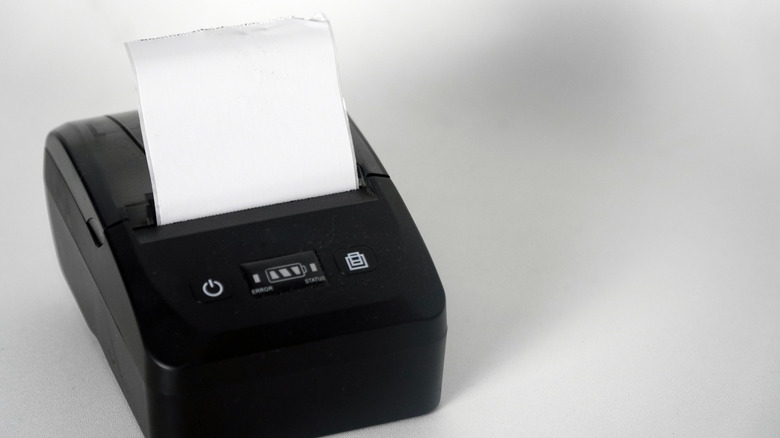
The real charm of USB thermal printers is that they're ready to spit out crisp receipts, labels, checklists, or mini art prints, all without the hassle of ink cartridges. These devices use heat instead of ink to transfer text and graphics onto a special thermal paper — no more of the messy maintenance that traditional printers require. Just plug the thermal printer into your laptop, and you're ready to go. They're perfect for home use, office, or even for travel, as they come as compact as this Gloryang Inkless thermal printer.
Classic home printers may still be better for some types of prints, but thermal printing technology has been steadily evolving over the past few decades. Modern thermal printers are compact, laptop-friendly, and versatile enough to be used for work or play. They range from mini portable printers — ideal for everyone who needs to print on the go — to desktop-class units capable of printing shipping labels or school material. They print silently and are more reliable than traditional printers, as there are fewer mechanical moving parts. They operate on a simple thermal principle, requiring only a USB plug, some paper, and your creativity.
Hardware security key
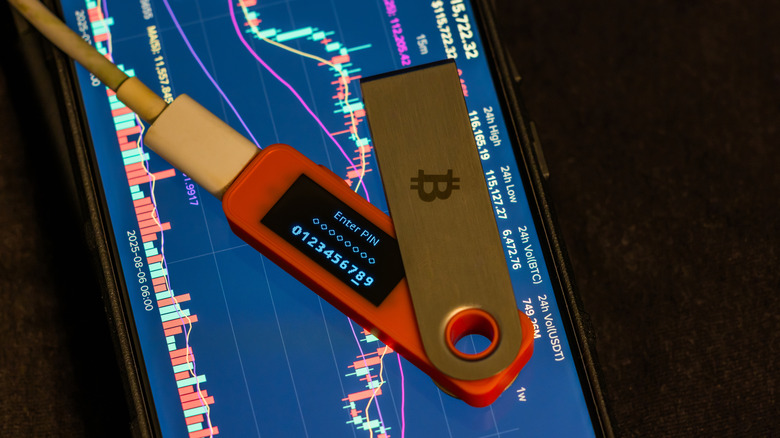
A password alone is no longer enough to protect your data. Because of this, USB hardware security keys have become one of the most impactful laptop accessories. These tiny devices replace or supplement weak password-based logins with strong, hardware-backed authentication. They can keep us safe from phishing, credential theft, and account takeovers, like the Ybikey 5C. Think of it as having a key to your laptop, just like a house key.
There are other multi-factor authenticators you could use, such as SMS codes or different apps. But those, too, can be intercepted or tricked. A two-factor authenticator dongle generates a cryptographic signature that proves your identity directly with the service you're logging into. The challenge response happens in the key itself, which means remote attackers can't easily spoof or steal it.
USB hardware security keys are a great tool for peace of mind when you're accessing your work email, cloud services, password managers, or banking portals. But it's also perfect for gamers and creators who are under constant threat of account theft. Luckily, many gaming and social media platforms now support hardware keys and let you secure your account without fumbling with unreliable codes.
Laptop light
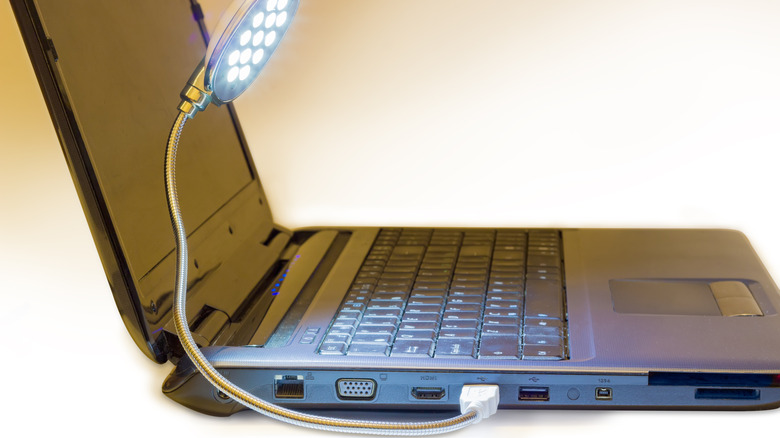
Hooking up an external light to your laptop might seem redundant. After all, most modern laptop keyboards are lighted, and the monitor provides enough light for us to see what we're doing. But having an extra light can genuinely transform how you work or play on your laptop. The USB laptop light is a must-have reading accessory because it can help your eyes become less tired during marathon typing or coding sessions. If your laptop screen is the only source of light in a dim room, your eyes will constantly have to adjust between bright and dark areas, a phenomenon known as contrast glare. An external light helps bridge that gap and reduce eye strain.
Content creators and remote workers might appreciate this Cyezcor Video Conference Lighting Kit the most. This and similar products are great for looking better, more professional, and evenly illuminated on conference calls or while creating new content for your YouTube channel. People will be able to see your facial expressions clearly, and that alone can increase the engagement with your remote colleagues or your audience. Simply put, consistent light makes your work look polished and professional. And you get it just by plugging in one simple light into your laptop's USB port.