

I Bought An iPhone 17 Pro On The Gray Market And This One Feature Can Prove It's Real
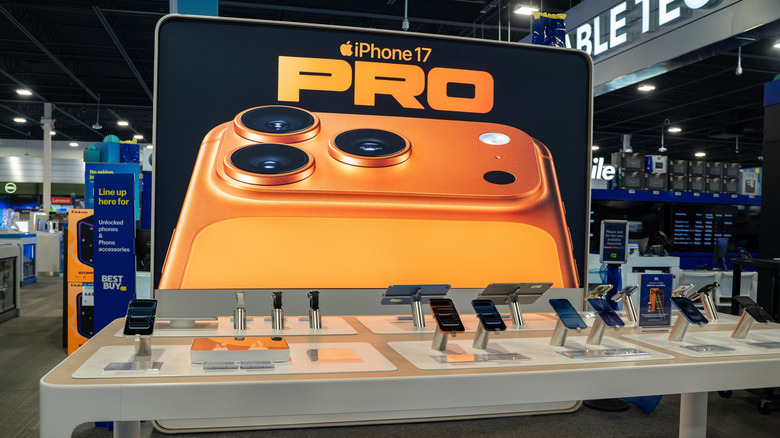
Back in mid-October 2025, iPhone 17 models were sold out in several markets, and the quickest way to buy an iPhone 17 Pro was through the gray market, or a legal but unauthorized retailer. In a world where high-quality iPhone clones exist, that's easier said than done. I've been covering iPhones for years, so I know how to tell a fake from the real thing — which means I know the one key iOS feature that can identify a fake immediately. That's the Quick Start data transfer feature that allows users to migrate data from their current iPhone to a brand-new device. iPhone clones running Android can't fake a Quick Start setup.
Last October, a friend asked me if I could buy them an iPhone 17 Pro on either a black (illegal) or gray online marketplace. I agreed, and I explained both the upsides — immediate purchase and a slightly cheaper price — plus the downsides, including a limited warranty in Europe and the risk of running into clones. I also explained that unofficial marketplaces aren't necessarily shady. Assuming they're genuine, legally acquired products, iPhones listed by individual sellers on eBay, Craigslist, and other local alternatives count as "gray market" products. However, resellers attempting to pass off fake iPhones as genuine devices are technically selling black market items and should be avoided.
Before I explain how Quick Start helps confirm an iPhone as genuine, you should know that a Quick Start check is just one step of many. I go through an entire process to ensure I'm not buying a counterfeit device. Although I bought this brand-new iPhone 17 Pro in Europe, the steps I used can and should be used when buying gray-market iPhones anywhere in the world.
It all starts with the seller
First, I screened the available iPhone 17 Pro offers, focusing on sellers in the same city or who were willing to travel. I only selected listings that featured genuine photos of the product instead of generic images. I then contacted sellers using the website's native messaging system. I wanted to know where it was bought, whether the seller had a receipt from the Apple Store, and whether the iPhone was carrier-locked. I also asked for the iPhone 17 Pro's serial number so I could check it online. I told the seller I wanted to set up a meeting point to verify the iPhone's authenticity in person before buying it. If they didn't agree to the meeting — which would involve unsealing the box — I'd move on to the next listing.
If a seller is unwilling to provide key details, such as photos or serial numbers, that's a red flag. Sellers who refuse to meet in person should also be avoided. Finally, keep in mind that people can use image editors, including generative AI, to create fake iPhone images. YouTuber Custom Adventurist posted a helpful video that compares a $120 iPhone 17 Pro Max Android clone with the real thing.
You won't want to discover that you purchased an iPhone clone while you're at home. If you don't want to buy a device from Apple, a carrier, or an electronics retailer, you should purchase it in person. Live checks ensure that money doesn't change hands until the buyer is convinced the iPhone is real. On that note, if a price is too good to be true, you may want to skip the purchase.
Verifying the serial number
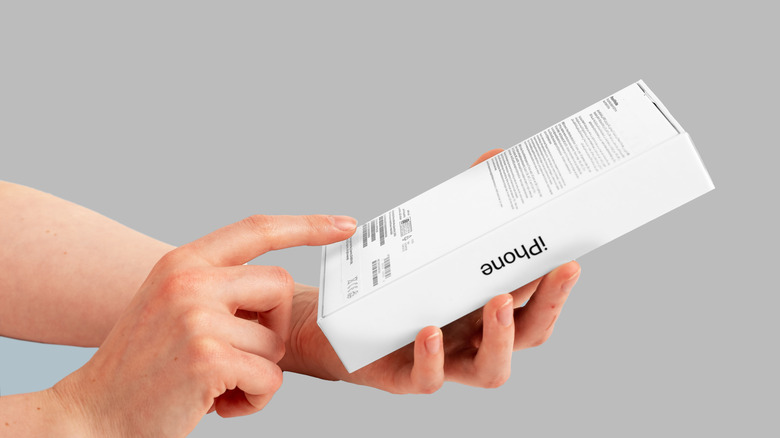
The most important check you need to do at home when buying an iPhone from the gray market involves the serial number (and/or the IMEI). These are unique identifiers found on the back of the iPhone box. They're also found in the Settings app, but that won't be available on a sealed iPhone unit. Ask the seller to provide the serial number and then go to Apple's coverage checker. Input the serial number, then the CAPTCHA code, and wait for the system to identify the iPhone. Apple will tell you what type of iPhone it is, as well as if and when it's been activated.
A device that looked like the iPhone 17 Pro I was buying showed up on the web page, and it told me the device hadn't been activated. This security check is important, but it still doesn't guarantee the iPhone is genuine. iPhone clone vendors can convincingly replicate retail boxes down to the text and other markings on the back, and those fake boxes also tend to feature fake serial numbers. In the Custom Adventurist video linked above, the iPhone 17 Pro Max's serial number corresponds to an iPhone 16 model. If a discrepancy like that happens during your checks, move on from the listing. The seller has either produced a fake serial number or listed a clone.
Checking the retail box features
After serial number verification, you'll want to set up a meeting with the seller. Arrange to meet in a public place, like a shopping mall or a fast food restaurant. You'll want people and security cameras around you in case criminals are trying to target you. If you can, pick a meeting during daytime hours. My seller could only meet me after 8:00 p.m., which wasn't ideal. They were about half an hour late, too, and they tried to convince me to go to their car for the transaction. I declined, explaining the purchase could only proceed if they entered the restaurant. I was prepared to walk away if they refused.
Once inside, I reiterated the steps I'd take to ensure the phone wasn't fake: I would unseal the box, remove the iPhone 17 Pro, and turn it on. I would give them the money only if I chose to purchase it. They agreed.
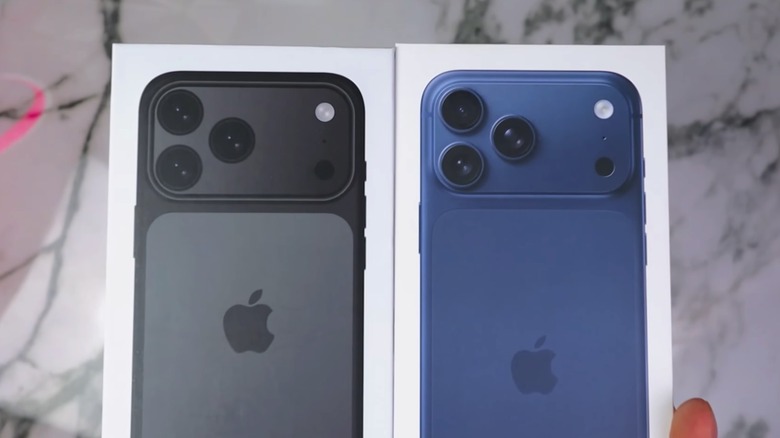
As the above Custom Adventurist video demonstrates, iPhone clones can come in boxes that look almost identical to the real thing, but differ in quality. Clone boxes may feature non-official iPhone colors on the front. Pull tabs, even those that resemble the real thing, can also be fake. Counterfeit boxes may also have gaps at the seams, and they may feature blurry text on the back. When you inspect the box, be sure to recheck the serial number. It should match the serial number the seller initially gave you. This box check only applies to unopened iPhones, so it's not a necessary step if you're buying a second-hand device.
Examining the design of the iPhone
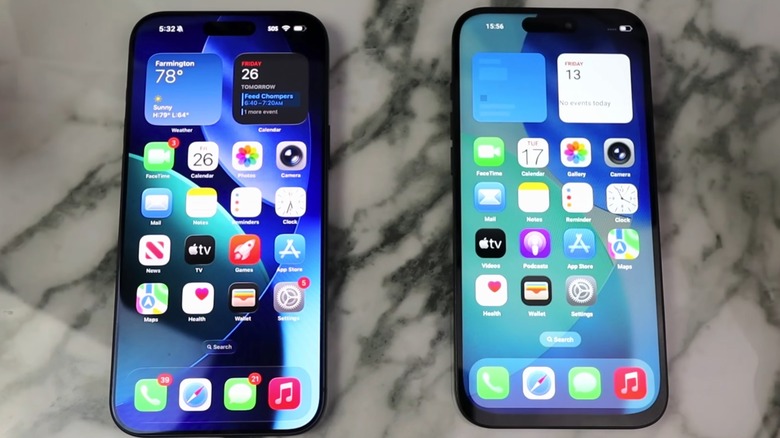
After inspecting the box, I checked the iPhone itself. The first indication of a counterfeit iPhone is the protective film on the screen being misaligned with the glass. My device passed that check. After removing the film, I analyzed the design for other issues. In his overview, Custom Adventurist underscored three key design discrepancies. First, the iPhone 17 Pro Max is black, but the device isn't available in black. Second, the Apple logo on the back is misplaced. Third, the clone's bottom bezel (aka the "chin") is much bigger than on the real iPhone. The bezel has been an iconic iPhone design detail since the iPhone X — it's supposed to wrap around the entire display uniformly. If you notice any of these visual discrepancies, the iPhone is a clone, and you should walk away from the transaction.
The YouTuber also pointed out other iPhone 17 Pro design issues with clones that may not be immediately obvious. For one, the device he bought is lighter than the genuine article. Its buttons aren't positioned correctly, and not all its rear cameras work as intended. Not only that, but the device has an LCD backlight instead of an OLED backlight, which all real iPhone 17s use. You'd need an identical iPhone on hand to spot those differences easily.
The iPhone 17 Pro I bought passed all design checks — bezel size included — and it seemed to be running iOS, although it's important to note a fake operating system can look just like the original. However, the welcome screen wasn't enough to convince me. That's where the key Quick Start step came in.
Initiating the key Quick Start process
The moment I brought my iPhone 14 close to the iPhone 17 Pro, the Quick Start process began on my device (see Apple's official walkthrough). That's when I knew the iPhone 17 Pro was genuine. Android clones cannot trigger the data migration tool. The Quick Start process can be used with any iPhone, including used models, to verify authenticity. If you don't own an iPhone when buying a new device, you won't see the Quick Start migration tool in action unless you bring an iPhone owner with you. If replicating the Quick Start transfer is not possible, you'll want to set up the iPhone you're buying as a new device, then try to activate it with an Apple ID you created at home prior to the meeting.
Once you've activated the iPhone, go to the Settings app and tap the About section. This is where you'll see the iPhone model name, model number, and serial number. The About page is also where you'll check the warranty. If you've truly just activated the phone, the limited warranty should expire in a year. Finally, remember to check the Carrier Lock field, which has to read "No SIM restrictions." This means the iPhone is not locked to a network.
iPhone clone vendors may eventually be able to spoof the Quick Start menu, so I recommend using all the steps above to ensure the iPhone 17 Pro you want is real. Don't rely exclusively on the Quick Start safety feature to safeguard your purchase. Ultimately, though, your safest option is to buy an iPhone from a trusted reseller or from Apple itself.