

Your USB Port Might Be Interfering With Your Wireless Gadgets - Here's Why

If you have ever run into an issue where wireless devices, like a mouse or keyboard, had intermittent connection problems, you might reasonably think it's a power issue, like dying or depleted batteries. But there may actually be another electronic component to blame — a USB 3.0 device. While perhaps not widely known, it is possible for USB 3.0 devices to emit signals that interfere with wireless gadgets.
It's so prominent that router and modem makers often shield USB 3.0 ports installed in modern devices. The concern is that, without shielding, if you use a USB 3.0 port built into your router to connect something like a printer for network sharing, it will mess with your Wi-Fi. As for signal interruptions, the culprit stems from how USB 3.0 handles its signal rates. When one of these ports is in use, even something like a flash drive, it emits about 20 decibels of noise on the 2.4G wireless band.
For Bluetooth and wireless devices that operate on that same 2.4G band, the noise can delay or interrupt signals, and even sever connections. Most problems will arise when a 2.4G signal device and a USB 3.0 port are in close proximity. That's why you shouldn't plug in, say, a USB mouse receiver to a USB 3.0 port, or near one that has something already plugged in. Moreover, your router should be a safe distance away from your PC or other USB 3.0 devices, as reducing wireless interference is one of the best ways to improve Wi-Fi speeds.
A simple fix for USB port interference
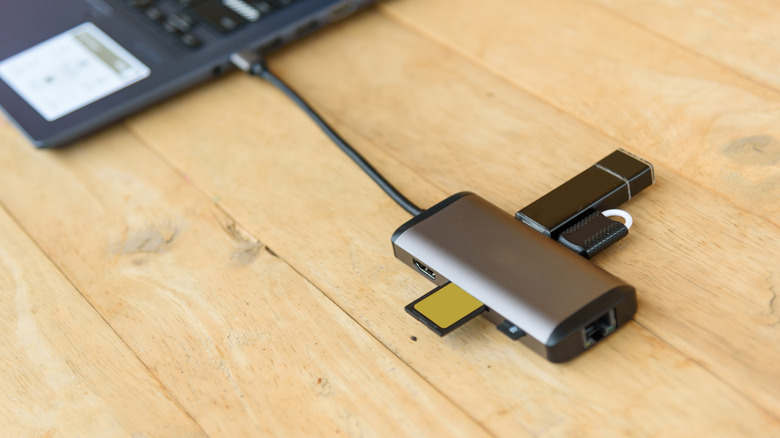
When you're talking about plugging in two devices where the USB ports are next to each other, such as on a desktop PC or laptop, there is a solution that may help with interference through a bit of trial and error. The source of the problem is the signal noise emitted from the USB 3.0 port, so the answer is to move the wireless device receiver as far away as possible.
You can do so by plugging in a USB extension cable, and then running that cable away from the offending port, such as to the surface of your desk. Similarly, you could use a USB hub — which adds more USB ports to your computer — some of which come with long cables. It is worth noting this may not always fix the problem, as it depends on the strength of the noise being produced and the distance of the receiver.
But it's still better than plugging in two USB devices side by side. Opting for a powered USB hub and prioritizing important connections while limiting what's plugged in, like your mouse over an external drive, can also help eliminate interference, or at the very least, keep it to a minimum.