

5 Amazon Gadgets Perfect For Your Next DIY Smart Home Project
We may receive a commission on purchases made from links.
It's grown increasingly easier, not to mention cheaper, to build out a smart home as prices fall and availability grows. In order to add smart home equipment to your residence, like smart thermostats, doorbell cameras, indoor/outdoor security cameras, smart locks, and motion sensors, you'll want to start with a solid foundation so you don't have to run back to the store in the middle of an install. Of course, Amazon not only sells a slew of smart home products from its own brands, along with competitors, but it also sells many gadgets you'll find useful for your next DIY smart home project.
What good is a smart home network without an access point, such as a smart home hub? And why replace all of your lighting with smart lights when you can easily extend your antiques into the digital realm with a smart plug or two? With all that said, you'll also need some specific gadgets on hand to help with installations like adding a smart thermostat or video doorbell to the homestead.
So after plenty of digging, we've compiled a list of five Amazon gadgets that will assuredly help you get your next DIY smart home project off the ground. Whether you're just starting to build your smart home or looking to take on more challenging projects like wiring in a smart thermostat, here are some handy gadgets that'll make things much easier.
Nest Cam (Battery)
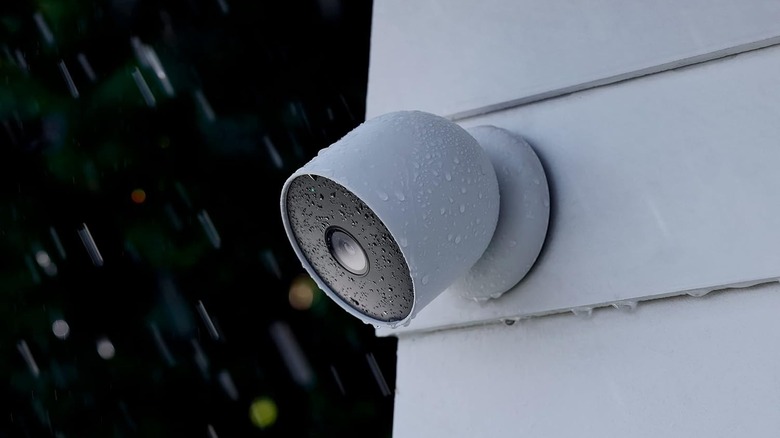
Installing a smart camera is a fine DIY project to start with, especially if you go for a battery-operated model that's easily installed anywhere without a power supply (which can complicate an install). One of the better choices in this battery-powered category is Google's Nest Cam (Battery), retailing for $179.99. While that price may seem a little high compared to the cheaper smart cameras on the market, the Nest Cam (Battery) is weather-resistant, packs a large 6,000mAh battery that lasts three months per charge, and even features a slick magnetic mount that makes it easy to install the camera at just about any angle, not to mention remove it when you need to recharge.
If you plan to use an Alexa smart hub in your home, like the Echo Hub, or prefer to stay within Google's ecosystem with devices like the Nest Hub Max, the choice is yours; the Nest Cam (Battery) supports both ecosystems. This also means you can use the Alexa or Google Home app to view the camera's feed. Best of all, features like identification are free from Google, handy if you want to receive alerts when visitors roll up, whether they're human, animal, or vehicle. You also get some free video storage with the purchase, three hours' worth, which is a nice touch when video storage is often an upsell for a subscription. Of course, Google offers an optional subscription, Google Home Premium (previously Nest Aware), that nets users extra features like facial recognition and expanded video storage, with plans starting at $10 a month.
At the end of the day, adding a Nest Cam (Battery) to the home is about as uncomplicated as smart camera installs get, making for a DIY smart home project anyone can handle.
Kasa Smart Plug Ultra Mini 15A
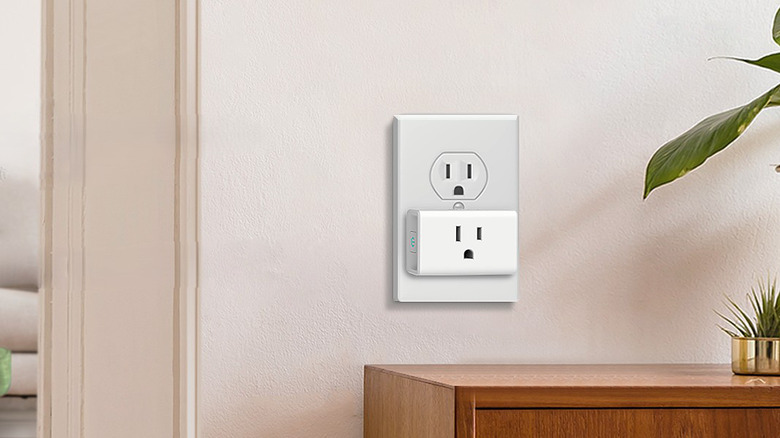
Have you wanted to remotely control, over an internet connection, the power to a lamp or fan, or set a timer for a coffee pot or slow cooker? Well, rather than replacing your old appliances with newfangled smart home equivalents, you can easily add smart plugs to your outlets to achieve similar remote on-and-off functionality. In particular, TP-Link's Kasa brand offers plugs that don't require a smart hub to function, and support popular platforms like Google Home, Echo, and Alexa. In particular, a two-pack of the Kasa Smart Plug Ultra Mini 15A will run you $16.99. Whereas Amazon's equivalent Smart Plug two-pack, which only works with Alexa, is more than double the price at $49.98. That's a tidy savings and then some, especially if you plan on picking up enough smart plugs for the entire house.
Beyond the exceptional price, Kasa's Smart Plug Ultra Mini offers scheduling, a timer, an away mode (like when you're on vacation), and group control through the supported Kasa Smart app. While you can certainly control these smart plugs with a hub, like the Echo, it isn't required since the app offers full control. On top of all that, user reviews on Amazon are very positive, with a 78% 5-star rating out of 17,000+ customer reviews. Ultimately, the Kasa Smart Plug Ultra Mini is a top choice thanks to its accessibility and affordability, a perfect gadget for your next DIY smart home project.
Amazon Echo Hub
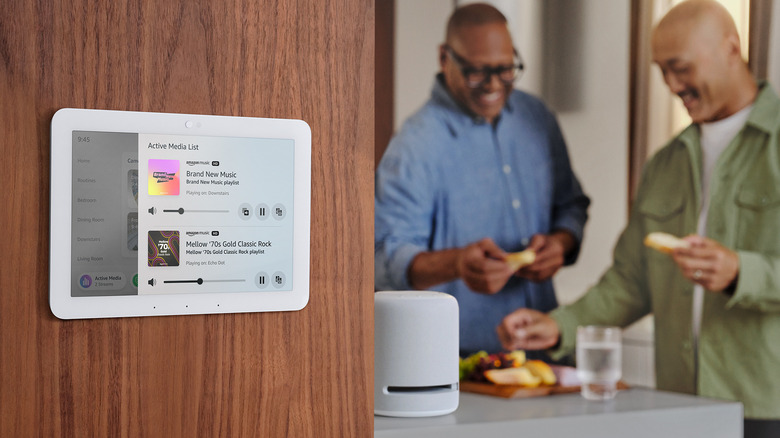
If you've already experimented with smart plugs, consider setting up a hub so the whole family can control the smart home without having to grab their phone. While there are many smart hubs to choose from that work with the products in this list, choosing the right one to use as a central hub can be challenging when the market has so many products to choose from, especially when Amazon contributes to this confusion with its many Echo products, including five different Echo Show devices with screens, and it's a long-running problem for the brand (with 15 models to date, many that are still on the market).
To keep things simple, the Amazon Echo Hub is the obvious choice for a dedicated smart home hub. The clue is in the name: unlike Echo Show products designed for video calls and media playback, the Echo Hub is built first and foremost for controlling your smart home from a central location, which is thin enough to mount on a wall. Another reason the Amazon Echo Hub stands out is that it's one of the more affordable options in the 8-10-inch smart hub screen category that supports Matter, Zigbee, and Alexa, centralizing control and convenience at a screen size the entire family can easily interact with, young and old. It's available for $179.99, much cheaper than competitors like Google's Nest Hub Max ($ 229.99) or Lenovo's aging Smart Display 10 ($249.99), and will easily tie into any Alexa products, a bonus if you're already invested in the ecosystem.
AstroAI Digital Multimeter
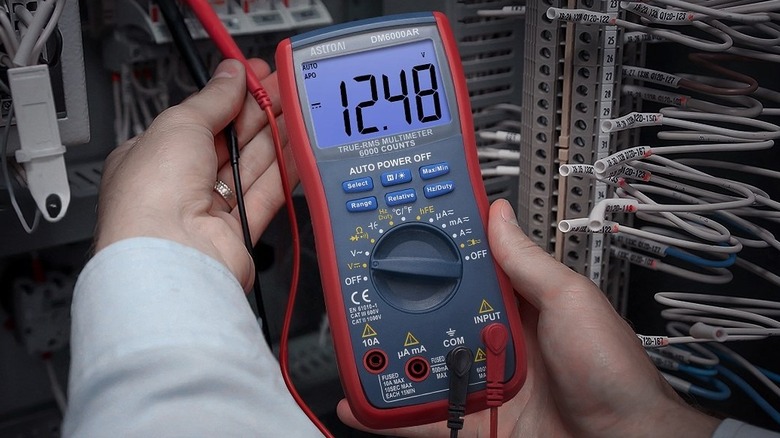
Now that we've hit upon a few smart home products that easily set the foundation for building out your smart home platform, we can dip into a few necessary gadgets you'll want to invest in for the more challenging hardware installs, say, a smart doorbell or thermostat. To install either of these in your home, you'll need to understand what kind of wiring and power output are available, and the best way to know for sure what each wire offers is to use a multimeter and test its voltage.
For instance, when installing a smart thermostat, you'll very much want to know if a low-power 24V C-wire is available, as this is what will keep the smart thermostat powered and functional, so it's pretty much a prerequisite (that isn't guaranteed to be available in your home) for any smart thermostat that doesn't contain a battery. This is also true when installing a smart doorbell, as you have to test the house's doorbell transformer to ensure it outputs 16-24V AC, as the house's chime can use some of this power, which means if you fall below 16V, your smart doorbell may stop working, or at the very least, not trigger the house's hardware chime.
The best way to test for compatibility for these smart home products is with a multimeter, and the AstroAI Digital Multimeter at $42.99 offers a feature set and build quality close to an industrial multimeter (like a Fluke) at a fraction of the price. For DIY projects like installing smart home equipment, the AstroAI Digital Multimeter provides accurate voltage testing to ensure you have the wiring required for those products to function.
Aqara Motion and Light Sensor P2
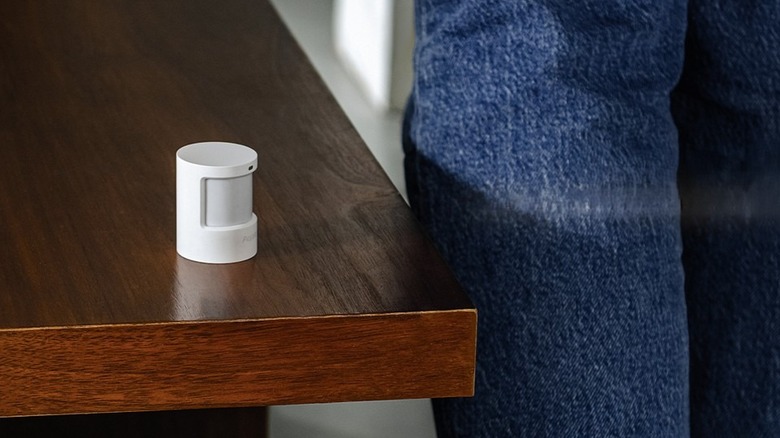
Remotely controlling your lighting through an app or hub, perhaps by utilizing some Kasa smart plugs, is certainly convenient. But what if I told you there is a way to automate your lights further, like when you enter a room? This is where a smart motion sensor or two can be incredibly useful. Rather than setting a timer or dipping into an app, you can use a motion sensor connected to your smart home network to automatically turn them on. While there are many sensors to choose from on the market, the Aqara Motion and Light Sensor P2 comes highly recommended, especially at its $33.99 price point.
What really makes this motion sensor stand out is the fact that it supports multiple ecosystems, including Matter, Apple Home, and Alexa. But even though it is largely platform agnostic, it does support Amazon's Frustration-Free Setup (FFS), good news for any Alexa users out there invested in the platform. Of course, this sensor doesn't just detect motion; it also detects light (unlike the P1 before it), which means you can use it to trigger automations as the sun comes up or sets.
The detector offers a 23-foot range for movement sensing, with a horizontal viewing angle of 170° and a vertical angle of 45 °. Plus, it comes with a little stand that rotates 360°, making it pretty easy to install the detector so it faces your ideal detection zone. So if you've always wanted to automate a few items in the house, based on movement or light, the Aqara Motion and Light Sensor P2 is certainly a gadget perfect for your next DIY smart home project.