

Your Blu-Ray Player Is Probably Using The Wrong HDMI Cable - Here's Why

You might have one of the best Blu-ray players that promises stunning visuals and audio, but that's only true if you're also using the right HDMI cable. With the wrong cord, you could end up losing HDR and Dolby Vision support. Most people blame these types of quality issues on the TV or the player when actually, the cable is at fault. And it can be surprisingly easy to use the wrong HDMI cable since many Blu-ray players don't ship with one, leaving you to find the right cord yourself.
The best HDMI cables on Amazon and other online retailers range from as cost-effective as $10 to as expensive as $3,000. In terms of functionality and reliability, even the lower-priced options usually work well, but it all comes down to the setup, i.e., the Blu-ray player and TV you have. Ultimately, the HDMI cable shouldn't limit the transmission bandwidth, something that often happens with older HDMI versions, especially if your Blu-ray player supports HDR, Dolby Vision, or Dolby TrueHD.
Not all HDMI cables are the same
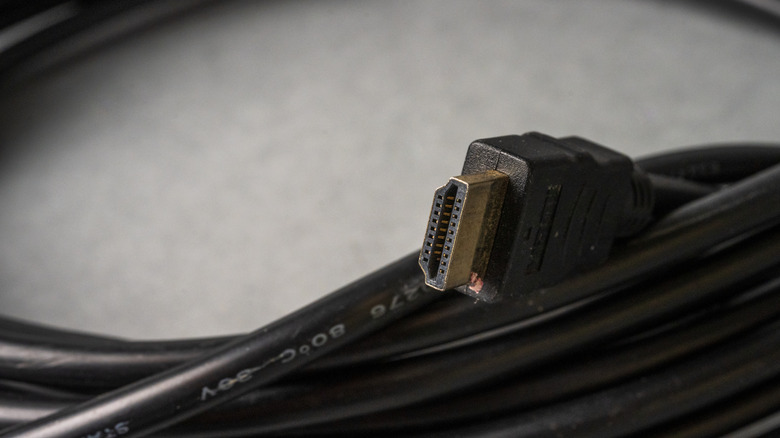
If the HDMI cable you are using is a few years old, there's a good chance that it wasn't designed for modern 4K Blu-ray players. The simplest trick is to check what's written on the cable. If the cable reads just "Standard Speed," it might be the bottleneck in your setup. It's recommended to get an HDMI cable labeled "High Speed" or "Ultra High Speed" for the best visuals and audio, given your TV and Blu-ray player are capable.
Apart from the visual cues, you can check the cable's specifications, either on the manufacturer's website or its packaging. The cable should support 4K@60Hz and a transmission bandwidth of 18 Gbps. That's more than enough. Anything beyond this is overkill. For instance, a 48 Gbps Ultra High Speed HDMI cable is better suited for 4K at 120Hz or advanced HDMI 2.1 features, not your Blu-ray player.
Lastly, the length of your HDMI cable can contribute to quality loss. Longer cables, say around 25 ft, can affect the signal strength from the Blu-ray player to the TV if they are not high quality. So if you do need longer cables or have to run them through walls, go with ones that are in-wall rated. For even longer distances, you have fiber optic HDMI cables that significantly minimize signal losses. But you most likely won't need these in a home setup. When it comes to the cable's length, the idea is simple: the shorter the better.
Even the port matters more than you think
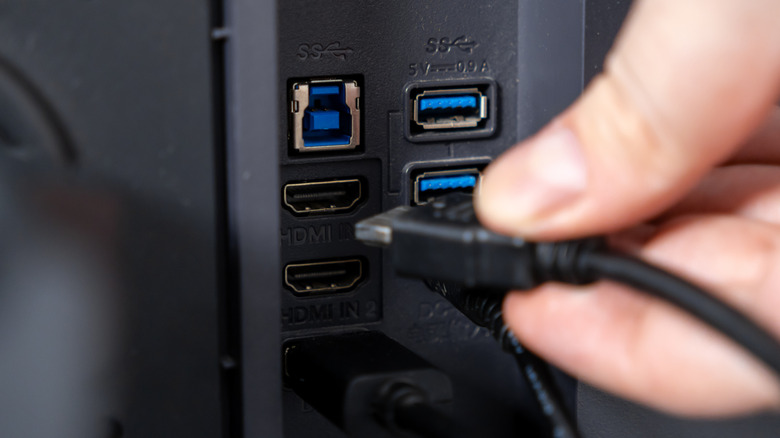
Using the right HDMI cable for your Blu-ray player isn't always enough by itself. The HDMI port you connect it to can be just as important. Most TVs today have multiple HDMI ports, but only one or two of these typically support the highest bandwidth or most advanced features. And that's where you want to plug your Blu-ray player. When connected to a lower-spec port, both picture and sound quality can be affected.
Ideally, you should connect the Blu-ray player to the highest quality HDMI port on the TV using a supported cable for the best experience. To find the highest quality port on your TV, either refer to its manual or check whether the HDMI ports are marked. You should look for a port labeled HDMI 2.0 or HDMI 2.1 for your Blu-ray player. Although HDMI 2.1 is not necessary, you won't have problems using it due to backward compatibility.