

You're Probably Using Laptop Cooling Pads Wrong - Here's Why

We may receive a commission on purchases made from links.
When your laptop seems to be running too hot, a laptop cooling pad may be the solution. These pads sit under the laptop to help provide better airflow. While it may appear like a quick fix to hot laptop problems, it's not as easy as it seems. You must ensure you buy the right type of cooling pad for your specific laptop, or it could actually block the fans and create more overheating issues.
There are different types of laptop cooling pads to know about to ensure you buy the best one for your needs. After all, overheating is one of the 12 common reasons you could be accidentally ruining your laptop. There are cooling pad types that rely on fans, whether one or multiple, to increase airflow and cool your laptop. There are thermoelectric coolers that use built-in cooling technology, rather than fans. There are also ones that simply elevate your laptop to help with better airflow underneath it.
Which one you decide to purchase depends a lot on your laptop's design and what you use it for. A laptop used for gaming likely needs much more aggressive cooling than one just used minimally for work or internet browsing. Don't buy just any cooling pad; ensuring you get the right one for your specific needs will make all the difference.
What to look for in a laptop cooling pad
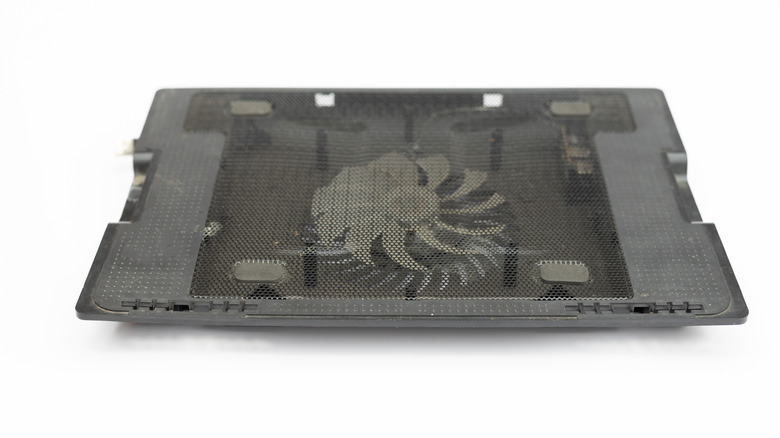
One of the first things to look for is the size of the cooling pad. If it is too small or too large for your specific laptop, then you are using it wrong. Improper sizing can impact the way airflow moves under your laptop, reducing the benefits of the cooling pad or even rendering it useless entirely. Before purchasing a cooling pad, measure your laptop and check those dimensions against the details on the pad's product page or retailer's box before buying it.
If the cooling pad has fans in specific places on it, be sure they align with your laptop's intake vents. You want more airflow directed into those vents. In fact, that is one of the reasons why using your laptop on your lap is a bad idea, as it blocks air from entering the laptop. If you buy a cooling pad with fans unaligned, it won't properly cool off your laptop and may actually block airflow. Double-check the position of any fans with your laptop. It's good to look for specific models listed on the cooling pad's product page to ensure compatibility.
It's also worth noting that a cooling pad can't fix internal laptop problems. If the vents of your laptop are clogged with dust, pet hair, and more, then those should be cleaned out on their own. Old laptops can also suffer fan performance reduction over time, so it's not out of the question to consider replacing the fans.
Laptop cooling pads available

There are plenty of cooling pads available at online retailers like Amazon that you can try out for your laptop. You also don't necessarily need to spend a lot of money, as there are still cheap but high-quality cooling pads. This is an overview of some of the types of cooling pads and prices out there, and these models at these costs were available as of this time of writing.
Targus offers a Dual Fan Lap Chill Mat on Amazon for $26. It works for 17-inch laptops and has a tilted design for airflow underneath. This would be one where you check the size and fan placement in alignment with your own laptop for it work correctly. Havit has a 15.6-17-inch Laptop Cooler on Amazon for $26. It has a three-fan design, and the tilt height can be adjusted.
If you are too worried about using your cooling pad wrong, there is an alternative. I use this myself mostly because it puts my laptop at eye-level, which I prefer, but it has the added benefit of improving airflow under the machine. It's a ventilated stand for computers from Bontec on Amazon. A pack of two is $24. I bought my own separate keyboard to keep on the desk, which was a fun opportunity to buy one I really wanted and not just use the laptop's keyboard.