

Your Car's Rear View Mirror May Have A Button You're Not Using

We may receive a commission on purchases made from links.
While you may be familiar with the manual switch on car rear view mirrors that controls the angle to help us see better behind us, modern cars often have buttons on these mirrors. Just like how your car's USB port can do more than you think, these buttons also can serve a variety of purposes, which depend on your car's year, make, and model.
You might see an auto-dimming button, rather than a manual switch, on your rear-view mirror. Typically, you will press it to turn it off or on, with a light indicator to let you know when it is on. When this is active, it will automatically adjust your rear-view mirror for you based on headlight glare coming from behind the car. It makes it easier for you to see, and you get to keep your hands on the wheel while driving for safety.
However, some cars have one or multiple more buttons that activate different features for your car. This can depend heavily on your specific car, as they are not as universal as needing to dim the rear-view mirror. They can include linking to a home system, calling for help in the event of an emergency, and more.
Rear view mirror buttons on specific brands
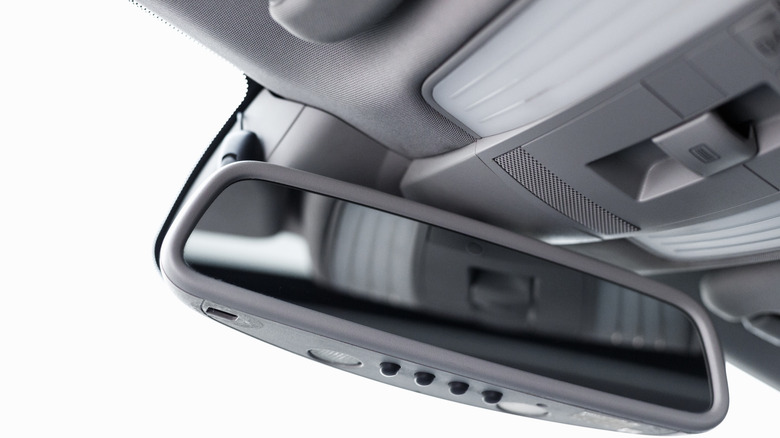
Certain Toyota models will have the auto dim button as well as other controls in the same area of the mirror. It can have a HomeLink button, which can control your garage door opening and closing. That is after you program it appropriately, of course. There could also be a button that switches the rear-view mirror from nighttime to daytime mode, effectively adjusting the brightness to help you see better.
Hyundai is another brand that may have multiple different buttons on its rear-view mirrors for a selection of high-tech features. Like Toyota, it can have HomeLink buttons for programming with your garage door. It can also have a BlueLink button to access Hyundai-specific services, including getting assistance in the event of an emergency. You do need to be subscribed to BlueLink to use its features, and your Hyundai may come with a BlueLink trial period after purchase.
Polestar is looking to make an impact in the electric vehicle market, even trying to price more competitively than the Tesla Model Y. A button on the bottom of certain Polestar rear-view mirrors switches the mirror to show what is in your rear-view camera. When that mode is on and you switch on your indicator to turn, the camera will even adjust to let you see the lane you want to enter more clearly, helping you avoid collisions.
Upgrade your own rear view mirror

Just because your car doesn't have these types of features on its rear-view mirror doesn't mean you have to go without. In fact, upgrading your own rear-view mirror is one of many ways you can turn your car into a smart car. It's important to note that while you can replace your rear-view mirror yourself, there is a risk of damaging your car if it is not done right. You also need to ensure it is compatible with your car in terms of size and the angle of the mirror itself.
Retailers like Amazon offer multiple different rear-view mirror options you can check out. Note that these items at these prices were available as of this time of writing, and it's always worth taking the time to look through multiple products to see what is best for your needs. Wolfbox has a 10-inch rear-view mirror on sale on Amazon for $190. By swiping on the mirror itself, you can switch between different camera modes, including a backup camera to see what is behind you. It connects to Wi-Fi and has a built-in GPS system. It will also record on a loop to serve in a dash cam capacity. Advent has a Gentex Frameless Rear View Mirror for sale on Amazon for $218. It comes with home automation features like HomeLink so you can control garage doors, gates, and even the lighting in your house all from the mirror.