

What Is The Button On The Back Of Your AirPods Case For?
Wireless earbuds are a popular consumer tech item, with a huge number of companies producing versions of these Bluetooth audio devices. Brands like Bose, Sony, and Anker are known for top-shelf in-ear units that deliver impressive sound quality, noise-canceling capability, and app-based customizations. Then there's Apple AirPods, which first landed on shelves in 2017.
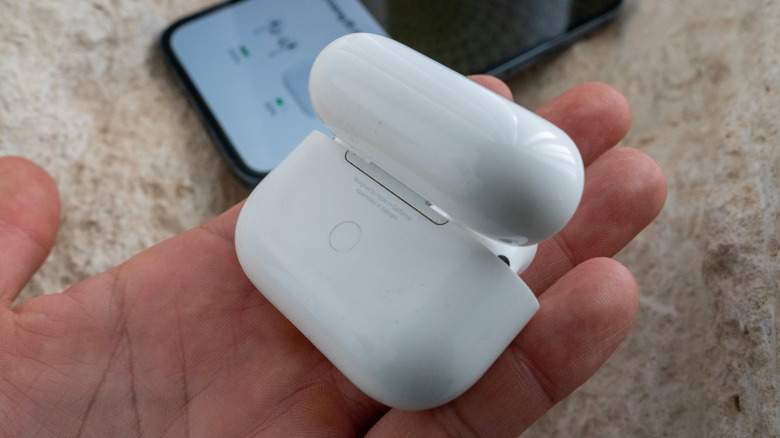
Over the last decade, AirPods have evolved past the iconic, long-stemmed Apple earbuds and into more advanced in-ear tech like the AirPods Pro series, and premium headphones with the AirPods Max. Whether you already own a set of AirPods or are considering a purchase, you may have noticed that there's a white, recessed button on the back of the charging cases for the AirPods 1, 2, and 3, as well as the AirPods Pro 1 and 2. If you've ever wondered what the tiny white button does, the answer is simple. It's a setup button that can be used to perform a factory reset for putting your AirPods into manual pairing mode.
Newer AirPods dropped the physical button
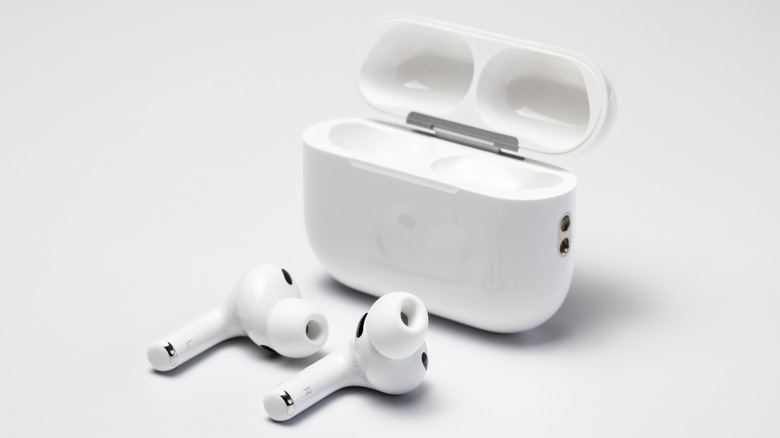
If your AirPods have stopped connecting with your device and you've already tried putting them back in the case, closing the lid, and waiting 10 seconds — but they still won't pair to your mobile device — try a hard reset. With the earbuds in the case, close the lid and wait 30 seconds. Then open it up and press and hold the setup button for 15 seconds to perform a factory reset. Once the status light flashes amber, then white, the reset is complete.
The latest generations of the AirPods include the AirPods 4 and the AirPods Pro 3. Unlike earlier iterations of this Apple tech, though, neither of these newer AirPods cases has a setup button. Instead, Apple added a hidden button on the AirPods 4 under the status indicator. To initiate a factory reset, you'll first need to put your AirPods in the case and close the lid for 30 seconds. Then, open it and double-tap the front of the case three times.
Much like older AirPods generations, the status light will flash amber, then white, to indicate a successful reset. For the time being, you can purchase older Apple earbuds, so it pays to know what that setup button on the back of an AirPods case does. We also suggest reading up on some of the best AirPods tips and tricks and a few important AirPods features you may not know about.