

This Totally Overlooked Amazon Fire TV Feature Shouldn't Be A Secret

We may receive a commission on purchases made from links.
If you own an Amazon Fire TV, odds are you primarily use it to stream binge-worthy TV shows like "The Pitt" or the latest gripping films on apps like Prime Video and Netflix. But there are a lot of hidden Amazon Prime membership benefits people often overlook. One of those is Amazon Luna, a brilliant streaming feature that works wonderfully with your Fire TV.
Amazon Luna can turn your TV into a cloud gaming console, letting you stream riveting AAA blockbusters, underrated indies, family party games, and more directly to your TV — without the need to spend hundreds of dollars on a console or fancy PC graphics card. All you need is an Amazon Prime subscription, a stable internet connection, and an Amazon Fire TV, Fire TV Stick, or Fire Tablet (or another compatible device).
Amazon's cloud gaming service is one of the Fire TV's best-kept secrets. You may already be paying for it, but not taking advantage of its many benefits. So below, we've broken down everything you need to know about Amazon Luna, including its many perks, how to access it, and how much it costs.
What is Amazon Luna?
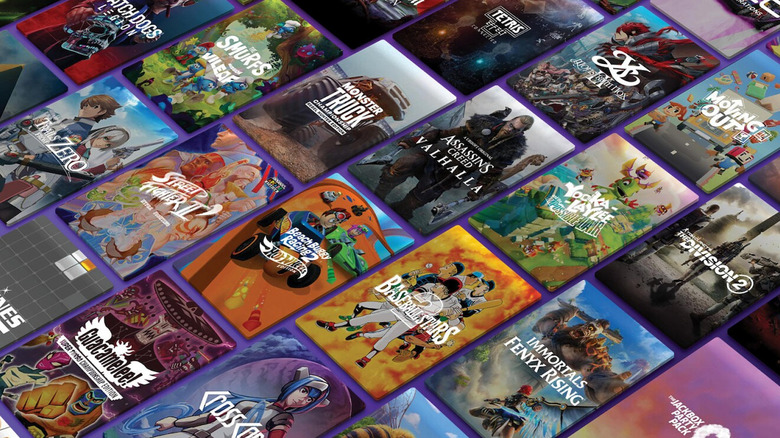
Amazon launched Amazon Luna, its cloud gaming service, in 2022, following a two-year early access period for invited subscribers. The service runs on Amazon Web Services (AWS), allowing users to stream select games directly to a compatible device (including iOS, Chrome, and Android devices) without the need for a gaming console or PC.
While Amazon Luna has been around for some time, the service underwent a chunky redesign in late 2025. As part of this revamp, Amazon's Prime Gaming service became part of the Luna brand, which means the newly reimagined Amazon Luna service now includes Prime Gaming's perks alongside some new features.
As part of your standard Prime subscription price, Luna offers access to a library of over 50 streamable games — including blockbusters like Hogwarts Legacy and Indiana Jones and the Great Circle — a rotating collection of PC games to download each month, and 25 streamable, family party games — like Who Wants to Be a Millionaire and Cluedo — through its GameNight collection.
How much does Amazon Luna cost?
If you're already an Amazon Prime subscriber, access to Luna is free. The standard Amazon Luna package (50-plus games, rotating PC titles, and more than 25 GameNight offerings) is included as part of your Prime membership, which is $14.99 a month in the U.S. or $139 annually.
However, for $9.99 a month, you can subscribe to Luna Premium (previously called Luna+), which includes the Luna Standard offering plus a wider range of more recent and popular games — such as EA Sports FC 25 and Batman: Arkham Knight. This tier of membership can be bought individually, as a standard Prime subscription isn't needed to access it.
For an even wider selection of games, you can also purchase an Ubisoft+ Premium or Jackbox Games subscription through Amazon Luna. The Ubisoft+ Premium subscription offers an additional 45-plus Ubisoft titles, including Assassin's Creed Shadows and Far Cry 6, for $17.99 a month. The Jackbox Games subscription is $4.99 a month and gives you access to more than 50 individual party games. Amazon Luna is currently available in 14 countries: Austria, Belgium, Canada, France, Germany, Italy, Luxembourg, the Netherlands, Poland, Portugal, Spain, Sweden, the United Kingdom, and the United States.
How to use Luna on your Amazon Fire TV
Accessing Amazon Luna through your Amazon Fire TV is pretty straightforward. First, make sure you're subscribed to Amazon Prime and have a stable internet connection. Then follow these steps:
-
Navigate to the "Find" feature on your TV.
-
Search for "Amazon Luna," then download the app.
-
Open the Amazon Luna app on your TV.
-
Sign in to Amazon Luna using your Prime login details.
From here, you can navigate the library of Luna games available to you. If a game catches your eye, select its listing tile, then choose "Play Now" to jump in.
It's worth noting that while you only need a smartphone (one per player) to play Luna's GameNight collection titles, other games require a controller or a keyboard and a mouse. You can use Amazon's official Luna controller to play, but other controllers – like the Xbox One, DualShock 4 (PS4), and Google Stadia — work with the platform, too. Just keep in mind that newer gamepads, like the DualSense PS5 controller, are not compatible with Luna on Fire TV models.