

4 Bad Habits That Are Draining Your Phone Battery
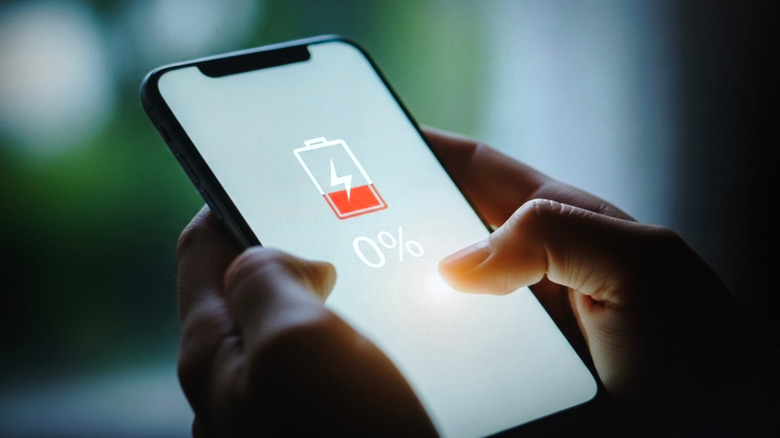
Battery drain is a serious problem if you let your bad habits go unattended. Continuous battery usage means your device undergoes more charging-discharging cycles in a week than if you were frugal with your smartphone usage and had tight battery management settings. Apps can sneakily drain your battery because they're so data-hungry, thanks to a handful of different apps requiring additional permissions, like location tracking, to function. So any software running on the System-on-Chip (SoC) consumes power, even if it's just lighting up the pixels to check your Always On Display. Your battery powers every operation on the phone.
But pretty much anything you do consumes power and ticks down your iPhone or Android phone's battery life — though some actions, or even inactions, will influence the rate at which this happens. Leaving inactive apps open on your screen, monitoring your notifications, or turning off app permissions are all examples of bad habits that contribute to battery depletion.
Enabling push notifications for every app

Push notifications are a not-so-subtle source of battery drain. Push notifications can wake your device, keep your apps running in the background to keep their data refreshed, and even consume additional power with extra sounds and vibrations. Every one of those actions requires power. It's not so bad if you only have a handful of apps installed; you won't notice as much battery drain. But if you regularly install third-party apps, keep your OEM ones updated and in use, you're starting to see different sources of that battery drain — it all adds up to more activity from your phone, demanding power to keep them updated and in use, and sometimes refreshed.
You'll notice this is a problem if your notifications run wild on your iPhone and Android devices. Social media apps are particularly bad with push notifications, unless you disable them or restrict your settings. This is because you can get notifications from different sources, like you'll see an alert when someone likes a post, follows you, or interacts with you in any way, and sometimes you get notified if there's been a change in your timeline. It also adds a secondary effect: the sudden onslaught of notifications becomes too much, tempting you to re-open the app just to clear them. That act alone causes your device to lose its charge.
Switching between apps and leaving them in the background

Apps that stay suspended in the background aren't draining your phone's battery, but apps that remain in the background and you're actively swapping to them can definitely be a problem. Whenever you switch between your apps, you force the phone's processor (CPU/GPU) to work harder. Every time you switch from one app to another, the processor has to close the current app's active state and load, render, and start up the next one.
Not closing apps you frequently use or check isn't going to be what's depleting your battery; in fact, it should take more battery to close an app and re-open it a few minutes later. Apps that remain idle for too long will be deprioritized and restricted in the background based on Android's Doze and iPhone's Power mode settings. Plus, having a whole array of apps suspended in the background makes it more tempting to check and reopen them, consuming power each time you switch between them. Moreover, closing down some inactive apps can be a good practice to reduce unnecessary screen time (just the act of checking apps alone is what's killing your battery).
Giving free rein to apps for background usage

Some apps do run in the background, even when you're not actively using them. That's because they need data, like your location, to operate. GPS-based apps can be a battery killer. When the app checks your location, it activates the GPS chip. But it's not only apps that want location services; it's also any app that uses tracking, requests hardware permissions (even for analytics), or requires continuous data syncs to work properly.
While the active connection of using Bluetooth and your 5G network may not be a significant battery drain source, the active feature of constantly scanning could be a contributing factor. Some cloud storage and backup services automatically upload files in the background, leading to your battery drainage. Basically, any app that needs to communicate or send/collect data will cause battery drain unless you disable it. That's why even disabling some permissions, or preventing them from running in the background in the first place, could keep both your device and personal sanity intact.
Gaming continuously on your phone

Even if you're not pushing the hardware on your smartphone by downloading intensive gaming apps like "Wuthering Waves" or "Call of Duty: Warzone Mobile," you can still chew through its battery fast if you're constantly gaming. Yes, even playing "Candy Crush" daily on your device can actually drain its battery. Those games are still graphically and sometimes frame-rate intensive. When you play any sort of game, it is going to drain your device's battery while running. That's because it requires active use of the CPU, GPU, screen, and network. You'll know these games are battery wreckers when your phone is too hot to hold comfortably.
Not only that, but if you're playing games with touch controls, the constant haptic vibrations and audio feedback also drain your device's battery. It's also partly why you'll find some gaming phones, like the Redmagic 10S Pro, have a built-in performance mode that prioritizes high frame rates and graphics over battery efficiency.