

M5 Max MacBook Pro (2026) Review: The Best Gets Better
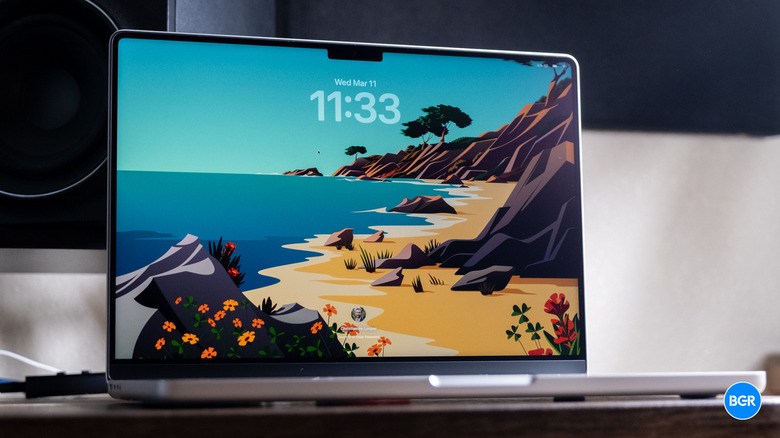
The MacBook Pro has had a pretty great few years. After Apple re-launched the line with its own homegrown chips, the MacBook Pro has more or less remained head and shoulders above the competition, boasting stellar battery life, excellent performance, and a great port selection. Now, Apple is making it even better with the new M5 Max — its most powerful chip to date.
In other words, the new MacBook Pro is arguably a little boring. It's the same design, the same features, and the same screen as before. But if this is boring, then I like boring. The previous MacBook Pro was the best laptop around. The new one is even better — and the M5 Max is an absolute beast.
Design
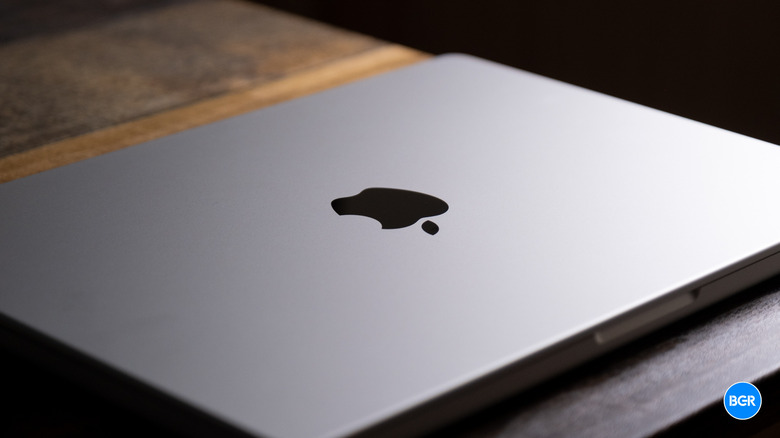
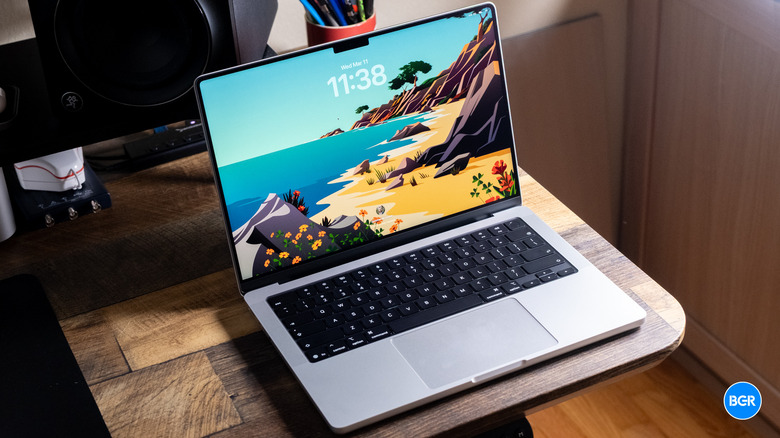
If you've seen any MacBook Pro from the past few years, you know what the M5 MacBook Pro looks like. That's not a bad thing — the laptop is sleek, stylish, and very well-built.
Like before, it's available in 14- and 16-inch variants, and in either Silver or Space Black. For the M4 version, I used the Space Black color, but this time around, I'm going for Silver. Generally, I prefer the Space Black, but the Silver still looks great. Maybe some more color options would be nice, but either way, the MacBook Pro looks excellent.
It's also very well-built. MacBook Pros have always had a stellar build, thanks in large part to Apple's early adoption of the aluminum unibody shell. This year is no different — the laptop is durable and very well-made. Don't take that to mean you can throw it around or be careless with it — but rest assured, it should last a long time while offering a premium feel along the way.
The dimensions and weight of the MacBook Pro are mostly the same too, though again, that's not a big deal. Apple moved away from making the MacBook Pro as thin as possible some time ago — that's what the MacBook Air is for. I was glad to see it, and I'm still happy about it. I'd rather have longer battery life, better performance, and more ports than a slim build, and the M5 MacBook Pro has all of those things in spades.
The 14-inch model I'm reviewing measures 12.31 × 8.71 × 0.61 inches and weighs in at around 3.5 pounds. It's not necessarily lightweight, but I also haven't found it to be overly heavy or unwieldy in the many travels I've taken recent MacBook Pros on. That said, while I haven't used a 16-inch model extensively, I found it to be slightly too big for my preferences. That's a personal preference, though — both options are available, so you can make your own decision.
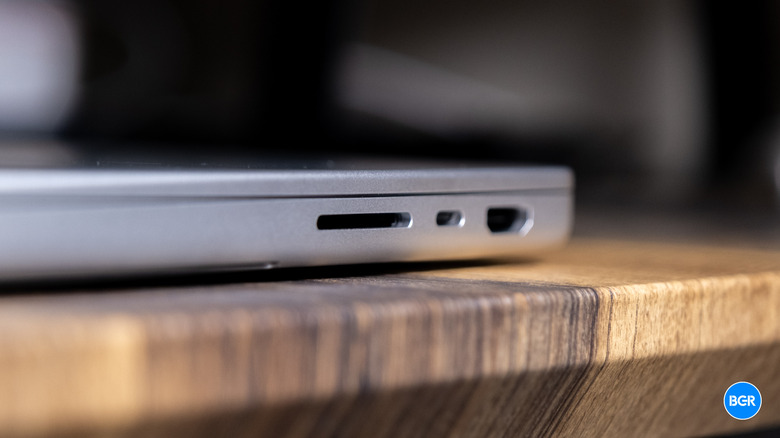
The port selection is excellent and hasn't changed. There are three Thunderbolt 5 ports (Thunderbolt 4 for the base M5 model), an HDMI port with 8K support, an SDXC card slot, a 3.5mm headphone jack, and MagSafe 3 for charging. It's more than enough for the majority of users, and I'm glad Apple has resisted the temptation to remove some of them in favor of a more minimalistic design. Plenty users need all or most of the ports on offer.
Five years into its current design, the MacBook Pro is still one of the sleekest and most stylish laptops out there. There are lighter, thinner options — like the MacBook Air — but the MacBook Pro is built for power, and it offers that power in style.
Keyboard and touchpad
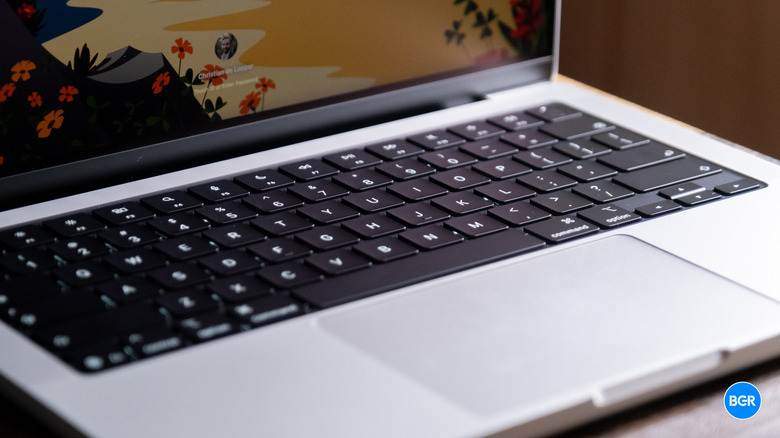
The design of the MacBook Pro is the same as before, and so are the keyboard and touchpad. This is another case where that's a good thing.
Apple's touchpads have been racing past the competition for many years now, and that doesn't seem to be changing anytime soon. The touchpad on the M5 MacBook Pro has corner-to-corner responsiveness, and it generally feels premium and well-built. It's also huge, which makes it easy to navigate macOS without running out of room.
Then there's the keyboard, and it's another great aspect of the laptop. The keyboard on the MacBook Pro is tactile, clicky, and well-spaced. Mechanical keyboard fans won't love it, but as far as laptop keyboards go, the MacBook Pro's could be the best out there. As a regular user of the Magic Keyboard, I've long gotten used to the feel of it in both desktop and laptop form, and quite like it. But even those who haven't used a Magic Keyboard before should find it to offer a good typing experience.
Speakers
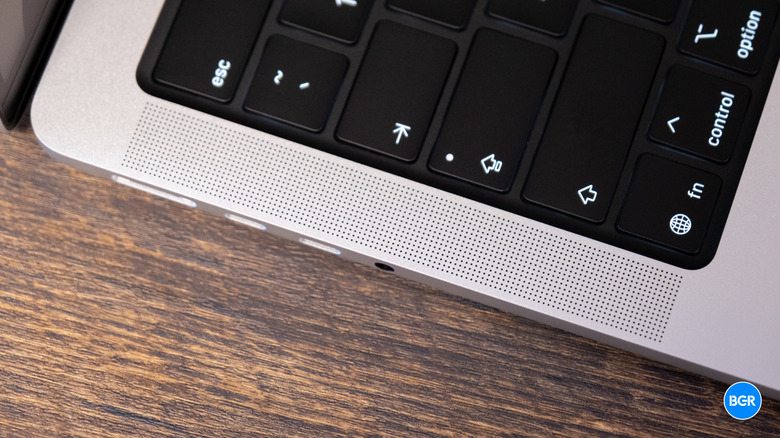
The speakers built into the MacBook Pro are also very, very good. To be clear, a decent pair of headphones are always going to sound better than laptop speakers — but as far as laptop speakers go, the MacBook Pro's, again, could be the best in the business.
They actually offer some bass response, along with decent mid tuning and clarity in the high end. The way they're designed means that they also have some stereo separation, which helps make audio sound a little bit more natural and more immersive. They're very good for things like podcasts, audiobooks, and video calls, but actually aren't bad for music and movies either. Again, anyone who likes high-end audio will want a pair of headphones or external speakers, but the speakers here are more than up to the task in a pinch.
The microphones are great at picking up voices for video calls, and while the term "studio-quality" could be debated, they're generally good at rejecting background noise and sounding somewhat natural.
Display and webcam
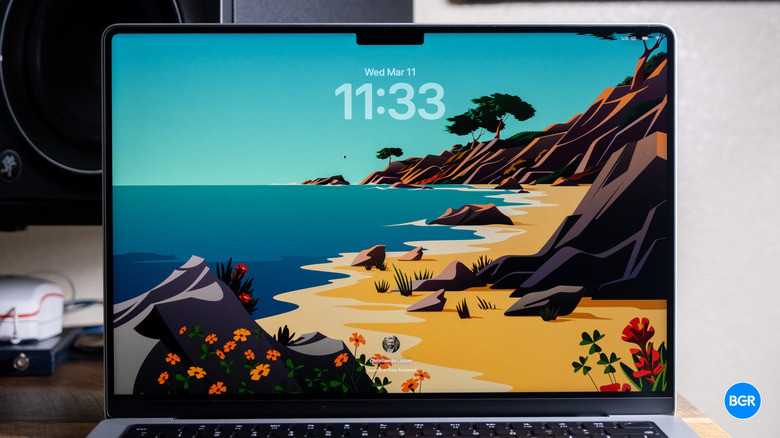
The MacBook Pro still offers Apple's Liquid Retina XDR display, and it's an excellent-looking screen overall. It offers mini-LED backlighting that makes for relatively high contrast and good levels of brightness. And while rumors indicate that Apple is planning an OLED-equipped MacBook at some point in the near future, for now, I'm more than happy with what's on offer.
On the 14-inch model that I'm reviewing, you'll get a 3,024 x 1,964 resolution, which equates to 254 pixels per inch. It's crisp, detailed, and sharp. And with a high refresh rate display that maxes out at 120Hz, it feels responsive and smooth too.
Perhaps one of my favorite things about the display on recent MacBook Pros is the nano-texture covering. I found it to be excellent at rejecting reflections to make an already reasonably bright screen look even brighter. Some prefer the glossy covering because it handles contrast better, but I haven't really found that to be an issue, and easily find the $150 premium that the nano-texture glass demands worth the cash. If you find yourself working outside or distracted by reflections from ambient lighting, definitely consider it.
Like in previous generations, the M5 Max MacBook Pro has a notch in the display, but it continues to not bother me. It's easy to forget about and really not very distracting at all. If you've never used a MacBook with a notched display, you might notice it a little more for the first few hours of usage, but you'll get used to it very quickly. Plus, given the fact that it only really eats into the menu bar, it likely won't bother you whatsoever. I do still wish it housed Face ID though.
The webcam is pretty good too. It's Apple's 12-megapixel Center Stage webcam, and it's crisp and vibrant enough for video calls. I really like the Center Stage feature of recent MacBook webcams and find it to work quite well overall.
Performance
For this generation of MacBook Pro, of course, performance is key. After all, everything else about the laptop is the same as last year. Arguably, however, the M5 series chips aren't really the star of the show when it comes to performance. Yes, they're incredible chips, and yes, they're even better than the M4 series from last year, but they're not necessarily a substantial upgrade. Instead, the big improvement when it comes to performance comes from Apple's faster SSDs.
First, the M5 series chips. The base MacBook Pro comes with a standard M5 chip, and frankly, for most, it's probably more than powerful enough, especially those who largely live in web-based apps or productivity tools. Like last year, the step up from there is the M5 Pro, and then at the high end, there's the M5 Max. Our review unit has the M5 Max, which comes with an 18-core CPU, with six prime cores and 12 performance cores, along with a 32-core or 40-core GPU, and a 614GB/s memory bandwidth. It's not a cheap machine, and all this together makes for a laptop that costs $3,599 with its base 2TB SSD.
Again, this laptop is way overkill for day-to-day productivity-related tasks. But if you're curious, know that it never once lagged or skipped even a microsecond of a beat when opening these kinds of apps. To be fair, that's been the case for all of Apple's laptops for years now. And if you're buying a laptop for things like web apps and word processing, not only is the M5 Max overkill, but perhaps the MacBook Pro as a whole is overkill, and you think about getting a MacBook Air instead.
In other words, the M5 Max-equipped MacBook Pro is built for those who need massive 3D rendering or graphics performance. Graphic designers, video editors, and other creatives who want to ensure they have a laptop that can render as quickly as possible will be thrilled with the M5 Max. And, with the new SSDs that can deliver up to 2x the read and write speeds of the M4 models, you'll be able to push those massive files to your machine quicker than ever before. On the M5 Max, the three USB-C ports are Thunderbolt 5 — and not the Thunderbolt 4 ports you'll still get on the M5 Pro models, which were already pretty quick.
Seriously, you might be shocked with how quick the M5 Max MacBook Pro is. In a test involving video conversion with open-source video transcoder HandBrake, the laptop blazed through converting a large file in around 30 seconds — something that took even the most powerful laptops a few minutes just a few years ago.
If you're a gamer, the laptop is very capable too, setting aside the compatibility issues around gaming on macOS. If the games you like are available on macOS, you'll find that the MacBook Pro runs them at high settings with ease, keeping frame rates high the entire time. Some ultra-high-end Windows laptops with the best discrete GPUs might sustain gaming workloads slightly better, but it's pretty astonishing how well Apple's self-built GPUs perform.
Battery
I've gotten used to the excellent battery life of Apple's laptops, and while the M5 Max MacBook Pro probably has the worst battery life of any MacBook Pro model given its high performance, it still offers easily enough battery to get through a full workday and not worry much about charging at all, even on longer travel days. To be clear, if you really push the laptop with demanding graphics tasks, then you can blaze through the battery pretty quickly, but that's to be expected.
Apple promises 20 hours of video streaming with the M5 Max (up to 24 hours with the base M5). I'm not quite sure most users will get that much out of it, but I do think those who use the laptop for a mix of productivity and creative tasks should get more than their previous laptop. Again, your use case will impact battery life dramatically.
Thankfully though, it charges pretty quickly. The laptop supports MagSafe 3 with up to 96W charging (the 16-inch model supports 140W charging). It should reach 50% charge in around 30 minutes or so, which is quite fast. You can also charge through any of the Thunderbolt 5 ports, which is what I tend to do most of the time, as it means I can just use any old USB-C cable I have lying around. Given how good the battery life is, I'm not really worried about charging quickly while I'm using the laptop or in between sessions, so having it charge slower with the same cable that I use for everything else is more convenient.
Conclusions
The M5-series MacBook Pro is not just the best MacBook ever, but probably the best laptop ever. It doesn't really get anything wrong. It has a good port selection, a stylish and durable body, a great-looking screen, and around the best performance you can get in any laptop, bar none. Whether you go for the base M5 model or the powerhouse M5 Max, you'll love what the latest MacBook Pro has to offer.
That doesn't necessarily mean you should upgrade from an M4 model, though. Again, the performance gains are modest, and really the biggest improvement comes down to storage speed. If you have an M4 model and don't have any issue with it, then it's safe to skip this generation. If your MacBook Pro is more than a few years old, though, and you find yourself needing something with a little bit more juice, then any of the M5-series MacBook Pros is worth buying. You'll just have to be comfortable paying the relatively high price.
The competition
Apple's lineup of MacBooks is expanding, but those looking into a MacBook Pro are fundamentally different buyers than those looking at the new MacBook Neo. Even more blurry is the line between the base M5 MacBook Pro and the MacBook Air. Frankly, the vast majority of users will be perfectly happy with the performance on offer by the MacBook Air — especially when it comes to those looking for something for productivity-related tasks. If you mostly use web apps or word processors, go for a MacBook Air or MacBook Neo instead of spending the cash on a MacBook Pro.
That said, if you do need huge performance, like if you're a creative professional or developer, then the MacBook Pro is the way to go.
Should I buy the MacBook Pro M5 Max?
Yes. It's an incredible laptop for those who need the best and are willing to pay for it.