

Try These 5 Apps To Change Your Screen Time For The Better
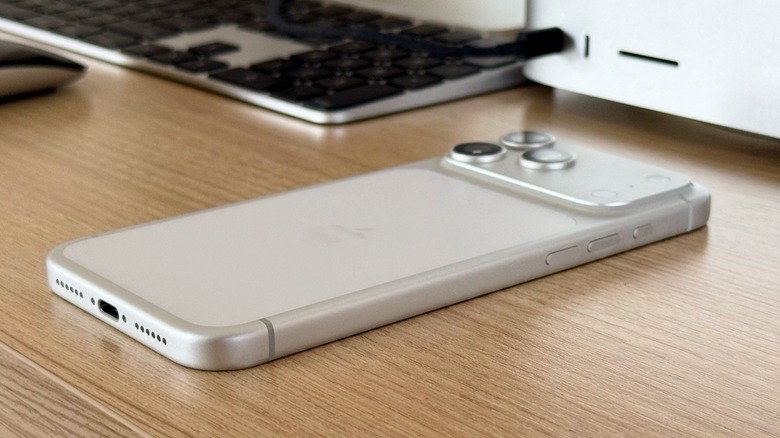
Doomscrolling is probably one of the most common issues we face with our phones. After companies like Apple, Google, Samsung, and Meta made us addicted to our smartphones and social media platforms, they had to create tools to reverse that. However, how can one change a habit formed over 20 years? Fortunately, apps like Roots and Minimalist Phone can help us stay away from our devices and control our impulse to constantly check social media and messaging apps.
While users can simplify their phones and usage habits, such as by setting different Focus Modes on iPhone, deleting social media apps, hiding notifications badges, and setting their display colors to gray scale to make it less appealing, some apps help reduce that distraction from our tasks. After all, those constant interruptions to check our phones while working or preparing a school paper, just because the device feels more engaging, can make our lives worse. This is why these are some of the apps that can help us build a healthier relationship with our phones by changing our screen time. They have received a lot of praise and have also been tested by the BGR staff.
Minimalist phone app
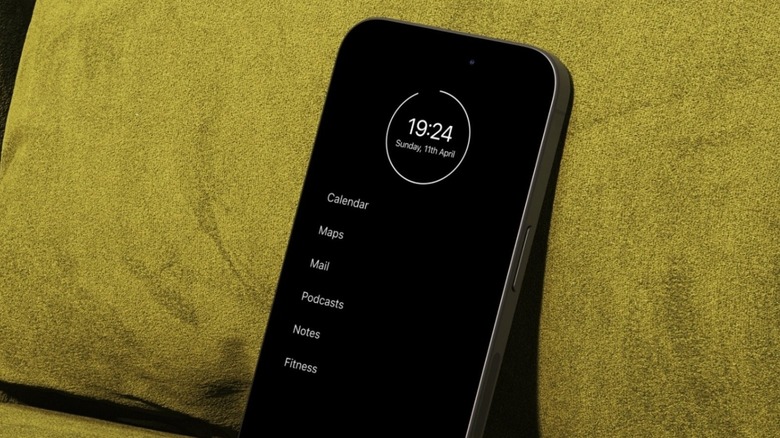
Imagine making your iPhone 17 Pro Max with a beautiful display, vibrant colors, and Liquid Glass interface look like a regular, everyday device. Minimalist phone claims it can help you fight doomscrolling, the constant feeling of being distracted by your phone, and cut your screentime while boosting your productivity and focus. Basically, the app changes the design of your iPhone to a minimalistic one. Instead of icons, you get a text-based Home Screen, so you can still use everything you're used to, but without the hustle and bustle of several notifications and icons catching your attention.
Like most of these apps, you can set a timer of how much time you can use other apps, and even how long you need to press and hold a timer button to open a specific software, like Instagram. With that, instead of just opening social media apps by habit, you need to do that more consciously.
Users can customize their Home Screen by categories, like productivity, fitness, work, social, and more so you only see what actually matters. With this change of design, the app says users can escape distractions, improve focus, and reduce screen time in general, as it takes all the overstimulation away. The Minimalist Phone app is available on the App Store for free, but requires a subscription to unlock all perks.
Roots: Screen time control
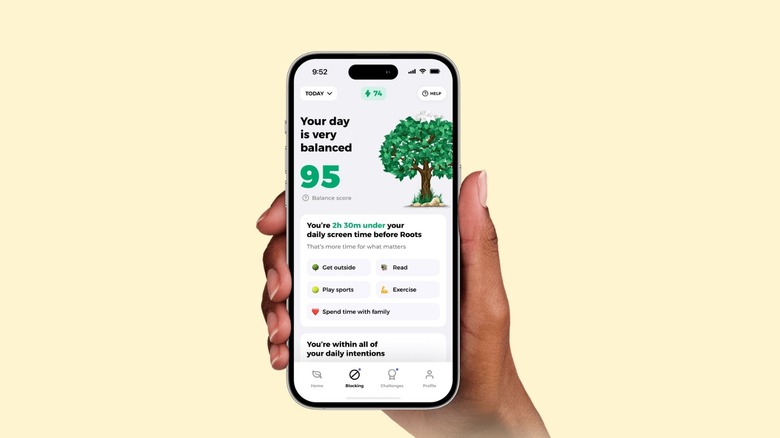
Like the Minimalist Phone, Roots wants to reduce your screen time. However, unlike the first option, it adds friction when you try to use your phone past your own boundaries. The app's goal is to make your phone usage more conscious and help cure phone addiction by helping you find the perfect balance between staying online and being present. It also helps users understand the impact of each app, meaning that using Safari or ChatGPT might have a different daily limit than using Instagram, TikTok, or WhatsApp.
The app also features a "Monk Mode," which truly blocks an app and prevents you from using it until the next day. There are also personalized challenges to help with your phone detox. Roots also builds up on Apple's Screen Time by helping you be more mindful in the morning and to wind down in the evening, so you don't touch your phone when you wake up, or before you go to bed.
The app does some gamification so you can set goals for screen time and phone pickups, track your daily progress, and build a streak of staying under your limits to earn cheat days. It covers everything from social media, adult websites, and whatever else you might be too addicted to. The app is available on the App Store, and requires a subscription to take advantage of all its perks.
ATracker PRO Time Tracker
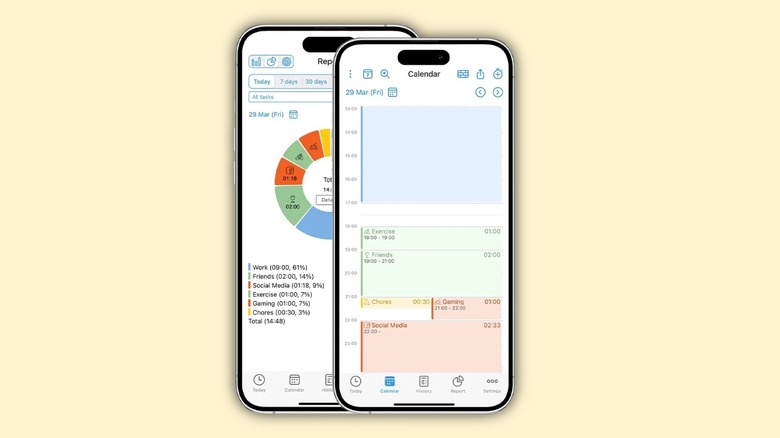
ATracker is an interesting way to understand your screen time. It offers a minimalist time tracker per task and project to help you understand where your time is going — without interfering with your doomscrolling or Instagram usage. From how much time you spend working, socializing with friends, and even just using your phone, this app is perfect for those looking for self-development.
Once you start logging your activities, you can get a chart with all your data that shows where you're spending the most time. Then, you can reassess if that's how you want your days to look like. While Roots and Minimalist Phone can help you cut the addiction to your iPhone and Android device, ATracker helps you be mindful about everything surrounding your life.
Users can log activities, start and stop tracking tasks with one tap, customize their activities, and set alarms for specific moments of the day. The app grants all Pro features after a one-time payment of $4.99, which removes ads, lets you create unlimited tasks and export your data. With a web subscription, however, you can sync your app across multiple devices. You can find it on the App Store.
One Sec
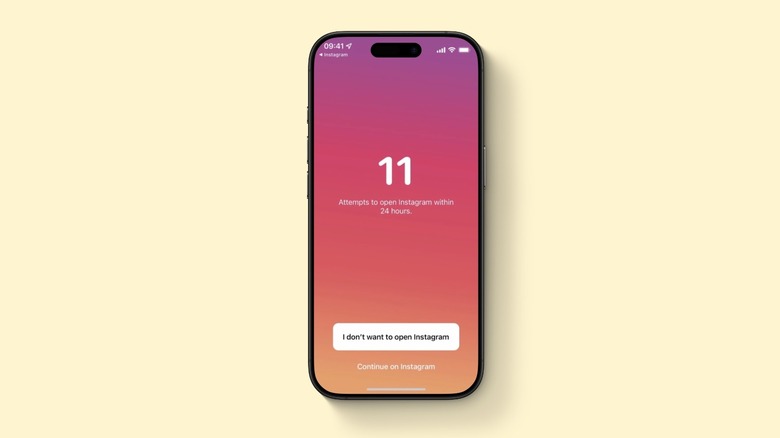
One Sec wants to make distracting apps less appealing by delaying access instead of blocking them. So, every time you try to open Instagram, it just gets delayed, until eventually you feel too annoyed to keep trying to open it every five seconds. Users can take advantage of this delay with any app, including social media, games, video streaming, dating, stock trading, web pages, and even adult content.
The developers behind One Sec promote the app by allowing users to apply this delay to one app for free, unlocking more apps with the premium One Sec Pro version.
Besides that, if you start to doom scroll on social media, One Sec may activate an Emergency Brake that kicks you out of the app after a set period, locking you out until you complete a challenge. It's a fun but also very useful solution to stay away from distracting apps. One Sec is available on the App Store and is free to download, with a subscription required to unlock extra perks.
Opal: Screen time control
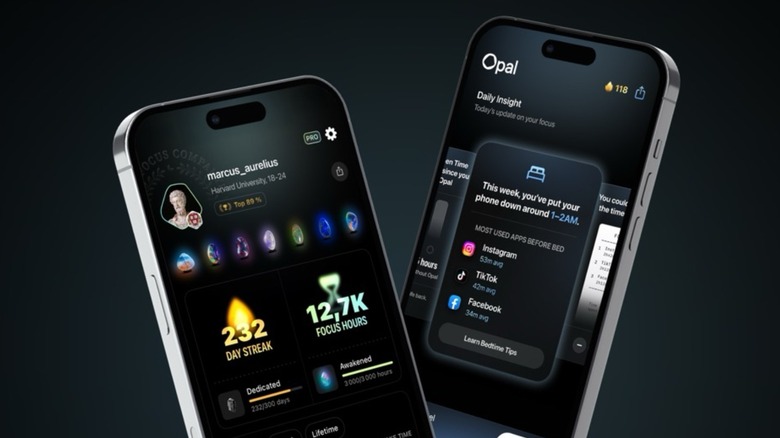
Last but not least, an app that can also help you change your phone habits is Opal. It lets you instantly block specific apps and websites at certain times of the day, so you can have a more productive week. You can also choose how difficult it should be to open a specific app to help you avoid unconscious usage or even completely block it with Deep Focus.
Like most of the other apps on this list, Opal lets you set daily usage limits and, once you go past them, it shows you a mindful block screen with quotes and puns every time you try to open that app you told yourself you wouldn't use again. Opal also gives you a Focus report, so you can understand how your habits are changing after a while — and if your friends are also going strong on this detox phase of their lives.
With a Calendar feature, you can set your daily work and sleep schedule, as well as other parts of your routine. Then, you can pick which apps should be blocked during those periods, which is a more efficient way than simply ignoring notifications for them. Opal is free to download but requires a subscription to unlock all its perks. It's available on the App Store.