

Thinking About Fixing Your iPhone? A Former Tech Warns Against These Mistakes

If you break your iPhone, the easiest path to take is contact Apple Support and schedule an appointment with a Genius Bar. However, if you live far away from an Apple Store, don't trust your local reseller, or you're just trying to save some money, there's this possibility where you can try to fix it yourself. After all, how much more damage can you make to an already broken iPhone? (Actually, a lot).
This is why former technician and Slashgear's contributor Doug McDonald shared with BGR some of the mistakes he has repeatedly seen people making over the years when trying to fix an iPhone, from things like forgetting to disconnect the battery before replacing a display, or even not putting the same screws back into the hole from which they came. All those little details matter when fixing an iPhone, and while Apple has made it a million times easier to fix a phone by yourself thanks to actual repair tools and guides on how much it will cost. This is not a task for the weak of heart, or those who never fixed other electronics before.
Especially if you have a recent iPhone, Apple is very picky about what spare parts you put on your phone, and depending on the way you fix it, you can end up ruining parts of your device completely, as Apple requires you to pay for authentic pieces to be used as replacement.
People aren't very careful about the inside battery
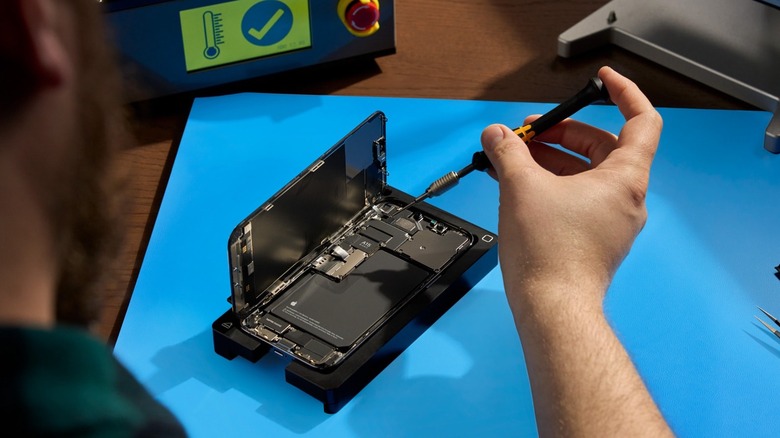
McDonald says that most people don't disconnect the battery before replacing a display, which can fry the new panel or backlight upon connection. This is such a common mistake that even iFixit warns users about basic things they need to do before going to repair their device, and tips about battery are very important.
Some of the them say that you should discharge the battery below 25%, as it reduces the risk of a dangerous fire in case something goes wrong with the battery cell, and that it's also important to disconnect the battery as soon as possible, as you should not start working on the iPhone until you do that. Another important tip is to not heat your device or pry at the battery if it's swollen, as they can be especially hazardous.
All those tips regarding the battery ensure you won't fry your device before you even start to fix it, but that you'll also avoid putting yourself in danger in case something happens to the battery cell. We already had one too many Galaxy Note 7 phones catching fire to want something like that again.
Don't forget to use the right tools
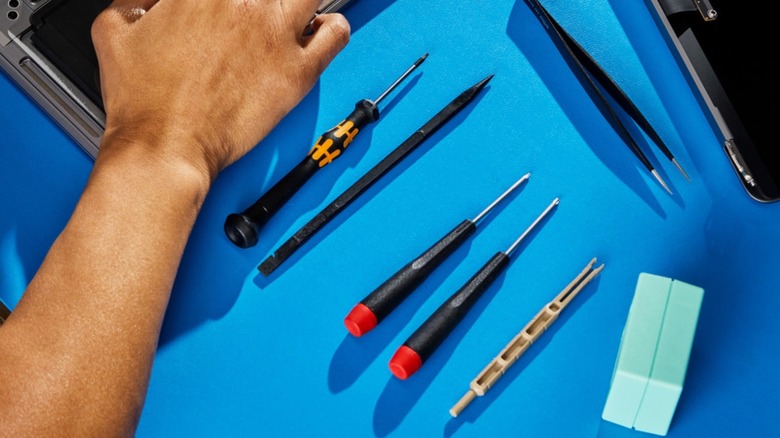
Doug McDonald also says that people usually don't plan ahead to use the right tools, so they use abrasive, thick tools like Philip's head screwdrivers to try and open their iPhones, which could damage the display and/or frame. That said, just like battery issues, some people might break their devices even more before they can actually start to fix them.
Apple's iPhones are not made to be opened with force or generic tools, as instead of trying to open it, you're just applying uneven pressure that can crack the display, chip the frame, or even distort the internal clips that keep everything aligned. This is why people need to use proper repair tools like pentalobe screwdrivers for the external screens, thin plastic pick, or other opening tools that flex slightly and distribute pressure more safely along the edges.
Besides that, if you're in the U.S. or in Europe, users can rent from Apple's self-service repair program, the exact tools its technicians use to fix the iPhone. This way, you can ensure you're using the correct material to fix your iPhone. Repair companies like iFixit also offer proper tools to help you open your device without breaking it. That said, don't go using the first Philip's screwdriver you have at home, and thank Doug later.
Clean your iPhone properly
To scrub out dust and grim from speakers and charging ports, people commonly use Q-tips and cleaners. McDonald says he has seen people use metal hardware like hook-shaped tweezers to try and scrape lint and grime out of their charging port just to discover they ruined the connection pins in there. While you might think people won't do that, he also says he's seen a lot of people using abrasive chemicals that ended up leading to the same results.
For parts of the phone like the charging port, which contains delicate contact pins responsible for power delivery and data transfer, using a cotton swab with or without liquid cleaner can introduce the risk of corrosion or shorting. To clean the speaker holes, if you use metal tools, you're just interfering with components that shouldn't be touched, as it can damage the mesh or push debris further inside, which will worsen the audio quality instead of improving it.
This is why, the best way to clean your iPhone properly is by using gentle bursts of compressed air at an angle or non-conductive tools like a wooden toothpick or a soft anti-static brush to lightly tease it out. More importantly, liquids should be avoided at all times.
Respect iPhone screws' holes, they're more important than they seem
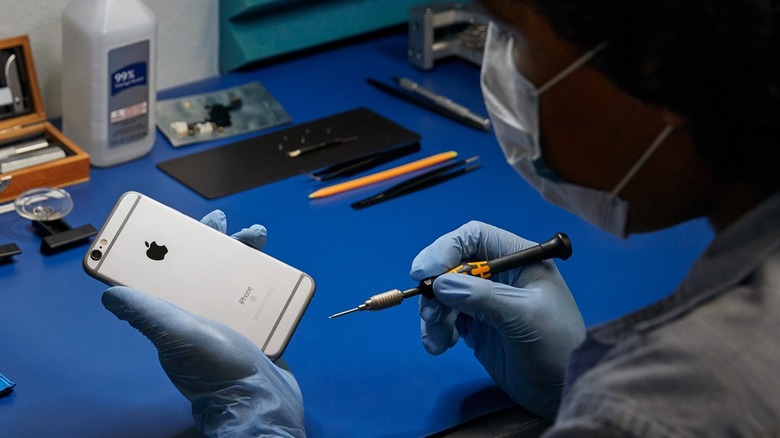
Another mistake people make more often than they should is that they don't put screw backs into the holes from which they came, which in an iPhone can lead to longer screens going through the phone's logic board, if users are not careful, according to McDonald. That said, the best way to avoid those issues is to be very careful and organized when fixing your iPhone. Separating screws by sections or in different parts of your desktop might make a huge difference once you finish the repair.
After all, if you put a longer screw into a hole designed for a shorter one, it's not that it'll just "sit wrong," but it can pierce into layers of the logic board that will completely destroy your iPhone, and the only repair would likely be a full replacement.
What McDonald notices is that these mistakes aren't always immediately obvious, as the iPhone can power on, but those hidden damages can cause display issues, touch failures, or random malfunction at a later date. In other words, this simple repair just ended up becoming a very expensive problem that could lead up to you just having to buy a new phone.