

What That Hole On The Side Of Your Apple Watch Is For
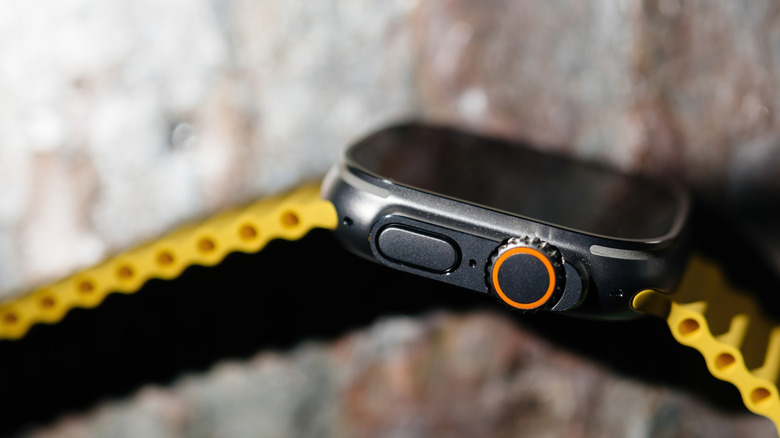
The Apple Watch has become one of the most well-known and popular wearables on the market, and for good reason. There are tons of Apple Watch features you might not even know about, as well as functionality that you may not be aware of, either. One that might have you stumped is the holes on the side of the Apple Watch. Depending on how technically inclined you are, you might see those holes, and the first thought that pops into your mind is that it's a reset switch of some kind, or perhaps even a place to open a SIM card tray on the watch.
However, Apple says that the Apple Watch doesn't have a physical reset button or a SIM card tray. The reason the hole exists, in fact, is threefold. First, on all Apple Watch models, that hole is where the device's speaker and microphones are located. This allows you to take calls, talk to Siri on your Apple Watch, and even capture audio.
Some of the microphones can even help with checking for noises that are too loud, which is one of the Apple Watch's various health-related features. However, the hole also serves a third function on some models of the Apple Watch. On newer models that support water resistance, the hole is also used to help measure the water depth around you.
How the Apple Watch measures water depth
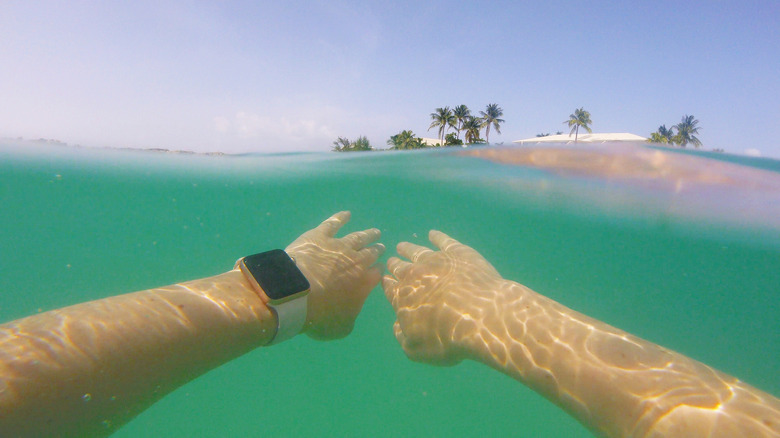
Certain Apple Watch models — such as the Apple Watch Ultra — can measure the depth of the water, not only to provide important information about your swim, but also to help you safeguard your device and know its limitations. This is important because smartwatches, while often water-resistant, are not actually waterproof. The rated protection of most Apple Watches is 40 meters, or 130 feet. Older variants, like the Series 2, can be used for swimming and shallow-water activities, but they aren't rated for any depth, like the Ultra or later.
Exactly how the Apple Watch utilizes the hole is never expanded upon in official Apple documentation that is available to consumers. It's likely the hole also houses some sensors alongside the microphones that it uses to measure sound volumes and listen for your voice. It uses the information collected through the hole in coordination with the Depth app on your Apple Watch to measure and present the data that you might want or need.
As noted, not all Apple Watches support depth measuring or are dive compatible. The easiest way to verify that your watch will support water-depth measuring is to take a look at what model it is. If you have an Apple Watch Ultra or newer, then Apple says it should be water resistant up to 40 meters. If you're not sporting a newer Apple Watch that offers this functionality, then it's not recommended to go diving with it, as doing so could actually cause harm to your smartwatch.