

Why Your Next USB Charger Should Have A Digital Display
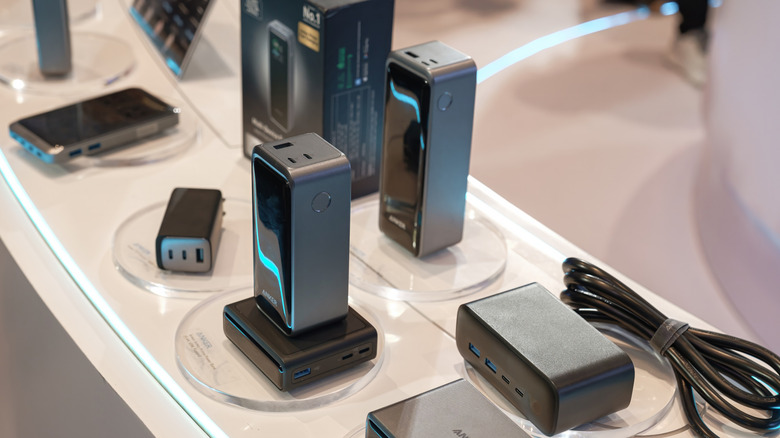
Take a look around you. How many devices do you have on your desk or in your room that plug into a USB charger? We'll wager it's a lot. With all of the different ports available, all the different sizes of chargers, and the massive amount of gadgets we expect to keep powered up, it can get a little confusing to know how all that power is getting routed. We recently wrote up a primer on USB-C and why it matters, but even though many devices are moving toward a universal port, there's still a ton of variability.
That's where an on-charger display can really come in handy. Think about it: Have you ever tried to plug in your phone or tablet only to find that it's not actually charging up? Or, if it is, maybe it's not fully charging the battery. We also recently covered why you need to be careful with cheap phone chargers, which can lead to these types of problems and others. Luckily, many popular new chargers are starting to include a display so you can learn just how much juice they're supplying, and — more importantly — if it's the best format to charge or power the device you're plugged into.
A display on your charger can be a game changer
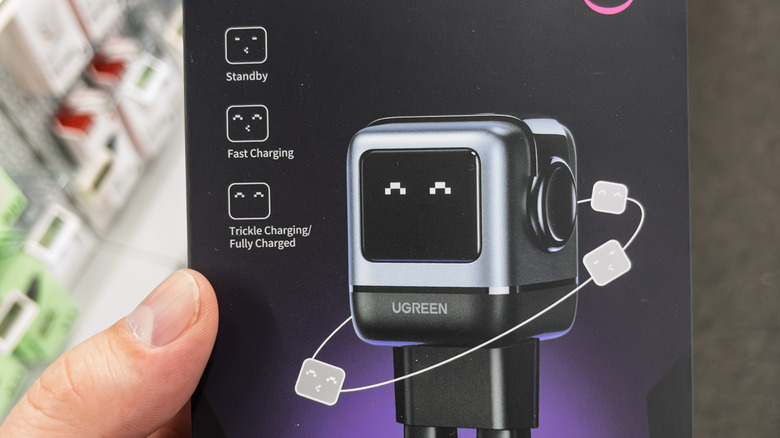
We recently put together a roundup of the best portable laptop chargers, and one of the subtle but standout features of many of those battery banks and wall-chargers is a utility display that delivers some basic information about the charging. But what do those displays actually show you, and how does it help? Generally, a display on a charger is designed to show you the exact wattage or voltage that is being delivered to a device. Many larger chargers also feature multiple output ports, so it's possible that the display will show which port is delivering which wattage. Some charger brands, such as Anker, may also display information about the charging technology being employed, like Power Delivery (sometimes shown as PD), or Anker's proprietary PowerIQ format.
So how does this actually help you? Well, as gadgets continue to get bigger and bigger, their charging requirements are changing, demanding faster charging and support for specific technology needs. MacBooks and iPads, for example, require a certain baseline power output to recharge their batteries, so making sure the charger you're using is actually delivering that wattage is important. This can also help you suss out if the cable itself is or isn't capable of delivering a charge. If your charger display shows a lot of power but your device isn't charging, the cable might be the culprit. Overall, displays on chargers are becoming more and more common, helped along by the more widespread use of miniature displays and GaN-style chargers. Soon, guessing about whether your battery is charging may be a thing of the past.