

You Might Be Wearing Your AirPods Wrong - Here's How
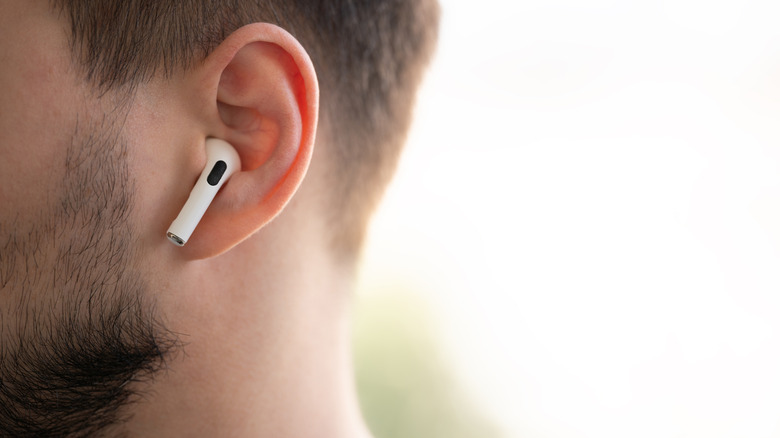
The way your AirPods fit in your ears has a bigger impact on sound quality than you might think. It's all about achieving a proper acoustic seal, which effectively reduces outside noise and keeps audio clear without needing a higher volume. Even if you disable Active Noise Cancellation (ANC), or other popular AirPods features, when you're trying to save battery life, a good fit can make your AirPods feel far more immersive. The problem is, most people are wearing them wrong.
When you put on your AirPods, you might just shove them in your ear and twist them in until they feel comfortable. As long as the sound quality is acceptable and they don't fall out during whatever activity you're doing, it's all good. But what you don't know is that you're supposed to rotate the stem towards your face so the tip can nestle comfortably in your ear's concha (the bowl-shaped area in your outer ear). If you're using AirPods Pro, you should also push them in gently and adjust the angle and rotation until they feel comfortable once the seal is formed. For AirPods Pro 3, in particular, that seal is essential for accurate heart rate readings.
Ensuring the right fit for your AirPods Pro matters
AirPods Pro come with different-sized tips to ensure a comfortable fit. Unfortunately, standard AirPods, including the AirPods 4, don't have replaceable ear tips. The ones preinstalled on all AirPods Pro are size M (medium), but you might also have XXS (extra-extra-small), XS (extra-small), S (small), and L (large). There is no exact science to finding the right fit, as it's all preference. But you should first wear them for 10-15 minutes to see how they feel or if they stay on while doing an activity such as running or working out. Too loose? You might need a bigger size. Too tight? You might need to go smaller.
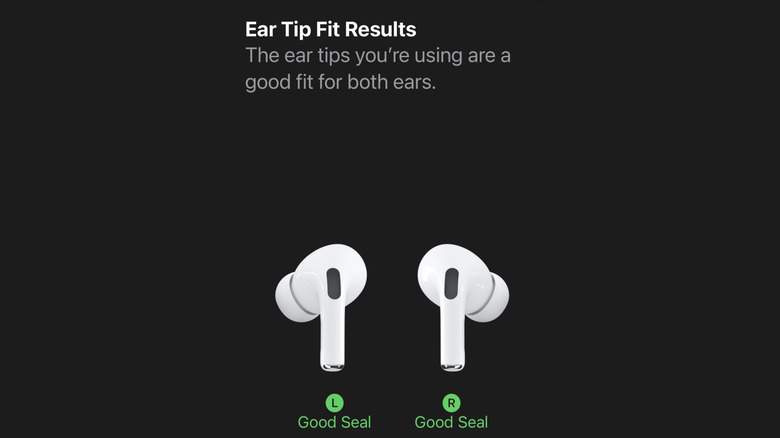
If you're still in doubt, you can use the built-in acoustic test from your iPhone. Put the AirPods in your ears, connect them to your iPhone or iPad, and follow the steps below:
-
Open the Settings app and tap the name of your AirPods — it will be directly below your Apple ID.
-
Scroll down and tap Ear Tip Fit Test or Test Acoustic Seal.
-
Tap Continue.
-
Tap the blue play button at the bottom to start the test.
If the tips are a good fit, you will see the words Good Seal under each earbud. If not, adjust the AirPods and do the test again. If the seal is still not good, try different-sized tips and redo the test.